TRANSACTION EXAMPLES
fOR
OPERATING THE CASH REGISTER
The
~mpl~sinthls_
s
•.
:r;tio~
show
how
to
ring
up
different
.~
of,--!~n~~.!.()f1~-~_~A}I~~i.lVl!E!L9!LP~!t~_m?Y"
'.~~:_
;c:
---b:efllst::I.J
to
etitertq:>nce:--------
. .
NOTE:
Tum
the
key
to
the
-REG" (REGISTER)
position
for
registering
sales
transactions.
IMPORTANT: It is
not
necessary
to
press the Decimal Point when ringing
up
a price.
REMINDER: If Clerk Numbers are programmed.
be
sure
to
TYPE the (CLERK #), then PRESS
the (CLERK) Key before ringing
up
a sale.
SAMPLE RECEIPT
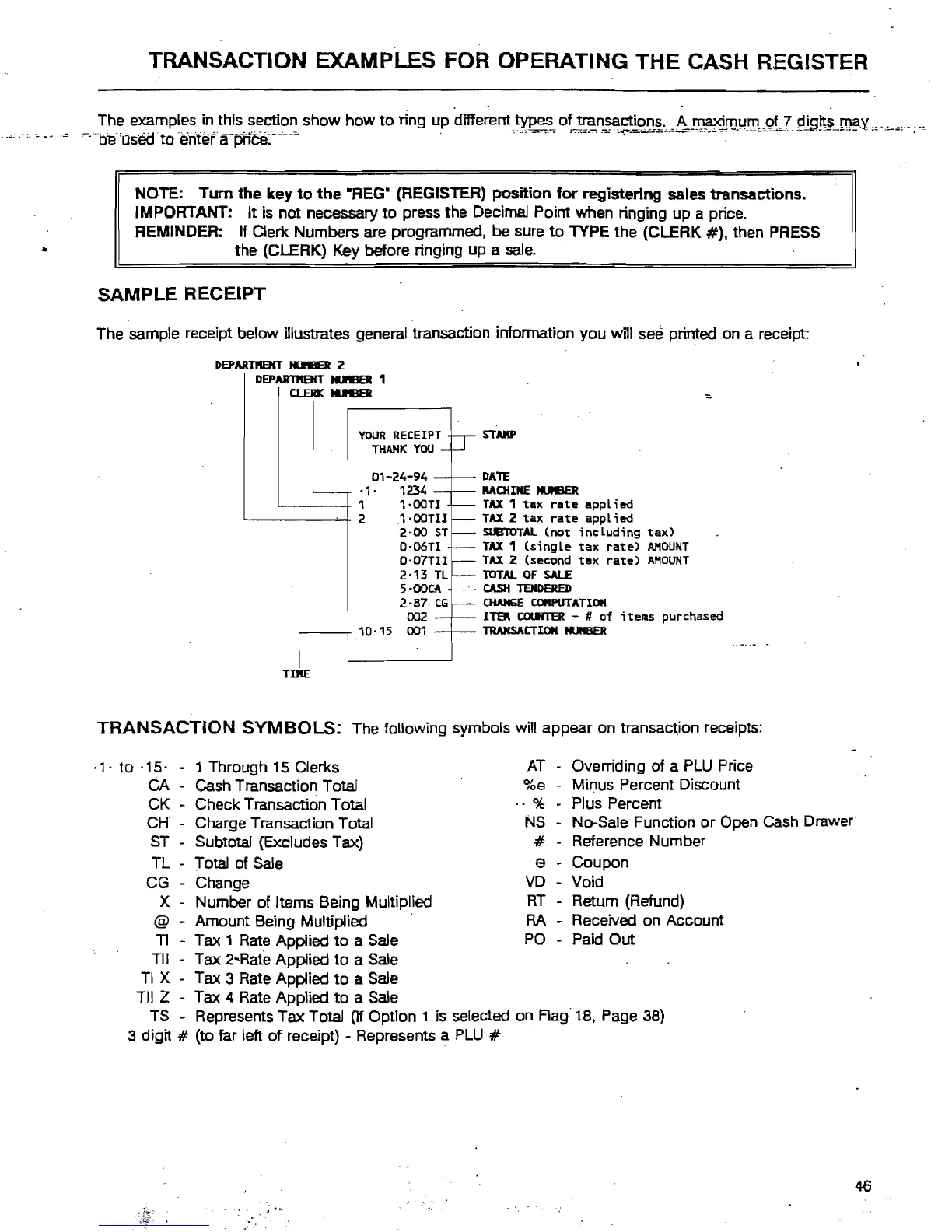
The sample receipt below Ulustrates general transaction infonnation you will see printed on a receipt:
DEPARTI'IBiT
IUB3t
2
DEPARTIIEHT
IUB3t
1
Cl.EJII(
IUB3t
YOUR
RECEIPT
THANK
YOU
01-24-94
·1·
1234
'----+
1
1·ooTI
'-------+
21·ooTIl
2·00
ST
Q·06TI
0-07TII
2-13
TL
5-00CA
2-87
CG
002
,--+
10·15
001
TDIE
SIMP
DATE
Mo{INE tI.I'IBER
TAX
1
tax
rat~
applied
TAX
2
tax
rate
applied
SUBTOTAL
(not
including
tax)
TAX
1
(single
tax
rate)
AMOUNT
TAX
2 (second
tax
rate)
AMOUNT
lOTAL
OF
SALE
CASH
TENDERED
CHAHGE
alIlPIITATION
ITER
COUNTER
- #
of
items
purchased
TRANSACTION
tIJIIIBER
TRANSACTION
SYMBOLS:
The following symbols
wi!!
appear
on
transac~jon
receipts:
.,.
to
-'5·
- , Through 15 Clerks
CA - Cash Transaction Total
CK - Check Transaction Total
CH
- Charge Transaction Total
ST
- Subtotal (Excludes Tax)
TL - T ota! of Sale
CG
- Change
X - Number of Items Being Multiplied
@ - Amount Being Multiplied
Tl - Tax 1 Rate Applied
to
a Sale
Til - Tax 2-Rate Applied
to
a Sale
TI
X - Tax 3 Rate Applied
to
a Sale
Til Z - Tax 4 Rate Applied
to
a Sale
AT
%9
_.
%
NS
#
e
VD
RT
RA
PO
- Overriding
of
a
PLU
Price
- Minus Percent Discount
- Plus Percent
- No-Sate Function
or
Open Cash Drawer
- Reference Number
- Coupon
- Void
- Retum (Refund)
- Received
on
Account
- Paid Out
TS
Represents
Tax
Total [If Option 1 is selected on
Rag
18, Page 38)
3 digit
# (to far left
of
receipt) - Represents
~
PLU
#
46



 To Next Page