(Continued) TAX RATE
ADD~ON
TAX TABLE RATE (an alternative t()
using
the
Fix~d
Rate Procedure)
Re!er
to
Appendix I
to
locate
the
tax
table
codes
listed
for
your
particular
state. If your state's tax rate
is
not listed
in
Appendix
1,-
refer to Appendix
II
for instructions
on
calculating your own state's tax table codes.
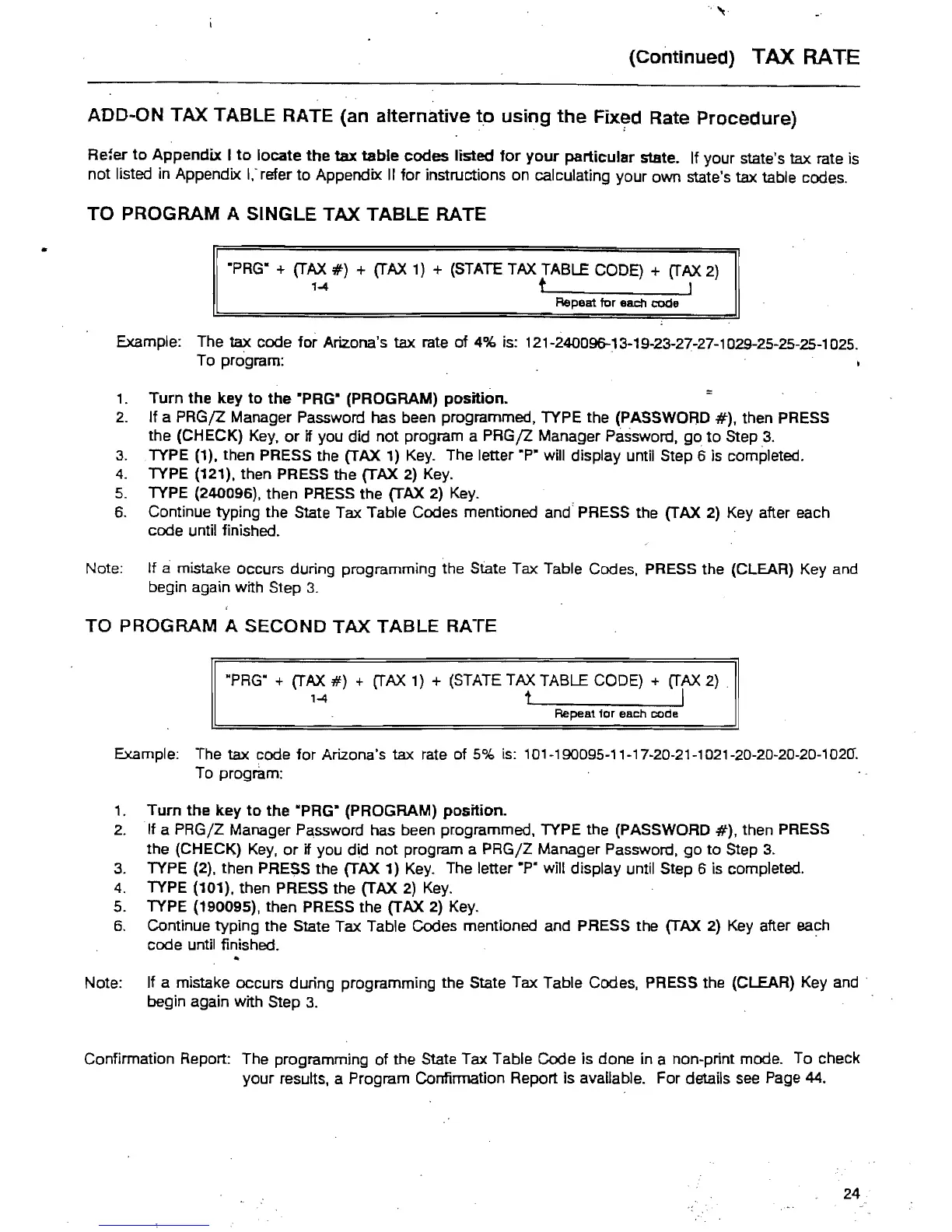
TO PROGRAM A SINGLE TAX TABLE RATE
"PRG"
+
(TAX
#)
+
(TAX
1) + (STATE TAX TABLE CODE) +
(TAX
2)
1-4
t I
Repeat tor each code
Example: The tax code for Arizona's tax rate of 4% is: 121-24009&13-19-23-27-27-1029-25-25-25-1025.
To program: .
1.
Turn
the
key
to
the
"PRG" (PROGRAM)
position.
2.
If a
PRGjZ
Manager Password has been programmed, TYPE the (PASSWORD
#),
then PRESS
the (CHECK)
Key,
or
if you did not program a
PRGjZ
Manager Password,
go
to
Step
.3.
3.
TYPE (1), then PRESS the (TAX
1)
Key.
The letter ·P" will display until Step 6 is completed.
4.
TYPE (121). then PRESS the (TAX 2)
Key.
5.
TYPE (240096), then PRESS the (TAX 2)
Key.
6.
Continue typing the State Tax Table Codes mentioned and' PRESS the (TAX
2)
Key after each
code until finished.
Note: If
amistake occurs during programming the State Tax Table Codes, PRESS the (CLEAR) Key and
begin again with Step
3.
TO
PROGRAM
A
SECOND
TAX
TABLE
RATE
RPRG"
+
(TAX
#)
+
(TAX
1) + (STATE TAX TABLE CODE) +
(TAX
2)
1-4
1 I
Repeat for each code
Example: The tax code for Arizona's tax rate of
5%
is: 101-190095-11-17-20·21-1021-20-20-20-20-1020".
To program:
1.
Turn
the
key
to
the
·PRG" (PROGRAM)
position.
2.
If a PRG/Z Manager Password has been programmed, TYPE the (PASSWORD
#),
then PRESS
the (CHECK)
Key,
or
if you did not program a PRG/Z Manager Password.
go
to
Step 3.
3.
TYPE (2), then PRESS the (TAX 1)
Key.
The letter
.p.
will display until Step 6 is completed.
4.
TYPE (101), then PRESS the (TAX
2)
Key.
5.
TYPE (190095). then PRESS the (TAX 2)
Key.
6.
Continue typing the State Tax Table Codes mentioned and PRESS the (TAX
2)
Key after each
code until finished.
Note: If a mistake occurs during programming the State Tax Table Codes. PRESS the (CLEAR) Key
and·
begin again with Step
3.
Confirmation Report: The programming
of
the State Tax Table Code is done in a non-print mode. To check
your results, a Program Confirmation Report is available. For details
see
Page 44.
24



 To Next Page