22
MPS4232
Section 3: Operation
The MPS4200 is congured with a single user Web Server applicaon which provides a simple method for communicaon,
conguraons, and operaons from virtually any host computer. The Web Server requires no addional soware be installed
on the host computer and provides a simple graphical interface for the user to use the MPS.
The Web Server has been tested with several web browsers to verify funconality and compability. Those that were tested
are:
Google Chrome
Microso Edge
Mozilla Firefox
To connect to the MPS4200’s Web Server, simply open one of the supported browsers, enter the MPS’s IP address into the
address bar and press enter.
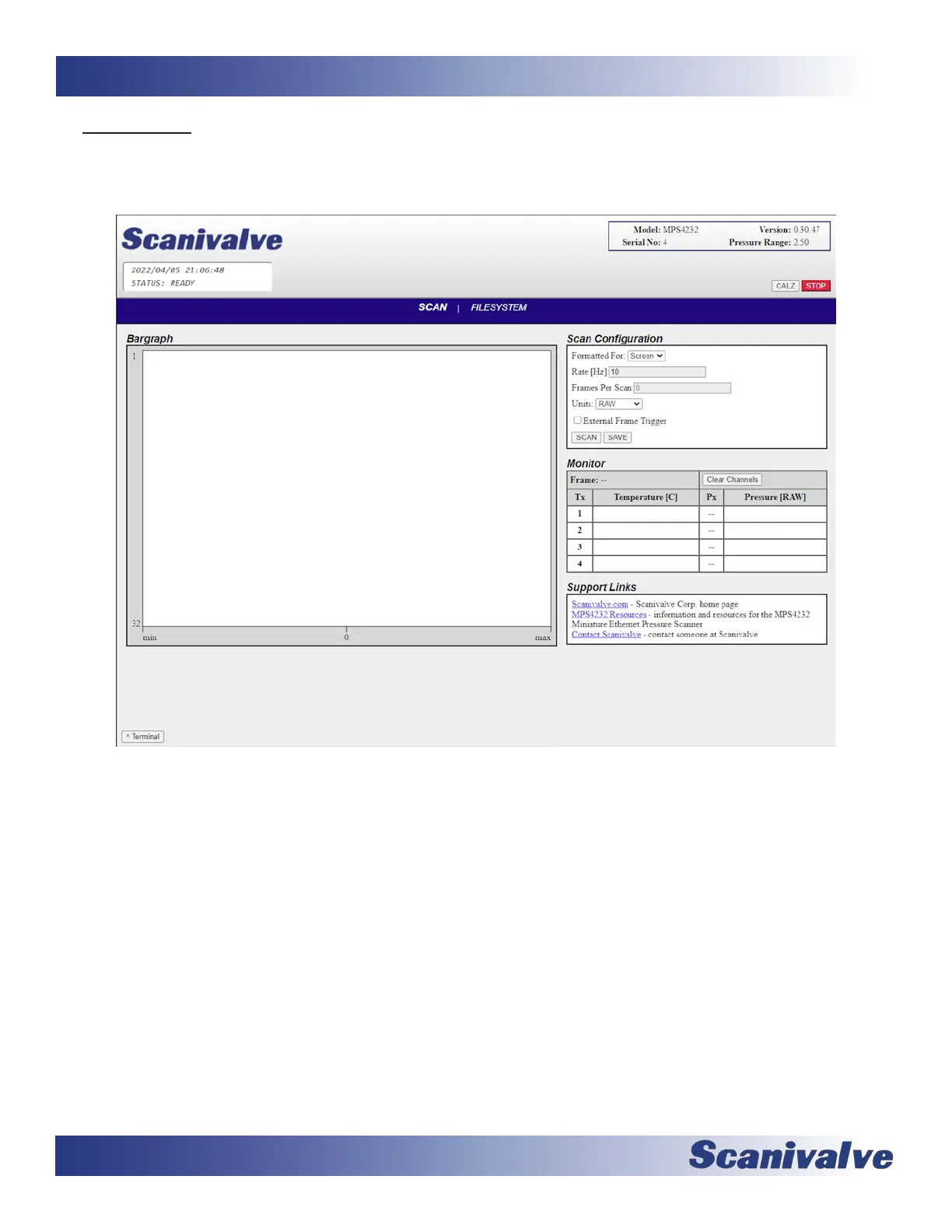
Once connected, the Web Server’s Home screen will be displayed as shown in gure 3-5.
Basic module informaon will be displayed in the top right corner of the window. This will include the model number,
current rmware version, serial number, and the nominal pressure range.



 To Next Page