26
MPS4232
Section 3: Operation
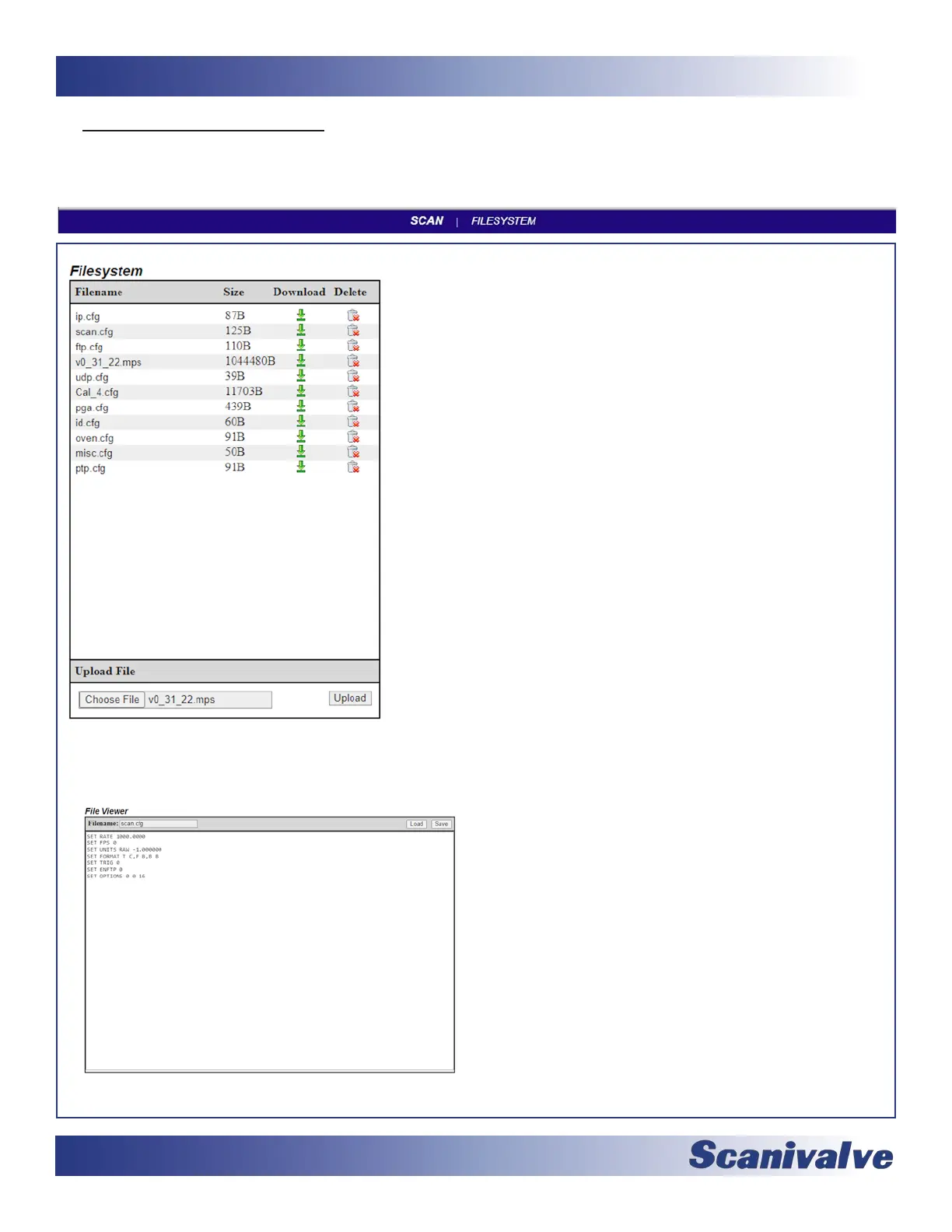
The File Browser page is used to view les and scripts stored in the MPS, edit les or scripts, create and edit new scripts,
upload les, and update the MPS’s rmware.
This secon displays all les that are currently in the MPS’s memory. There
is also a secon where les can be uploaded.
FILENAME -- This column displays the names of the les.
SIZE -- This column displays the size of the le in bytes (B).
DOWNLOAD -- This column provides a link that will iniate a download of a
le to the host computer.
DELETE -- This column provides a link that will delete a le.
Only .cfg, .txt, and .mps (MPS applicaon) les will be displayed in this table.
All cfg les contain MPS sengs, including the IP address. Deleng these
les may have adverse eects.
All les can be double clicked to acvate a funcon:
CONFIG (.cfg or .txt) FILES -- When a le is double clicked, it will open
the “Text Editor” in the adjacent console. The contents of this le will
be displayed. This le can be edited and saved using the SAVE buon in
the console, or loaded into temporary memory using the LOAD buon.
Remember that eding or changing these les may have adverse eects.
APPLICATION (.mps) FILE -- When the “.mps” le is double clicked, a dialog
box will appear. Double clicking will begin a rmware update. Press OK to
connue, or CANCEL to cancel. Once rmware has been updated, this le
may be deleted. This le does not have to be stored on the MPS for opera-
on. Note: Files that do NOT match .cfg, .txt, and .MPS are considered
unsupported and the MPS will not upload these les. More than one .mps
le in memory is prohibited.
UPLOAD FILE -- This area allows for les to be uploaded to the MPS, including rmware les and conguraon les.
FILE VIEWER -- This window will allow you to view or
edit coecients (.txt) tables or conguraon (.cfg) les.
FILENAME -- This eld will display the lename of the
script le. Filenames must include the le exten-
sion (.txt or .cfg).
The lename cannot exceed 32 characters and
cannot contain spaces.
SAVE -- This buon is used to save the le being
created or edited.
LOAD -- This buon is used to load the current selected
le into temporary memory (for applying new
sengs or new coecients).



 To Next Page