25
MPS4232
Section 3: Operation
SCAN BUTTON -- The SCAN buon can be used to iniate data collecon from the MPS. The scan will adhere to the
conguraon sengs (Format, Rate, FPS, Units, External Triggering).
When in SCAN mode, the status bar at the top will report STATUS: SCAN. All buons (except STOP) and elds will be
disabled unl the scan has completed. Use the STOP buon to interrupt any scan and return the MPS to ready mode.
SAVE BUTTON -- The SAVE buon can be used to save the current scan conguraon sengs to the MPS memory.
Note: when changing the Scan Conguraon variables, it will not set the variables in LIST S. These seng are only
applied to Web Server scans. The sengs in LIST S will be maintained unless the SAVE buon is used.
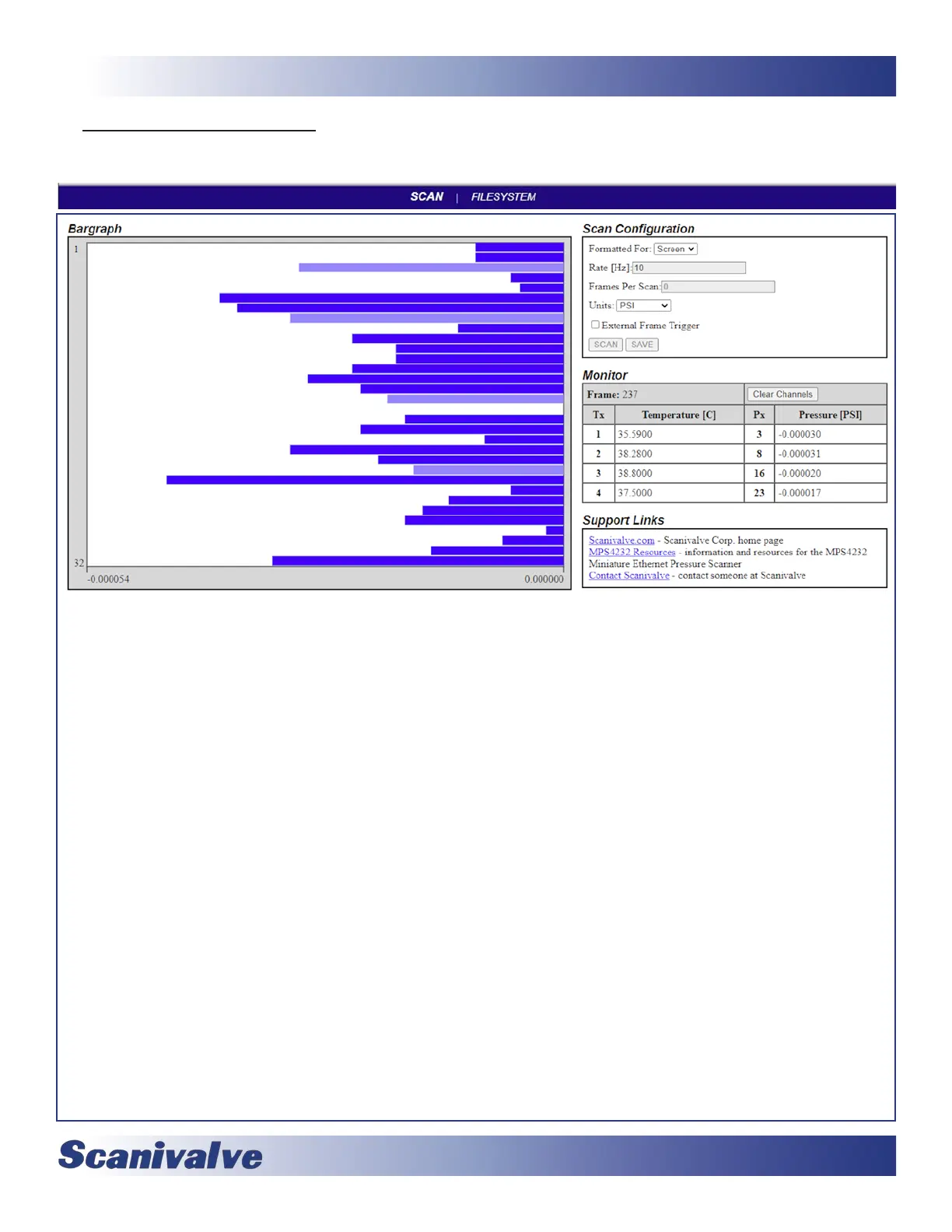
MONITOR -- This area provides scan informaon when the scan data is formaed for the screen. The following data will be
displayed:
Frame: The current frame number for the displayed data.
Tx and Temperature [C]: The current temperature for each of the RTDs that reports the temperature of the module.
All temperatures are reported in degrees Celsius.
Px & Pressure [UNITS]: Table to hold up to 4 channels of pressure data. This table will start blank unl channels are
selected in the bar graph. When a bar is selected, the bar will turn light blue and the channel number and pressure
value will be displayed in the table. The units will be set by the Units seng.
Only 4 channels can be selected at a me. In order to select dierent channels, the current selected channels must
be cleared with the “Clear Channels” buon.
SUPPORT LINKS-- This secon provides links that will direct to dierent resources on the Scanivalve website. These pages
can provide general informaon, MPS4000 resources (such as links to download manuals or data sheets), and a link
to Scanivalve’s contact form.
Note: These hyperlinks will only work successfully if an internal connecon is available.



 To Next Page