76
MPS4232
Section 6: Maintenance
The MPS’s rmware can be upload and updated using the
MPS Web Server or the FTP le server via Ethernet connec-
on. Using the MPS Web Server is the preferred method.
Please contact Scanivalve for the latest MPS rmware
version.
1. Connect the MPS to the host computer via Ethernet
connecon. Ensure the MPS is powered on.
2. Open the web browser of choice:
Google Chrome
Microso Edge
Mozilla Firefox
Note: Verify pop-ups are allowed in the browser.
3. Enter in the MPS’s IP address into the address bar
and press enter.
4. Navigate to the File Browser page on the MPS’s Web
Server.
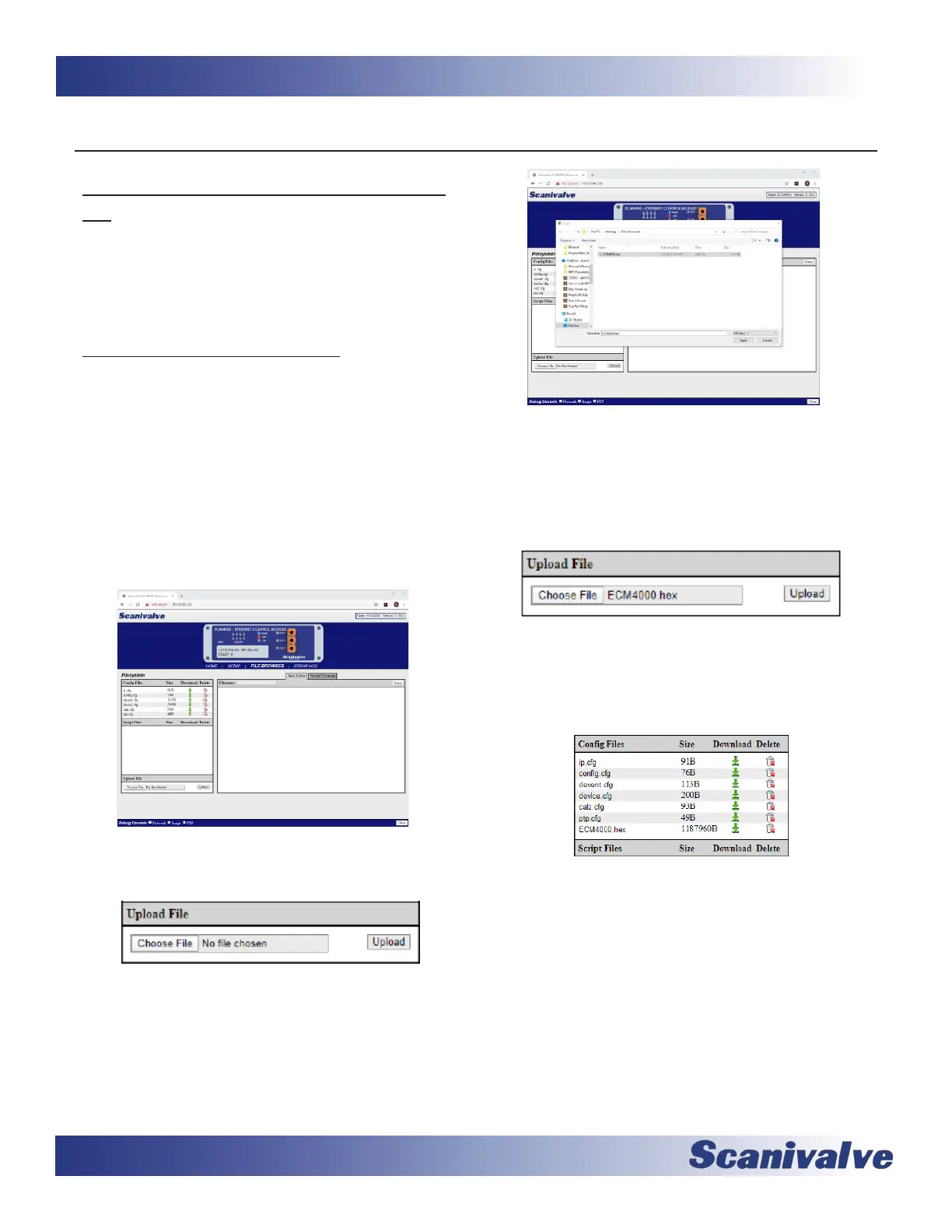
5. In the “Upload File” secon, click “Choose File.”
6. Navigate to the locaon where the MPS’s rmware
le is stored. The le will be called v<version>.mps.
Select the le and click “Open.”
7. The .mps le will now appear in the “Upload File”
secon. Click “Upload.” A dialog box will appear
with informaon.
If there is an exisng .mps rmware le on the MPS,
the upload process will overwrite the exisng le.
8. The .mps le will now appear in the “Cong Files”
table. To iniate the update process, double click
the .mps lename in the table.
9. A dialog box will appear and ask for rmware
update conrmaon. Click “OK” to connue.
A new dialog box will appear. The MPS will begin
updang the rmware. When the update is
complete, the dialog box will disappear and the
browser will refresh and reload the MPS Home
Page.
The “Version” in the top right corner of the MPS
web page should reect the latest version.
Note: The .mps le can be deleted from the File
System once the update is complete. It does not
need to reside in the memory for operaon.



 To Next Page