23
MPS4232
Section 3: Operation
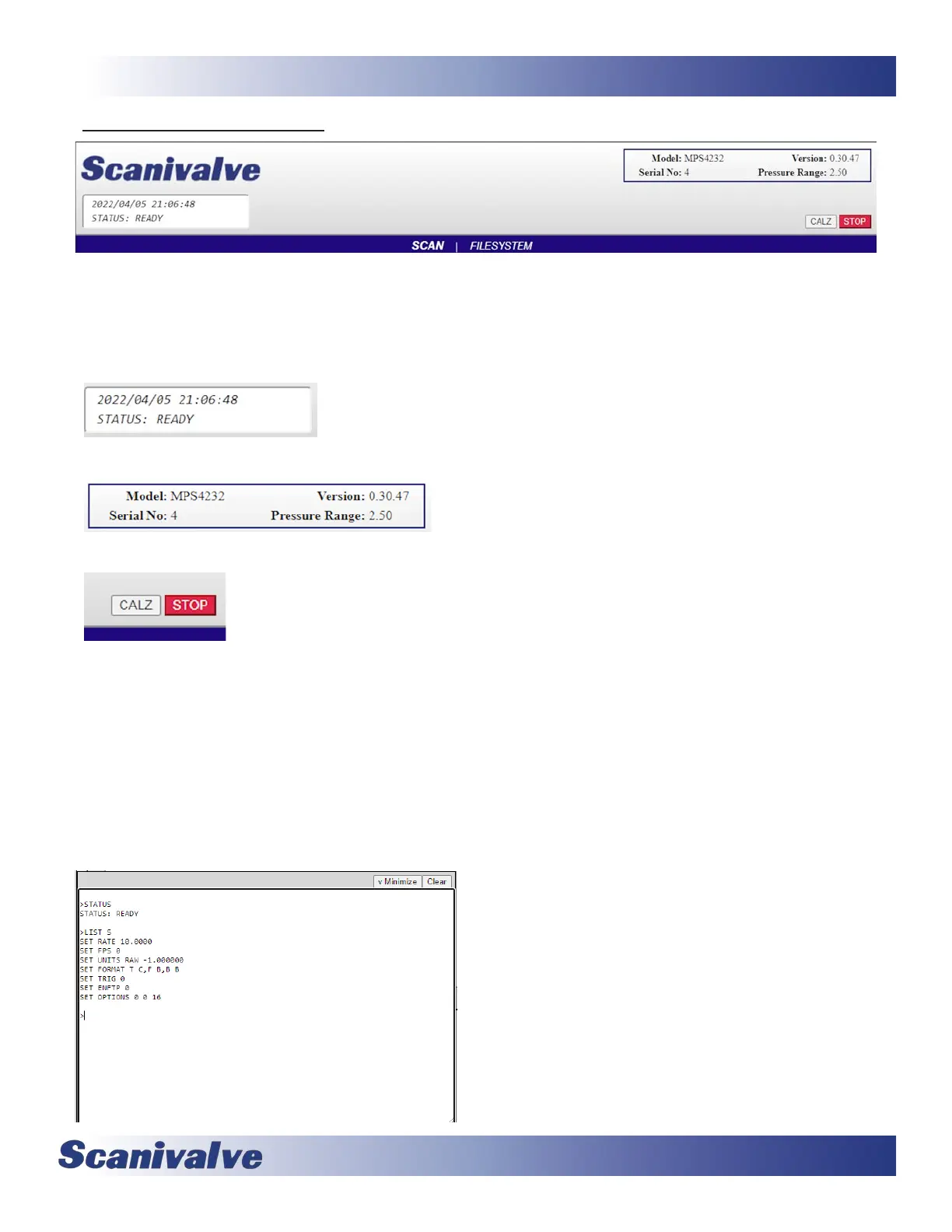
The top poron of the Web Server is the “Main Display.” This display will remain constant through all pages of the Web
Server. This display provides informaon about the module, universal funcons, and a status window that will display the
current status, me and date in the MPS. The main display is updated once per second to reect the most current status of
the MPS.
-- This area shows the MPS’s date and me, and current status.
-- This area shows informaon about the module, including:
- Model Number
- Firmware Version
- Serial Number
- Nominal Pressure Range
-- This area contain universal funcons that can be run from any page.
STOP - This buon can be used to stop any funcon in the MPS, including scans.
CALZ - This buon will iniate a CALZ (zero oset correcon).
The main display also provides the links to the other pages available in the Web Server:
SCAN and FILESYSTEM.
Each of these pages will be discussed in the following sub-secons.
The boom of each page will contain a “Terminal” pop-up opon. This buon will enable a terminal emulator window that
is available on any page. This allows the user to send command-line based commands to the MPS module, similar to using
ScanTel, HyperTerminal, or PuTTY. Most commands are accepted via the Terminal.
Once the window has been opened, the informaon in the terminal can be cleared with the “Clear” buon. The “v Mini-
mize” buon will hide the terminal from the screen.
The terminal is available on all pages in the MPS web server. If
the terminal is open, it will stay open when navigang between
pages.



 To Next Page