167
SJ12 E, SJ16 E, SJ20 E
241914ACA
Wheels Section 5 – Procedures
5.10-5 Install the rear wheel
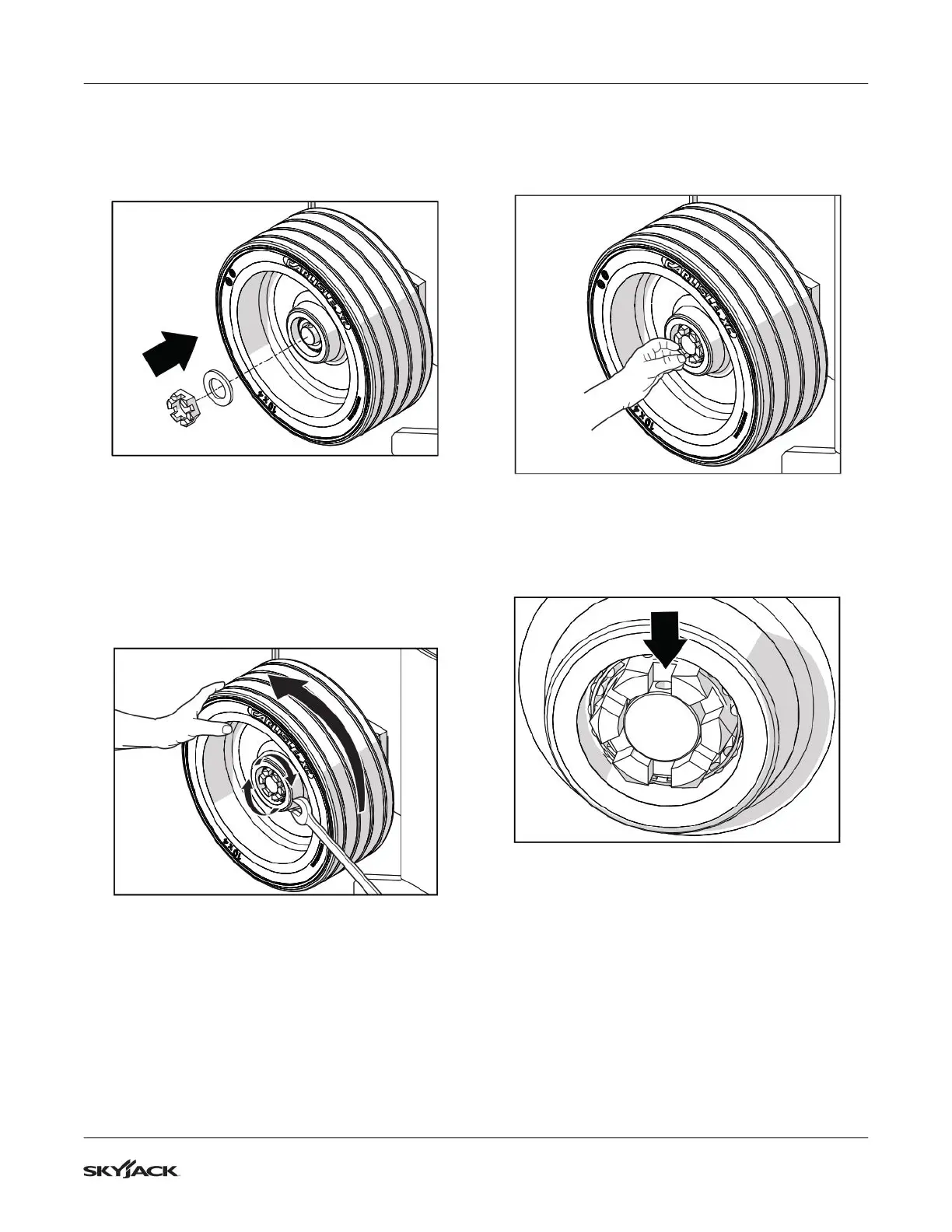
1. Put the wheel onto the rear spindle.
2. Install the at washer and castle nut. Tighten the
nut with your ngers.
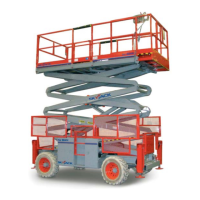
3. Rotate the wheel slowly while tightening the castle
nut to approximately 68 Nm (50 ft-lb). This seats
the bearings in the wheel.
IMPORTANT
Do not over-torque the castle nut as this could
reduce the bearing life.
4. Use a socket wrench to loosen the castle nut to
remove the torque. Do not let the wheel rotate
when you loosen the nut.
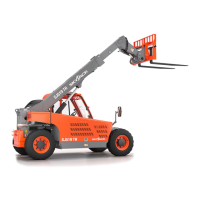
5. Tighten the castle nut by hand.
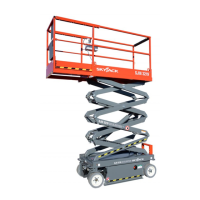
6. Check if the hole in the spindle and the slot in the
castle nut are aligned. If they are not, loosen the
nut by hand until they are aligned. Make sure the
wheel rotates freely.


 To Next Page