167
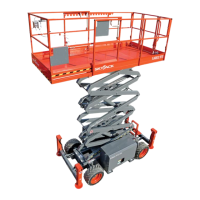
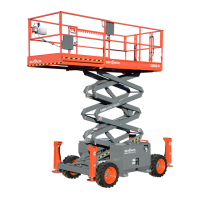
SJ6826RT, SJ6832RT
213560ABA
Load Sensing System Section 5 – Procedures
5.5-4 Control Module Initial Set-up Procedures
1. Move the aerial platform to a test area where the platform can be elevated to its maximum working height
and reach.
2. Ensure the aerial platform is parked on a rm, level surface.
IMPORTANT
Each phase must be completed before the next phase can be carried out.
All phases must be completed before the aerial platform can be operated.
IMPORTANT
Always follow the instructions of the Calibration instrument.
IMPORTANT
Make sure the aerial platform is on BASE mode.
3. Locate the main manifold inside the hydraulic/electric tray.
4. Disconnect the black wire #14 from the lift coil.
5. Locate the contactor on the electrical panel assembly.
6. The jumper connection must be connected between the contractor (wire #19B) and the lift coil (instead of
the black wire #14)
7. Connect the Easy-Cal tool to the P1 connector on the CONTROL MODULE.
8. The display will show “Help: Press Enter”. By using Left/Right buttons, select the “Access Level ( ? )” from
the menu and press the ENTER button. Refer to 55-2 Machine Level Calibration Procedure
9. The display will show “Access Level Code (xxxx)”.
By using the Up/Down buttons, enter the Access Level Code (xxxx) followed by pressing the ENTER button.
10. The display will show “Access Level 2”.
By using Left/Right buttons, select the “Setups” from the menu and press the ENTER button.
11. The display will show “Machine Defaults”.
Select the “Machine Defaults” from the menu and press the ENTER button.
12. The display will show “Defaults, 0 = Custom”.
By using Left/Right buttons, select the “X = Group Code” from the menu and press the ENTER button.
13. The display will show “X=GROUP CODE”.
▪ By using the Up/Down buttons, enter the “Group Code (?)” then by using Left/Right buttons, select the
“Curve” from the menu.
14. The display will show “X=CURVE”.
▪ By using the Up/Down buttons, enter the “Curve Code (?)” followed by pressing the ESCAPE button.
Refer to 55-9 Curved/Group codes chart
15. The display will show “Machine Defaults”.
▪ By using Left/Right buttons, select the “Tilt Setups” from the menu and press the ENTER button.
16. The display will show “Tilt Setups: Calibrate Level”.
▪ Select the “Tilt Setups: Calibrate Level” from the menu and press the ENTER button.
17. The display will show “Calibrate Level: Yes: Enter, No: ESC”.
To order go to Discount-Equipment.com





 To Next Page