MV-32/64 Multiviewer www.snellgroup.com Trouble Shooting
Issue 1 Rev 11 Page 128 © 2014 Snell Limited
C.2 Java Issues
Java applet takes a long time to launch or will not launch due to a security issue?
Applies to Java platforms 1.7.0_21 and above only
Java platforms 1.7.0_21 and above have extra security measures to prevent untrusted
Java applications from running. Multiviewer firmware versions 3.0.22 and above have a
certificate to assist with the security checks that Java carries out, however there can
still be some issues depending on the Java security settings, and whether or not the
PC has access to the internet.
On a PC with access to the internet:
If the Multiviewer application has never been launched on the PC before then the first
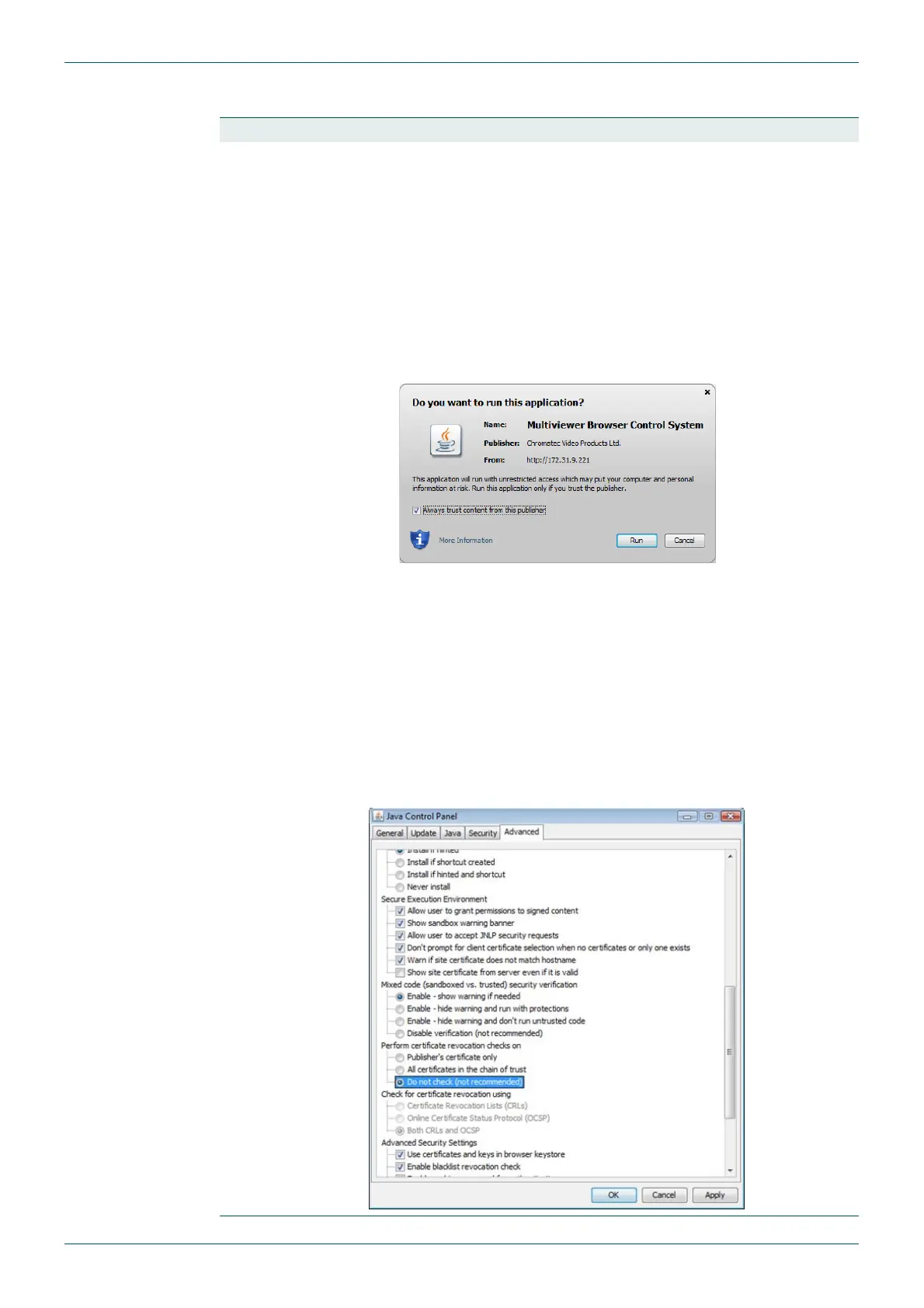
time it is launched the following message will appear. It is asking for permission to
install the security certificate. Tick the “Do not show this again…” box so that you do not
have to acknowledge this every time the application needs to launch.
As long as the PC has access to the internet then there should be no further issues
when Java checks that the security certificate has not been revoked.
On a PC without access to the internet:
With Java's default security settings, when an application is launched from a browser it
tries to check whether the application's certificate has been revoked. After failing to
connect to the internet (about a 30 seconds), it asks whether you want to run the
application or not, indicating that it was unable to check the certificate.
To avoid this message, and the delay in starting the application, the certificate
revocation needs to be disabled in the Java Control Panel. This is in the advanced tab,
as shown below.



 To Next Page