MV-32/64 Multiviewer www.snellgroup.com Operation
Issue 1 Rev 11 Page 39 © 2014 Snell Limited
4.9 Grid Menu
The grid menu enables the Editor Workspace to be defined by a grid for ease of aligning tiles
in a regular arrangement. The Size Object to Grid function in the main toolbar works in
conjunction with this feature and automatically sizes the currently selected tile to the cell size
of the grid that has been set.
4.10 Help Menu
4.10.1 About
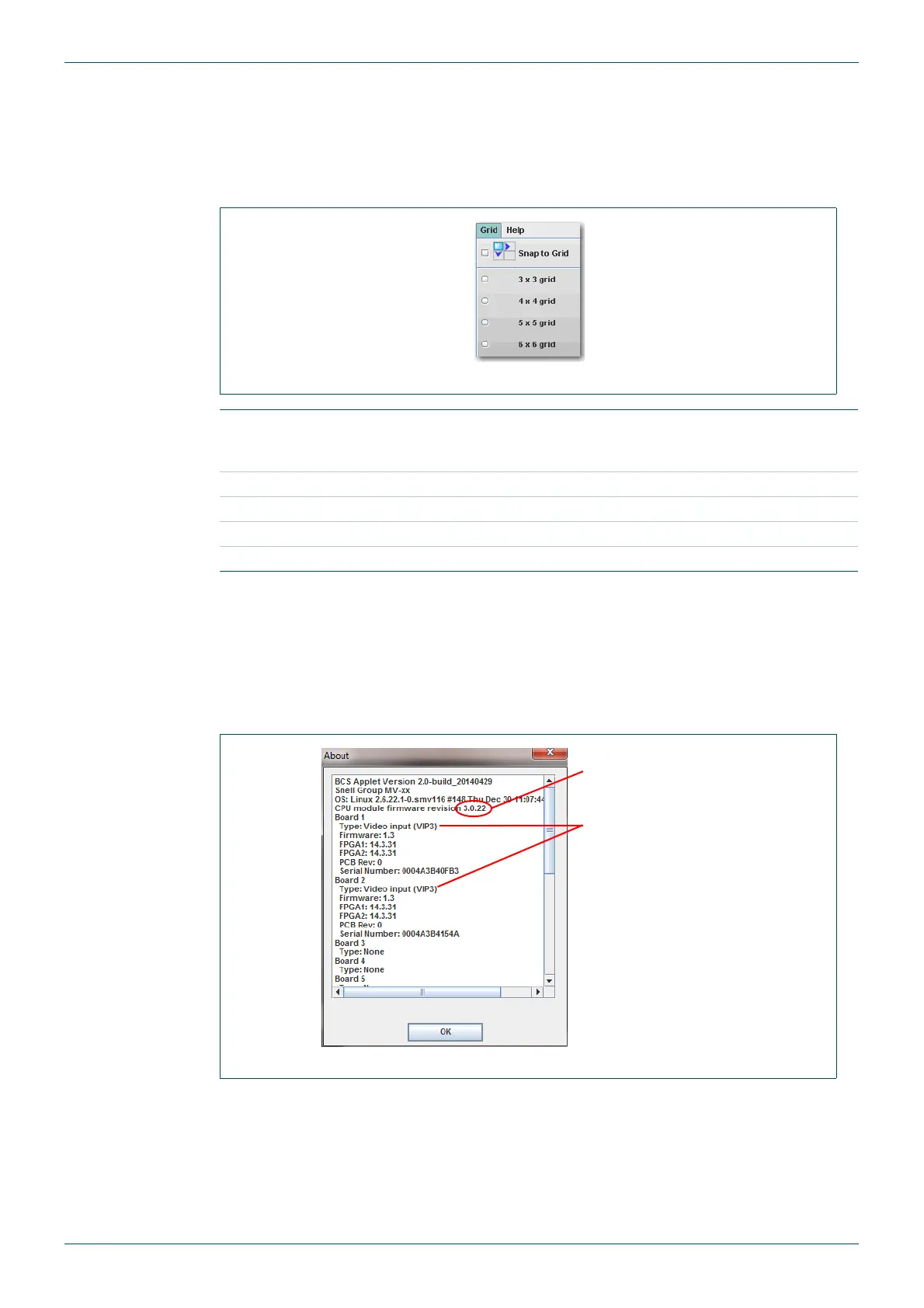
This menu provides current status information on the Browser, CPU module firmware and
scaler firmware versions.
Fig 25. Grid Menu.
Snap to Grid
Tick to enable tiles to be snapped to the nearest grid position when
repositioning. The top left corner of the tile is anchored to the top left
corner of the grid position.
3x3 Grid Select to define a 3x3 grid.
4x4 Grid Select to define a 4x4 grid.
5x5 Grid Select to define a 5x5 grid.
6x6 Grid Select to define a 6x6 grid.
Table 16. Grid Menu.
Fig 26. Help Menu - About Dialog.
Multiviewer Firmware
version number
Card Type shown for
each slot including
Firmware version
numbers.
MV-VIP1 & 2 only - if
“needs updating” is
displayed against a
card see section 7.1
for details on updating
the card scalers.



 To Next Page