MV-32/64 Multiviewer www.snellgroup.com Operation
Issue 1 Rev 11 Page 38 © 2014 Snell Limited
4.8 Object Menu
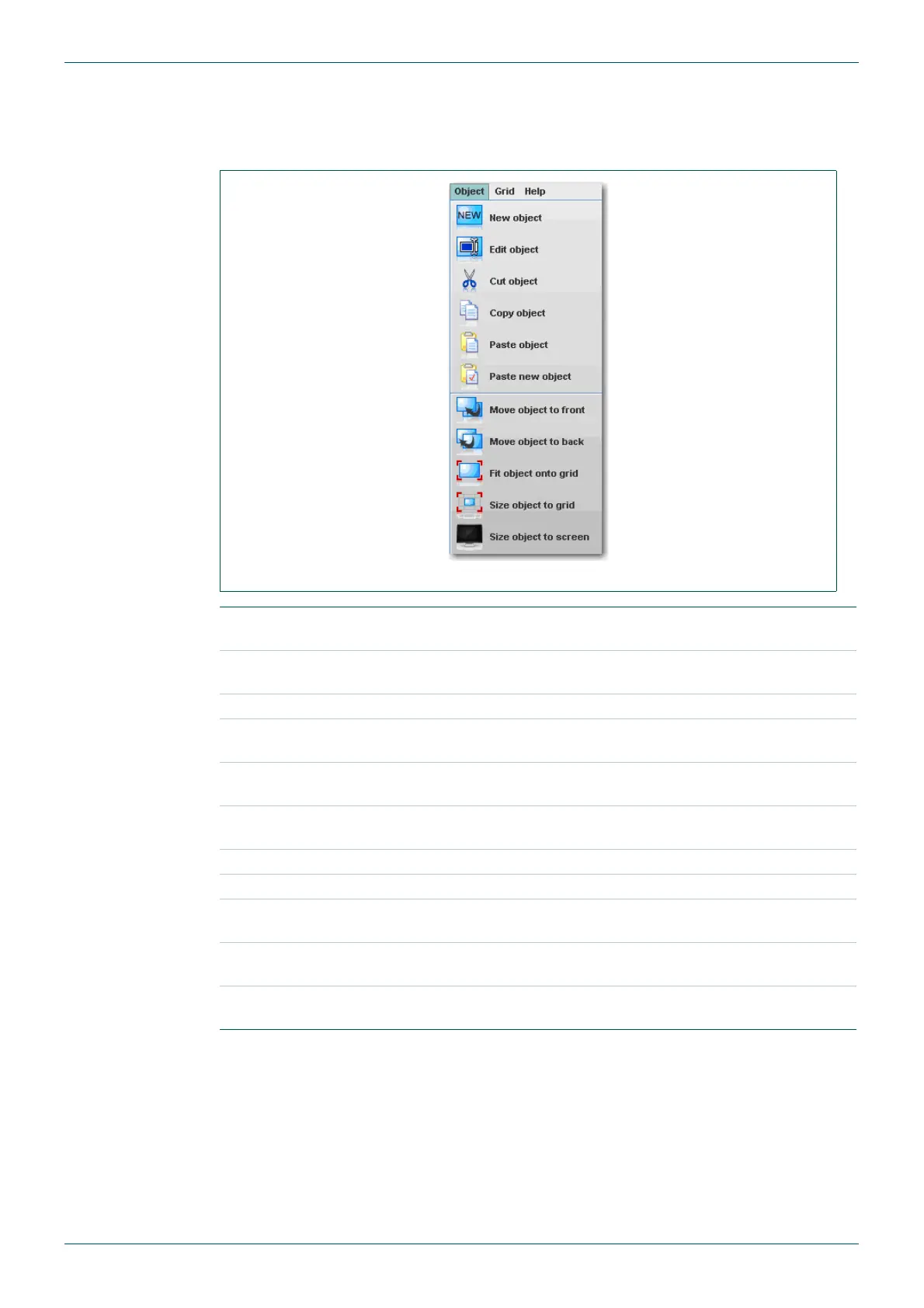
The settings for the tiles can be manipulated from the object menu. This is accessed either
via the main menu, or by a right-click on the tile to be edited.
Fig 24. Object Menu.
New Object
Creates a new object and opens the Edit Object Dialog, see section
4.16.
Edit Object
Opens the Edit Object Dialog for the tile object that is currently
selected, see section 4.16.
Cut Object Deletes the currently selected tile object.
Copy Object
Copies the display properties of the currently selected tile object
(excludes source properties).
Paste Object
Pastes the copied display properties of the currently selected tile
object.
Paste New Object
Creates a new object and pastes any previously copied display
properties to it.
Move Object to Front Moves the currently selected tile object in front of all other objects.
Move Object to Back Moves the currently selected tile object behind all other objects.
Fit Object on to Grid
Expands all edges of the currently selected tile object to the nearest
grid.
Size Object to Grid
Sets the size of the currently selected tile object to the chosen grid
pitch.
Size Object to
Screen
Sets the selected tile object to full-screen size.
Table 15. Object Menu.



 To Next Page