MV-32/64 Multiviewer www.snellgroup.com Operation
Issue 1 Rev 11 Page 40 © 2014 Snell Limited
4.11 Module Properties
Module Properties are opened by selecting Setup Module from the Module menu.
The Module Properties dialog covers parameters common to the whole MV rack such as IP
address and GPIs. It also covers initial setup of the inputs and outputs of the unit.
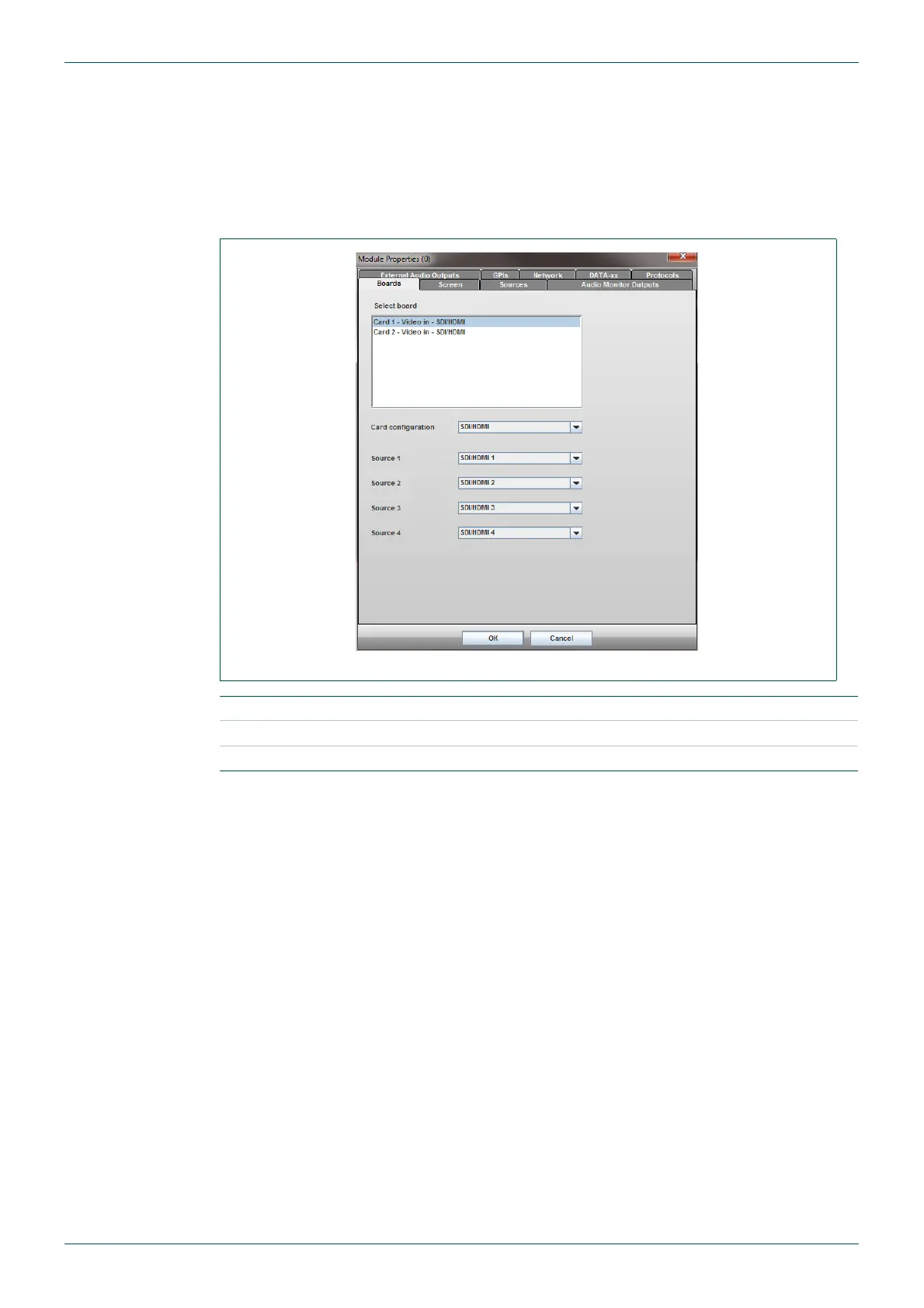
4.11.1 Boards Tab
Fig 27. Module Menu - Boards Tab.
Select Board Select a board from the list to define sources.
Card Configuration Show selected card configuration.
Source 1 to 4 Select source type from drop down list for each input.
Table 17. Module Menu - Boards Tab.



 To Next Page