MV-32/64 Multiviewer www.snellgroup.com Connection to Other Equipment
Issue 1 Rev 11 Page 94 © 2014 Snell Limited
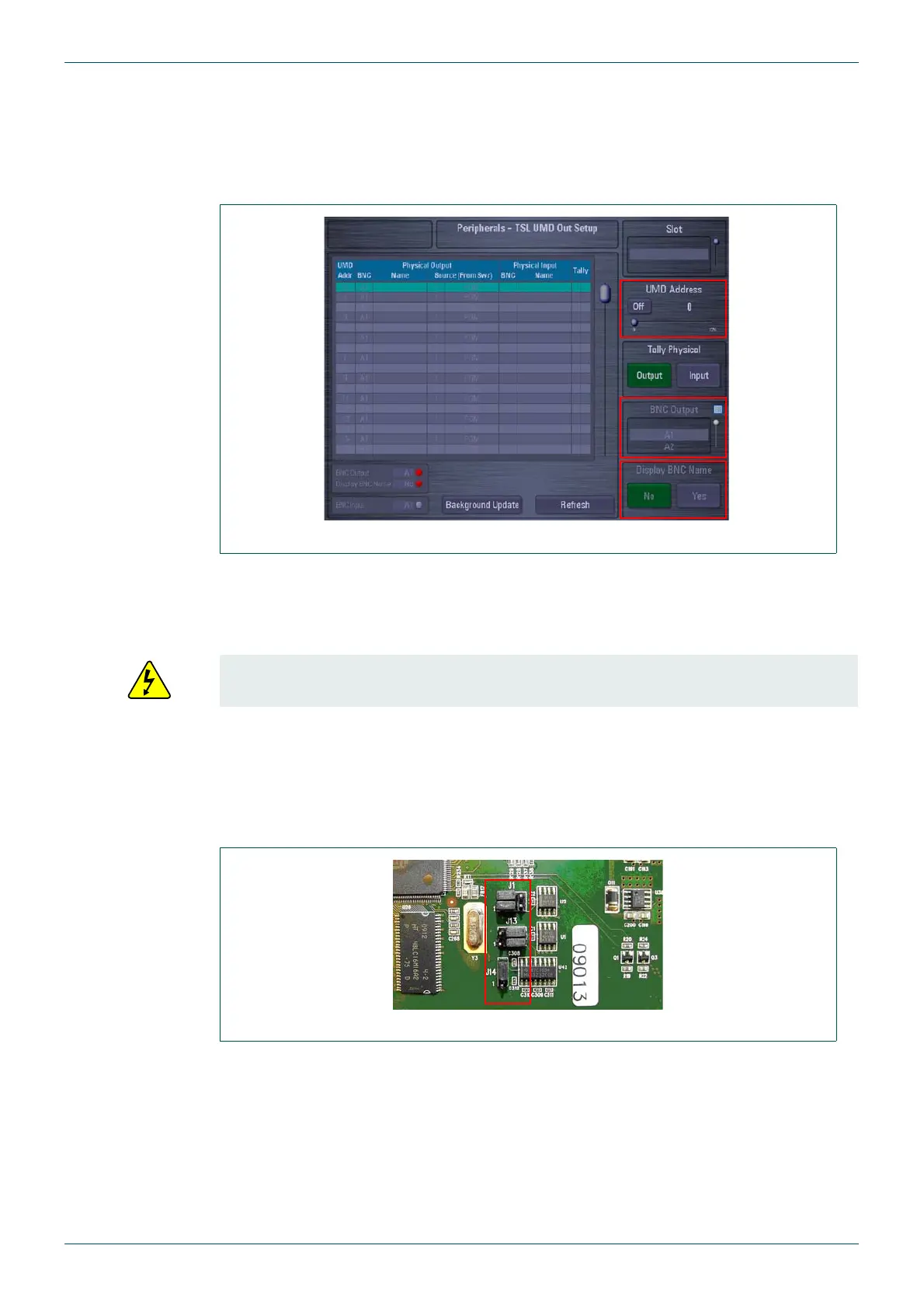
2. Setup the BNC Output from the Kahuna 360 mainframe that is connected to each of
the Sources on the multiviewer and set the UMD Address to On.
3. If Display BNC Name is set to Yes the name given to the Physical Output BNC will
be displayed. If Display BNC Name is set to No then the name of the source is
displayed.
5.4.4 Multiviewer Setup
Make sure the jumpers on the multiviewer CPU Card are set correctly (left Card with the
Ribbon Cables).
Links set as follows:
• J1 = Position 2/3
• J13 = Position 1/2
• J14 = Position 1/2
1. The IP Address of the multiviewer is shown on the Boot-up Screen.
2. Use a web browser to connect to the multiviewer and enter set-up (see section 4.2 for
more details).
3. Module Properties are opened from the Module
→ Setup Module menu.
Fig 77. Peripherals Menu - TSL UMD Out Setup
Access requires the removal of the CPU card from the front of the unit with the power
removed. See section 3.5 for additional information.
Fig 78. Multiviewer CPU Card



 To Next Page