MV-32/64 Multiviewer www.snellgroup.com Operation
Issue 1 Rev 11 Page 60 © 2014 Snell Limited
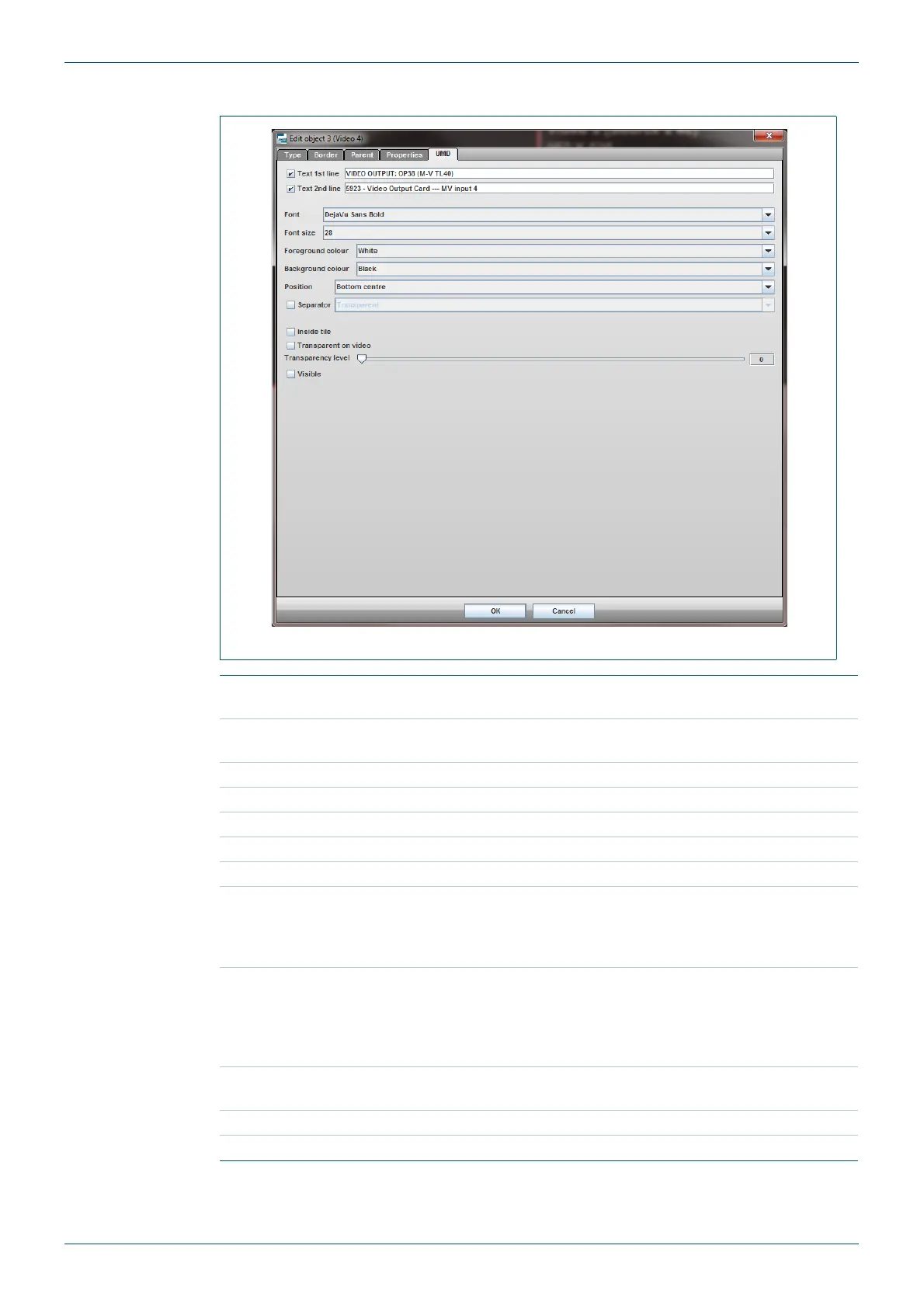
4.16.4 Edit Object - UMD Tab
Fig 49. Edit Object - UMD Tab.
Text 1st line
Tick the box to make the UMD text for the first line visible.
Enter the UMD text to be displayed on the first line.
Text 2nd line
Tick the box to make the UMD text for the second line visible.
Enter the UMD text to be displayed on the second line.
Font Choose font for the text.
Font Size Choose font-size of the text.
Foreground Colour Sets the color of the text.
Background Colour Sets the color of the UMD background.
Position Position of UMD relative to the tile.
Separator
Places a separator between the UMD, the object's image and also
between each line of text.
Tick the box to enable the Separator.
Select the color of the separator from the drop down menu.
Inside tile
Tick the box to place the UMD bar inside the tile (within the active
picture). Leave the box unticked to place the UMD within the tile but
outside of the active picture, the area reserved for the UMD will be
indicated by a shaded area on the video tile in the editor workspace
(see page 31, Fig 15. for an example)
Transparent on
video
Tick the box to Enable transparency of the UMD when it is in the
picture area.
Transparency level Sets the transparency of the UMD when it is in the picture area.
Visible Enables/disables the UMD.
Table 33. Edit Object - UMD Tab.



 To Next Page