MV-32/64 Multiviewer www.snellgroup.com Operation
Issue 1 Rev 11 Page 52 © 2014 Snell Limited
4.12 Source Properties - Audio Tab
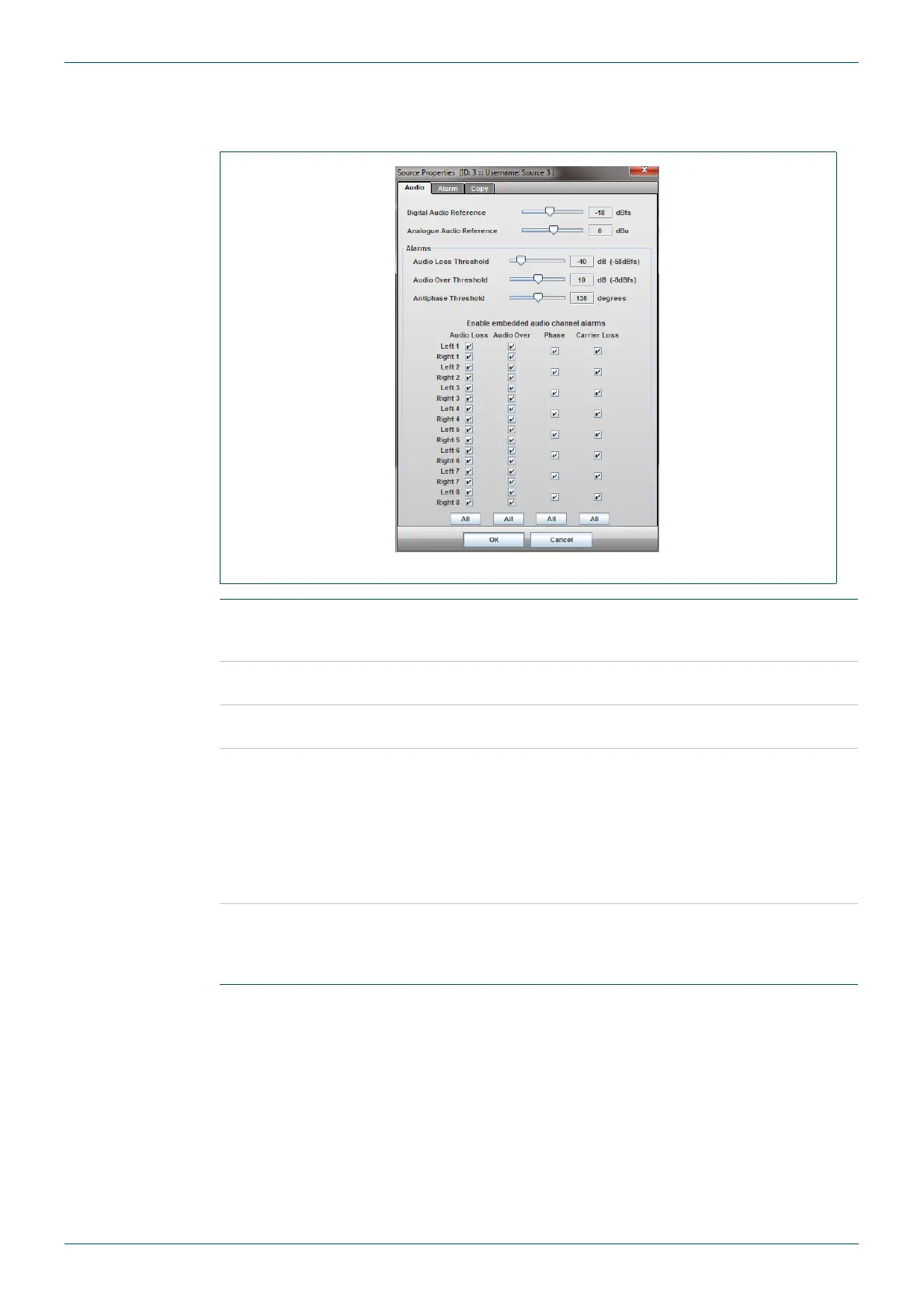
Use this tab to set up audio reference levels and audio alarms associated with a video source.
Fig 40. Source Properties - Audio Tab.
Digital Audio
Reference
Set the analog to digital reference level when applying an analog
meter scale to a digital source, or a digital meter scale to an analog
source. It can be set within the range of -30 to -3 dBfs.
Analogue Audio
Reference
Set the 0dB reference level with respect to analog meter scales. It
can be set within the range of -12dBu to +12dBu.
Note: The Digital and Analog reference level adjustments above have no effect when digital
audio is used with a digital scale.
Alarms section
Here the thresholds for Audio Loss, Audio Over and Antiphase
alarms can be set, along with the alarm enabling of individual
channels. The 16 channels listed here relate to the 16 embedded
audio channels.
Example:
Channels selected under Audio Loss will trigger an alarm when the
audio level on the associated channel falls below the threshold set
above.
Note: This section only selects which channels are potentially enabled for triggering alarms.
The overall alarm type also needs to be enabled in the Alarm tab (see next section) - for
example the Audio Loss alarm needs to be enabled in the Alarm tab for any of the selected
Audio Loss channels to trigger an alarm.
Fig 41. Source Properties - Audio Tab.



 To Next Page