MV-32/64 Multiviewer www.snellgroup.com Operation
Issue 1 Rev 11 Page 34 © 2014 Snell Limited
4.4 Setup Audio Meter Properties
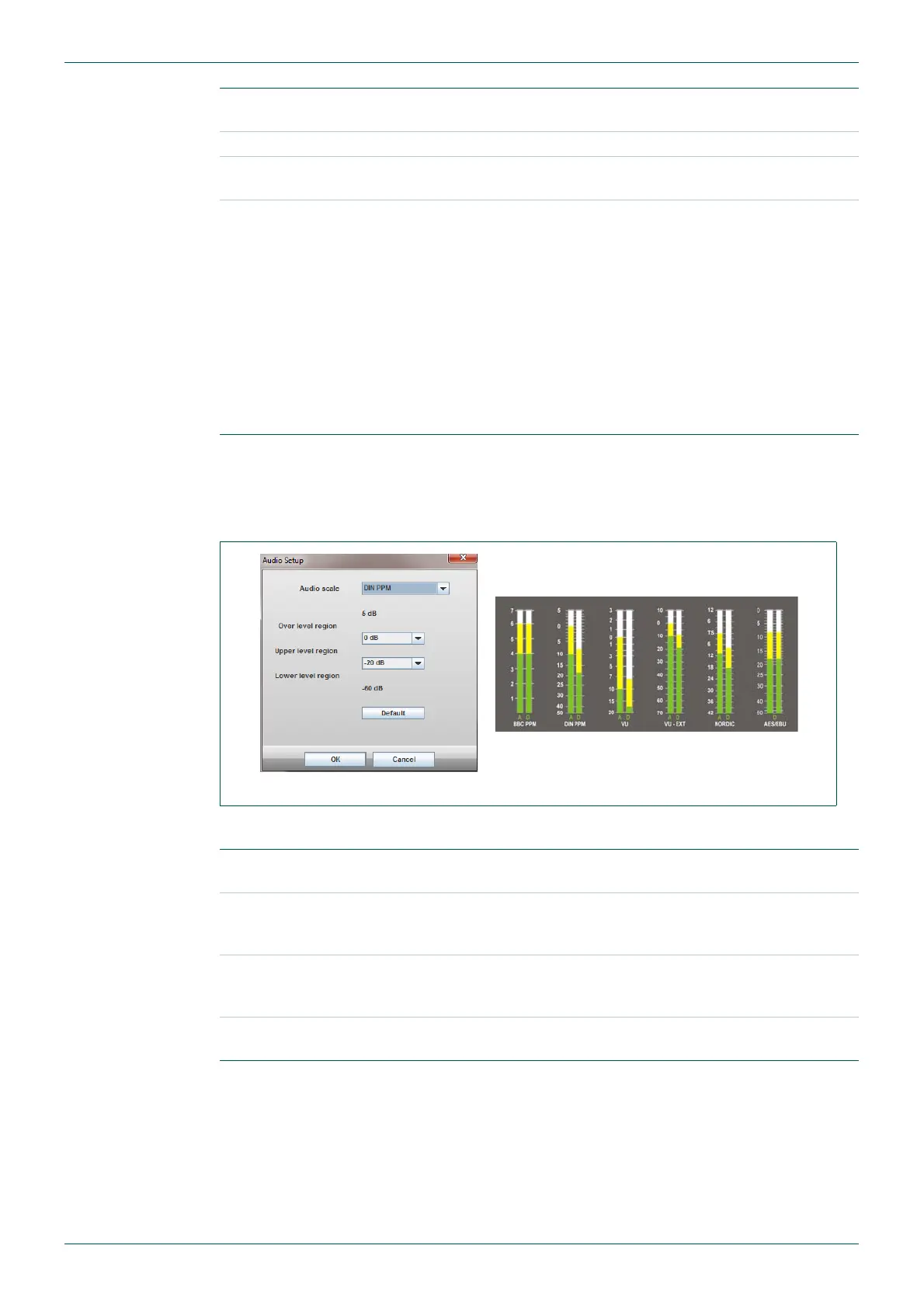
This screen sets the audio levels that the audio meter bars change color at.
The settings are:
Setup audio
meter properties
Opens the Audio Metering Properties dialog used to set the audio
levels that the audio meter bars change color at, see section 4.4.
Setup Remotes Not Used
Set Time
Opens the Set Time dialogue to adjust the clock and date
settings.See section 4.5.
Halt, Reboot, Reset
Module
Maintenance items for shutting down, rebooting the system, or
resetting input/output cards. The task that each of these execute is:
• Halting the module guarantees that any files that have not
been saved yet, such as layout ones, will get saved before
powering off the frame. This stops the system from running.
The only way to restart it is to power off - power on again.
• Rebooting the module will shut the system down and start it
back up again. This can take up to 70 seconds.
• Resetting the module leaves the CPU running, but resets and
reloads the firmware into all the input/output cards.
Table 9. Module Menu Items.
Fig 19. Set Audio Level Changeover Points.
Audio Scale
Select the audio scale type being set. Each audio scale type is set
independently.
Upper Level region
to Over level region
changeover level
Select the audio level that the audio meter color changes from the
Upper level region color to the Over level region color, see section
4.16.5.2 for details on setting the audio meter bar colors.
Lower level region to
Upper level region
changeover level
Select the audio level that the audio meter color changes from the
Lower level region color to the Upper level region color, see section
4.16.5.2 for details on setting the audio meter bar colors.
Default button
Click on the Default button to load the default levels for the selected
Audio scale type.
Table 10. Setup Audio Meter Properties



 To Next Page