MV-32/64 Multiviewer www.snellgroup.com Connection to Other Equipment
Issue 1 Rev 11 Page 99 © 2014 Snell Limited
5.5.1 RS 422 Connection
5.5.1.1 MV-32/MV-64 Settings
• Configure serial port as RS422 (see section 3.5 for jumper settings)
• Configure serial port details
(Setup Module > Protocols Tab > Serial Ports Tab > Configure)
5.5.1.2 MV-32/MV-64 Wiring Connections to Nucleus/Nebula Controller
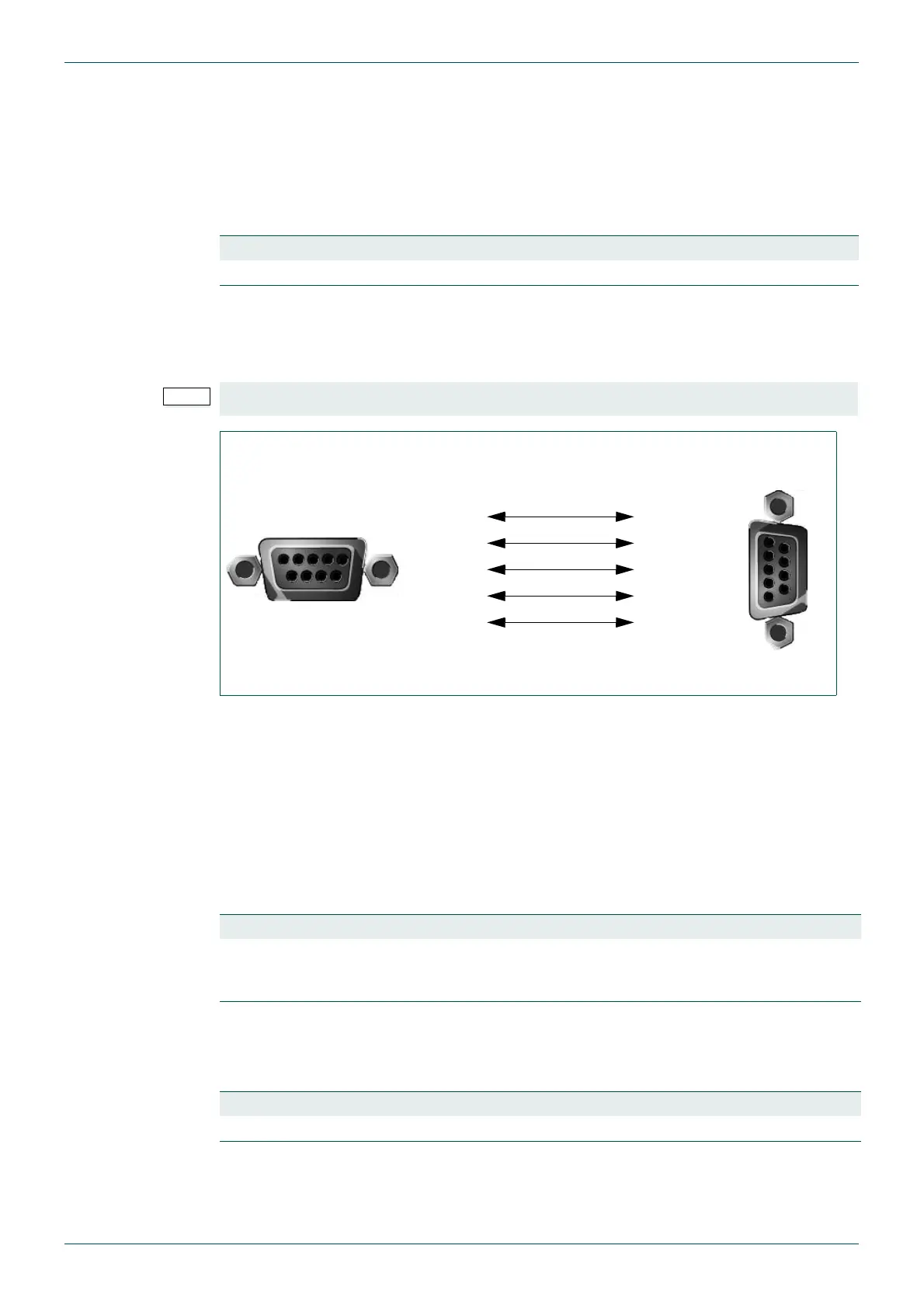
The cable wiring connections for Nucleus/Nebula are shown in Fig 87.
5.5.1.3 Nucleus Settings
Changes made to the Nucleus router control module database configuration must be pushed
from Workbench to the router controller to make the controller use the new configuration. In a
dual controller router changes must be copied to the second controller and the database must
be pushed to both controllers (idle controller first, see the router manual for full details).
Nucleus2 2463:
• Use Workbench to configure the Nucleus2 2463 serial port.
(Routers > Port Configuration button > New Serial Port button)
Nucleus 2450:
• Use Workbench to configure the Nucleus 2450 serial port as ptGeneralRemotein.
Baud Rate Data Bits Parity Stop Bit Flow Control Protocol
38400 8 None 1 None Snell Router
Table 54. MV-32/MV-64 Serial Port Settings.
The connections shown in Fig 87. are not pin to pin
Fig 87. MV Connections to Nucleus/Nebula Controller.
15
96
MV RS232/RS422 connector
configured as RS 422
GND 1
RX- 2
TX- 3
RX+ 7
TX+ 8
4 0V
2 TX-
8 RX-
7 TX+
3 RX+
Nucleus/Nebula Controller
RS485 Pin-outs
1
5
9
6
Connections are not pin to pin
Baud Rate Data Bits Parity Stop Bit Flow Control Protocol
38400 8 None 1 None
General
Remote In
(SW-P-08)
Table 55. Nucleus2 2463 Serial Port Configuration
Baud Rate Data Bits Parity Stop Bit Flow Control Protocol
38400 8 None 1 None Snell Router
Table 56. Nucleus 2450 Serial Port Configuration



 To Next Page