MV-32/64 Multiviewer www.snellgroup.com Connection to Other Equipment
Issue 1 Rev 11 Page 93 © 2014 Snell Limited
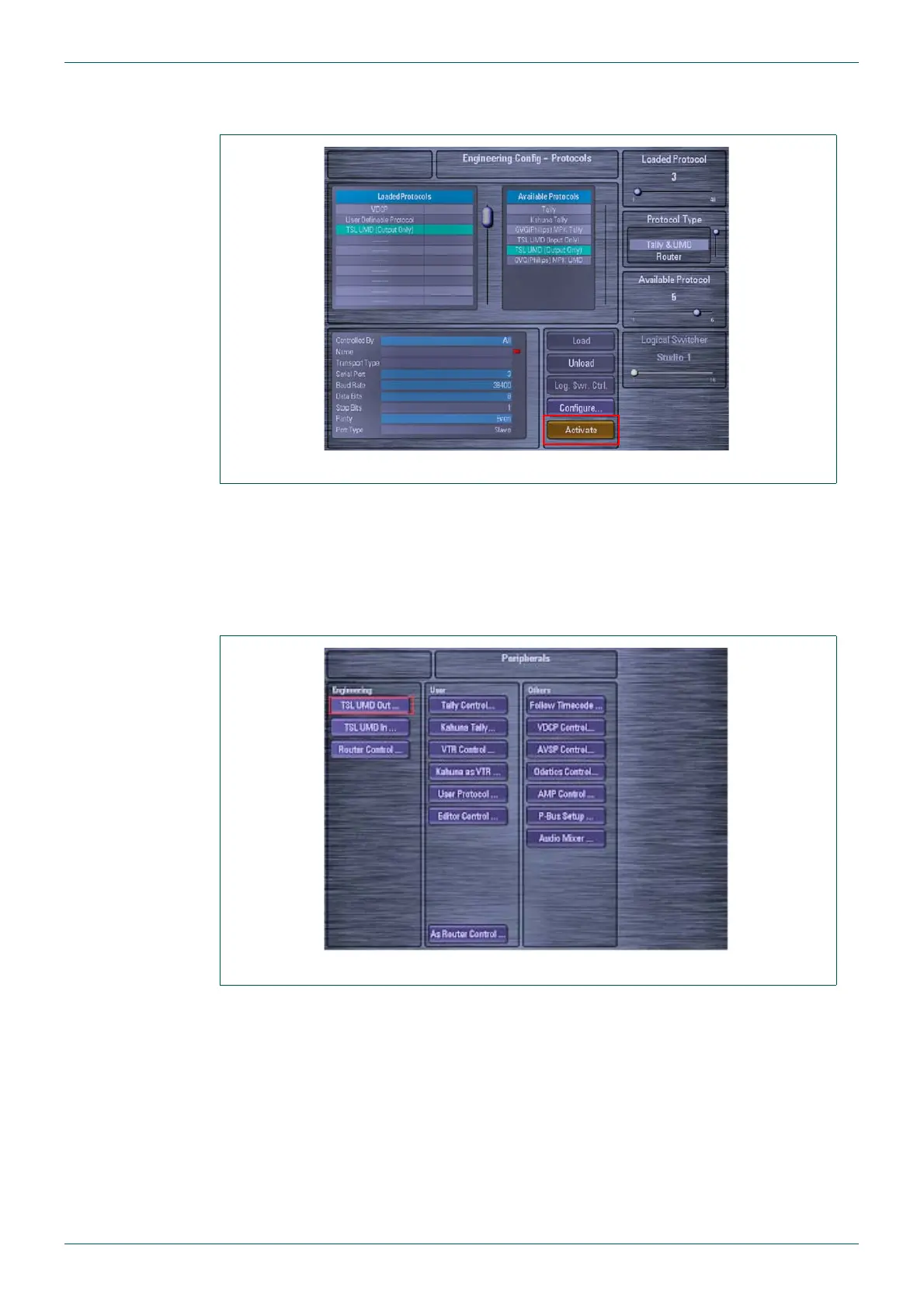
4. Once you are happy with the setup, touch the {Activate} button on the Engineering
Config - Protocols menu to activate the protocol (Fig 75.).
5.4.3 Kahuna 360 Peripherals Setup
The peripherals menu is used to configure the way the multiviewer operates with the Kahuna
360.
1. Touch the [PERIPH] button on the GUI, and then touch the {TSL UMD Out…} button
(Fig 76.).
Fig 75. Engineering Configuration - Protocols Menu
Fig 76. Peripherals Menu



 To Next Page