MV-32/64 Multiviewer www.snellgroup.com Connection to Other Equipment
Issue 1 Rev 11 Page 88 © 2014 Snell Limited
5.3 Example for setting up a GPI input to use as a Tally
In this example the first GPI input on the first rear video card is to be setup as the tally source
for Source 2. It is assumed that Source 2 is the source for the second tile.
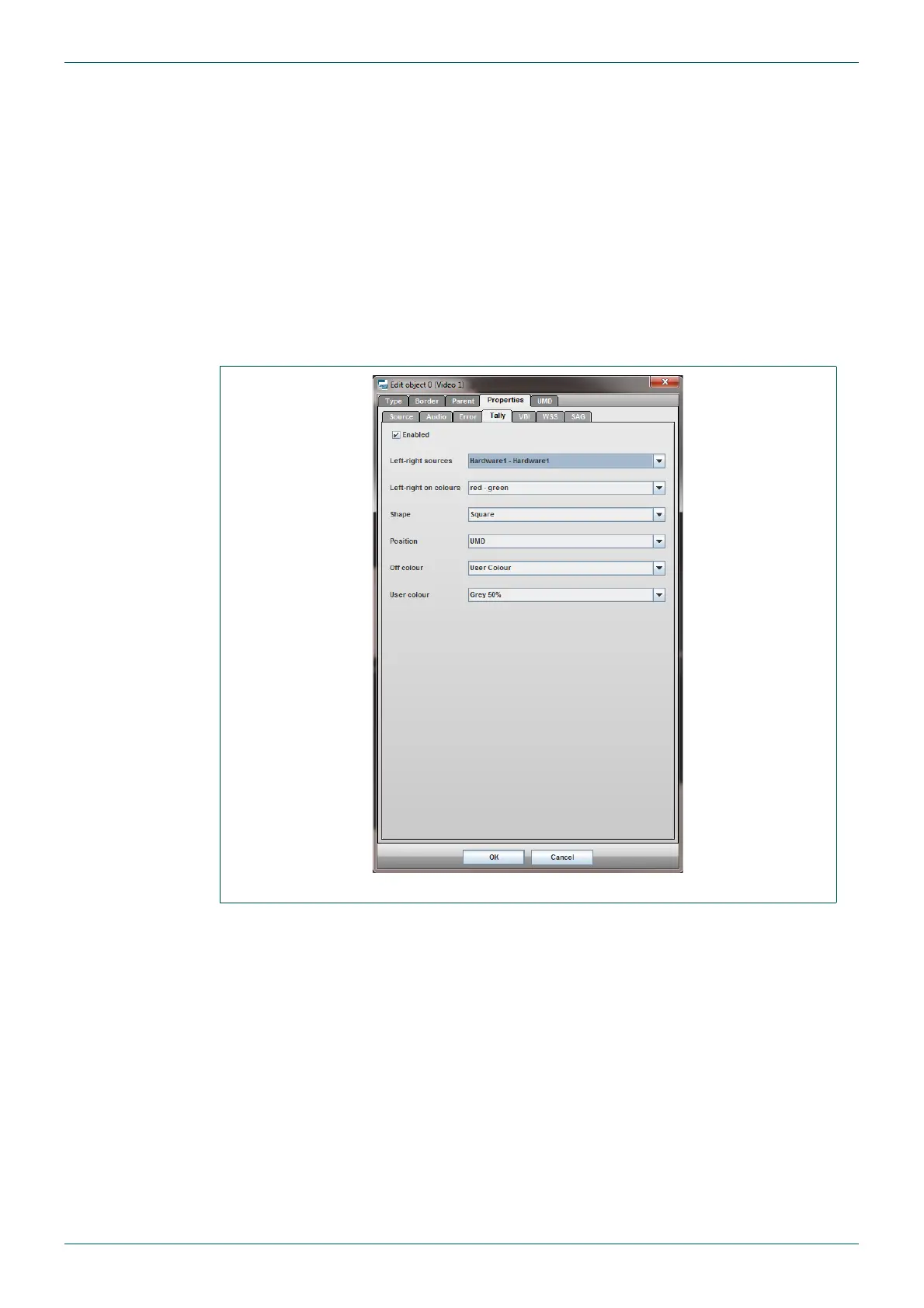
Step 1 - Setup the second tile to get its tally from the hardware input:
1. Double click on the second tile to open the Object Properties.
2. Go to the Properties tab, within this go to the Tally sub-tab.
3. Tick the Enabled checkbox.
4. Set the Left-Right sources to Hardware1-Hardware1.
5. The setup should now appear as shown in Fig 69.
Fig 69. Tile set up to use the Hardware as its Tally Source.



 To Next Page