MV-32/64 Multiviewer www.snellgroup.com Operation
Issue 1 Rev 11 Page 53 © 2014 Snell Limited
4.13 Source Properties - Alarm Tab
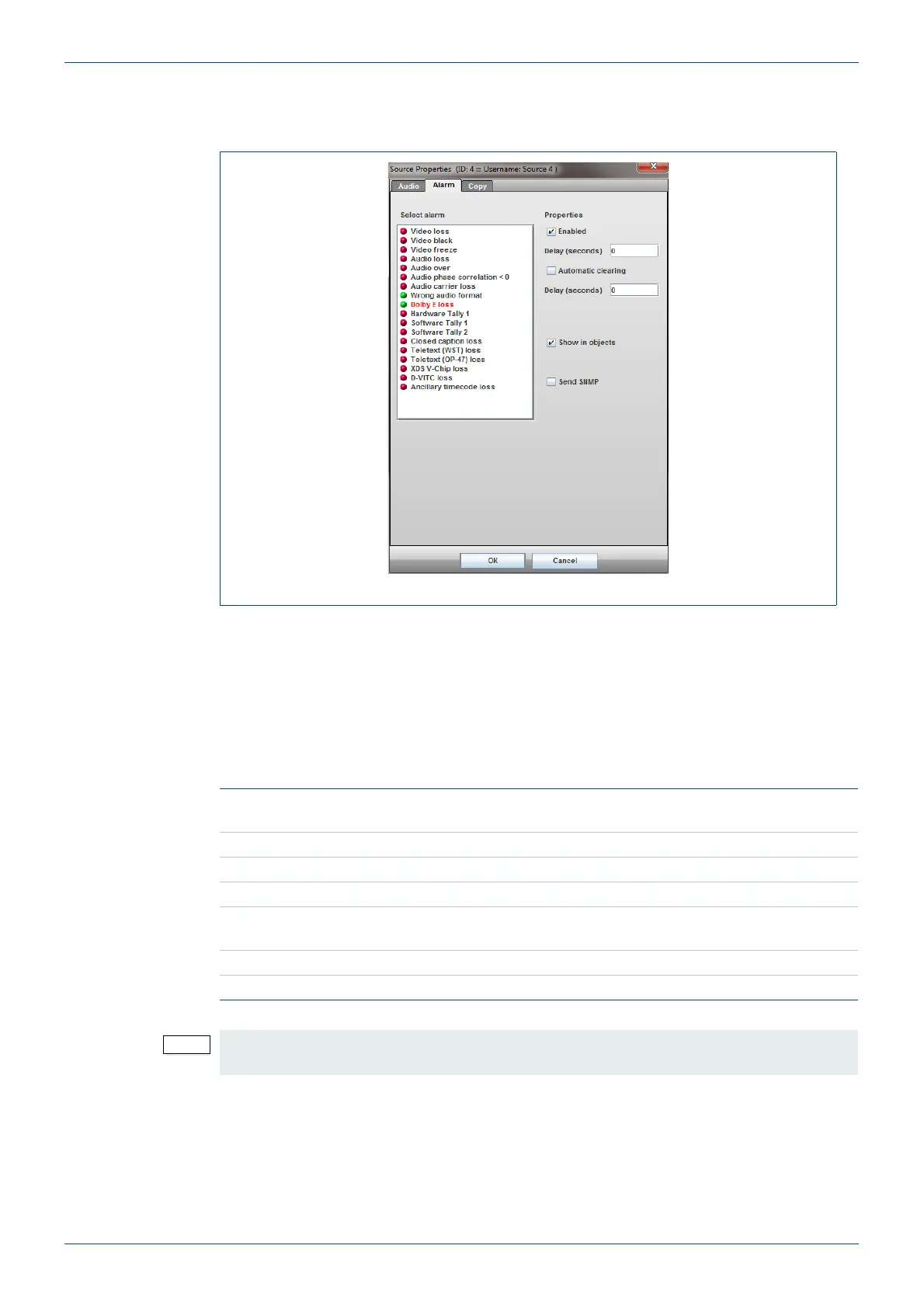
The Alarm Tab allows each video and audio alarm to be configured, enabled and displayed.
The properties section of this window allows each alarm to be set individually for onset and
auto-clear delay, logging status and visibility in objects and lists.
To select an alarm to configure, click on it in the Select Alarm list on the left on the window.
The selected alarm will appear with its descriptive text highlighted in red. Choose the required
properties from the right hand section of the window and check the Enabled box to activate
the alarm.
Enabled alarms are shown with a green circle before the descriptive text.
Fig 42. Source Properties - Alarm Tab.
Select alarm
Click on one of the alarms listed to change the attributes of it using
the controls listed under Properties.
Enabled Tick this to enable the selected alarm.
Delay Input a delay before the alarm starts.
Automatic clearing Tick this for alarms are cleared after the Automatic clearing delay.
Automatic clearing
delay
Input the automatic clearing delay in seconds.
Show in objects Display alarms in objects.
Send SNMP Tick to send SNMP trap in response to alarm.
Table 28. Source Properties - Alarm Tab.
To setup audio alarms tick the Use audio channel alarm settings box and click on Setup
Audio Alarms.



 To Next Page