MV-32/64 Multiviewer www.snellgroup.com Operation
Issue 1 Rev 11 Page 31 © 2014 Snell Limited
Video Object Tiles
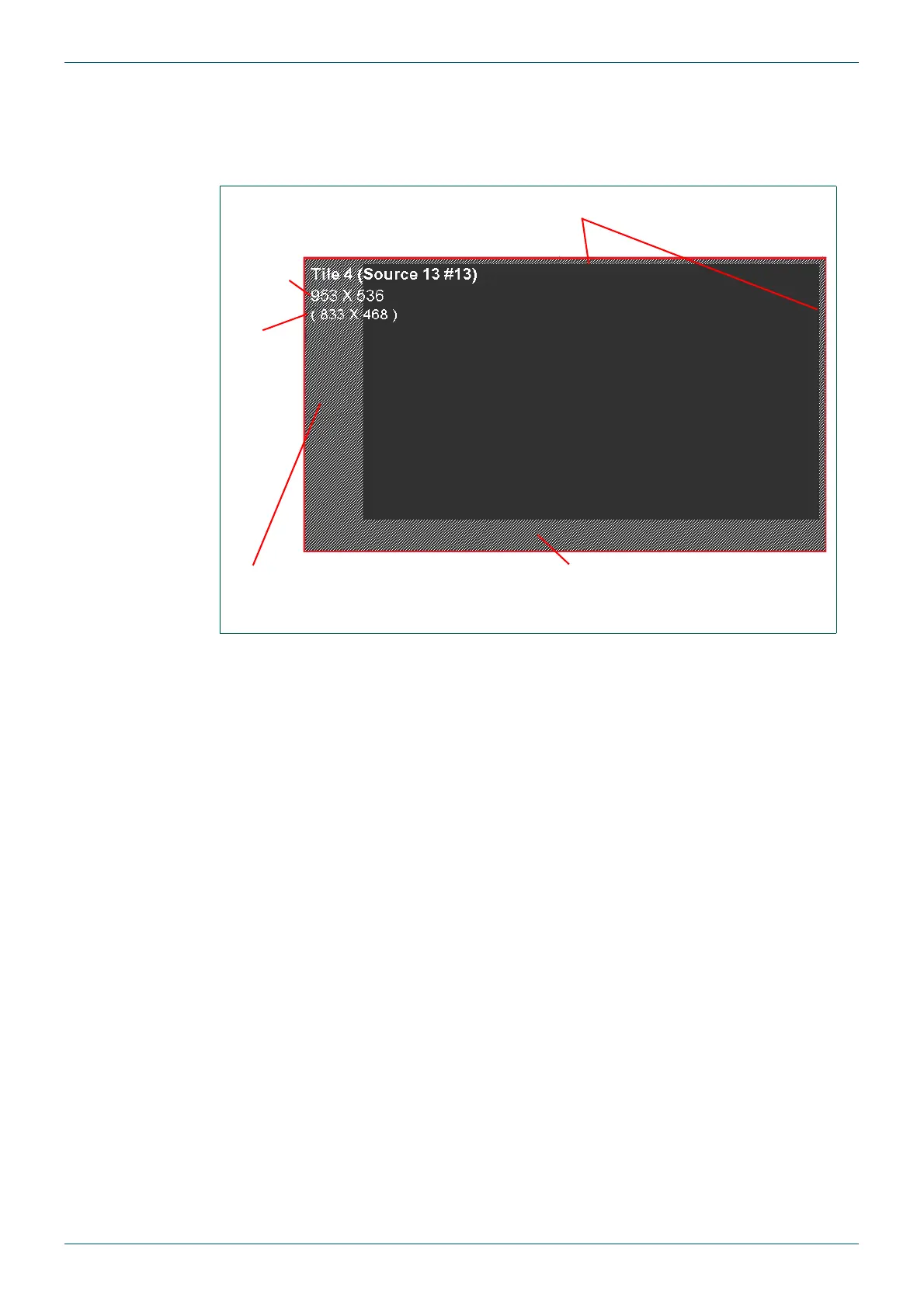
If the UMD (section 4.16.4) or audio meters (section 4.16.5.2) are configured to display
outside of the video area the tile will be shaded to show their positions in the editor
workspace. If a tile border is configured it will also shown shaded in the editor workspace.
In the example (Fig 15.) the shaded area on the left is the area reserved for Audio meter 1
and the shaded area at the bottom is the area reserved for the UMD. The shading at the top
and right of the tile indicates area reserved for the tile border, see section 4.16.2 for border
configuration.
Fig 15. Example - Shaded Areas For Information Displayed Outside of The Video Area.
Shaded area reserved for UMDShaded area reserved for
Audio Meter 1
Tile Size
Video
Size
Shaded area reserved for Border



 To Next Page