MV-32/64 Multiviewer www.snellgroup.com Operation
Issue 1 Rev 11 Page 30 © 2014 Snell Limited
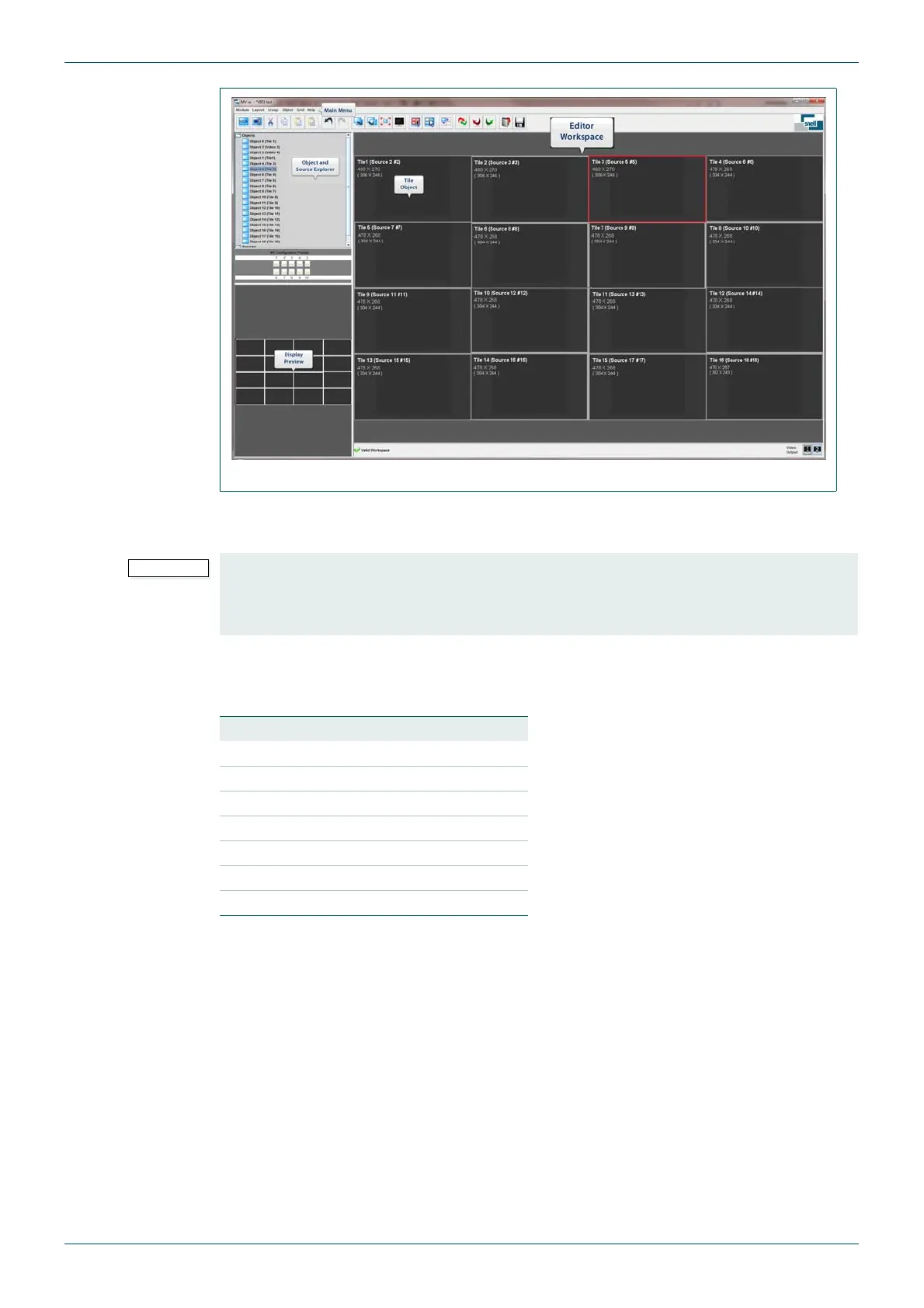
The web interface comprises three areas, the Object and Source Explorer, the Editor
Workspace and the Display Preview.
Tile objects can be one of seven basic types; None, Video, Audio, Text, Logo, Clock and
Timer. The color of the tile as it appears in the Editor Workspace and Display Preview
indicates the currently set object type, as listed in Table 8.
Operation is designed to be simple and intuitive. For example, object type can be selected by
double clicking on a tile, selecting the Type tab from the Edit Object menu and choosing the
desired tile type. Video and audio tiles can be assigned sources by double clicking on the tile,
selecting the Properties tab from the Edit Object menu and selecting an available source.
The currently selected tile object is highlighted with a blue border. Tiles can be moved and
resized using conventional mouse operations. For example, multiple tiles may be selected for
moving as a group by holding the [Ctrl] key while clicking on each tile in turn. A small square
appears in the lower right corner of tiles grouped within a multiple selection. Tile borders may
appear incomplete to indicate where they lie behind other objects.
Fig 14. The MV-32/MV-64 Multiviewer User Interface.
The Resolution and Aspect Ratio should be set before designing any multiviewer layouts in
the workspace editor. If these settings are changed after a layout has been created any
existing tiles will be scaled to suit the new output screen settings. See section 4.11.2 for
details on setting the output screen details.
Object Type Tile Color
None Grey
Video Blue
Audio Green
Text B rown
Logo Red
Clock Dark Grey
Timer Black
Table 8. Object Colors.



 To Next Page