MV-32/64 Multiviewer www.snellgroup.com Connection to Other Equipment
Issue 1 Rev 11 Page 95 © 2014 Snell Limited
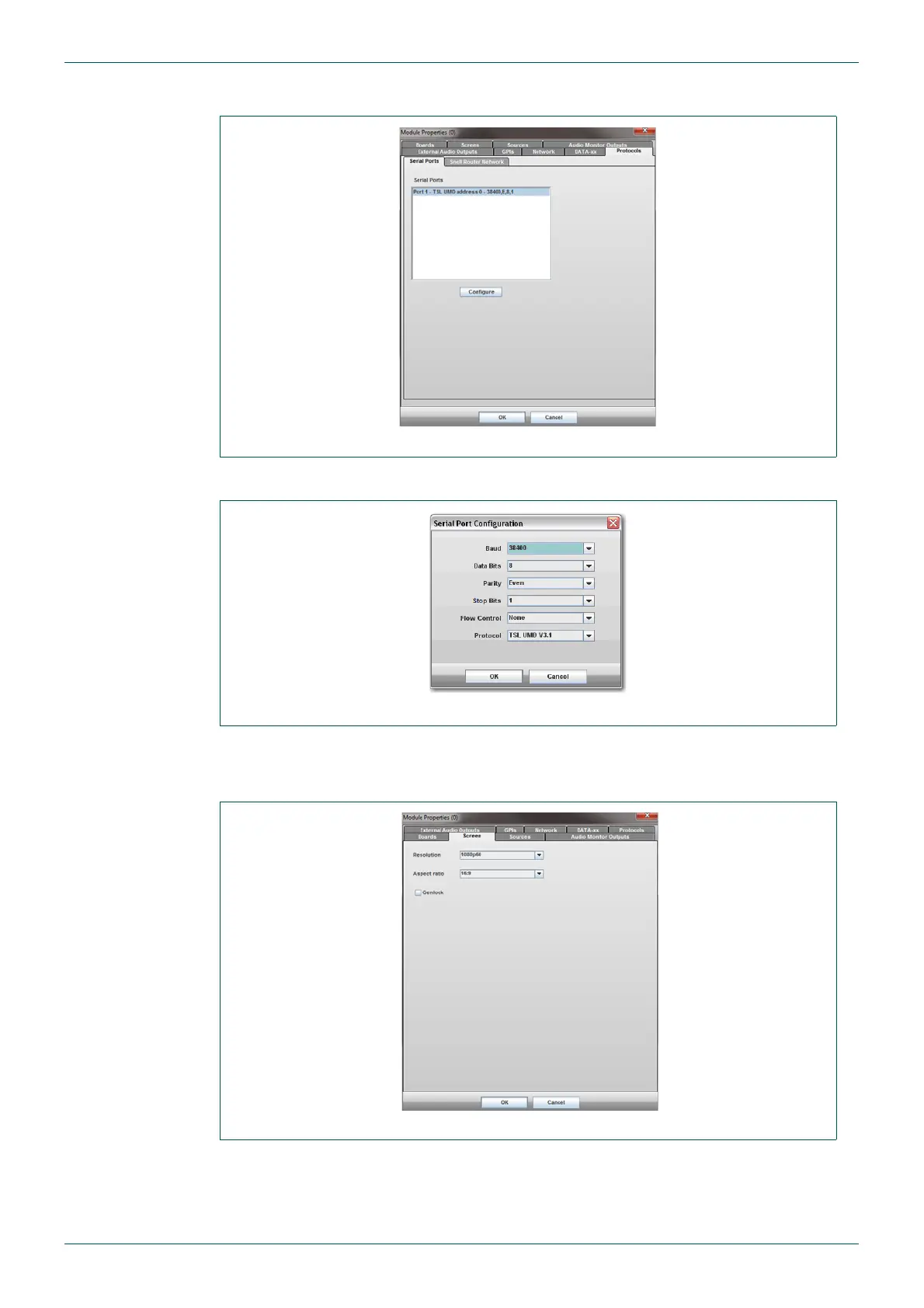
4. Select the Protocols tab and then select the Serial Ports tab (Fig 79.).
5. Click on the Configure button and set the multiviewer Protocol to be TSL UMD.
6. Click on the OK button to save the configuration.
7. Select the Screen tab to set the output screen Resolution and Aspect ratio.
Fig 79. Module Properties - Protocols Tab - Serial Ports Tab
Fig 80. Serial Port Configuration
Fig 81. Module Properties - Screen Tab



 To Next Page