MV-32/64 Multiviewer www.snellgroup.com Operation
Issue 1 Rev 11 Page 67 © 2014 Snell Limited
4.16.5.4 Error Properties Tab (Video or Audio object)
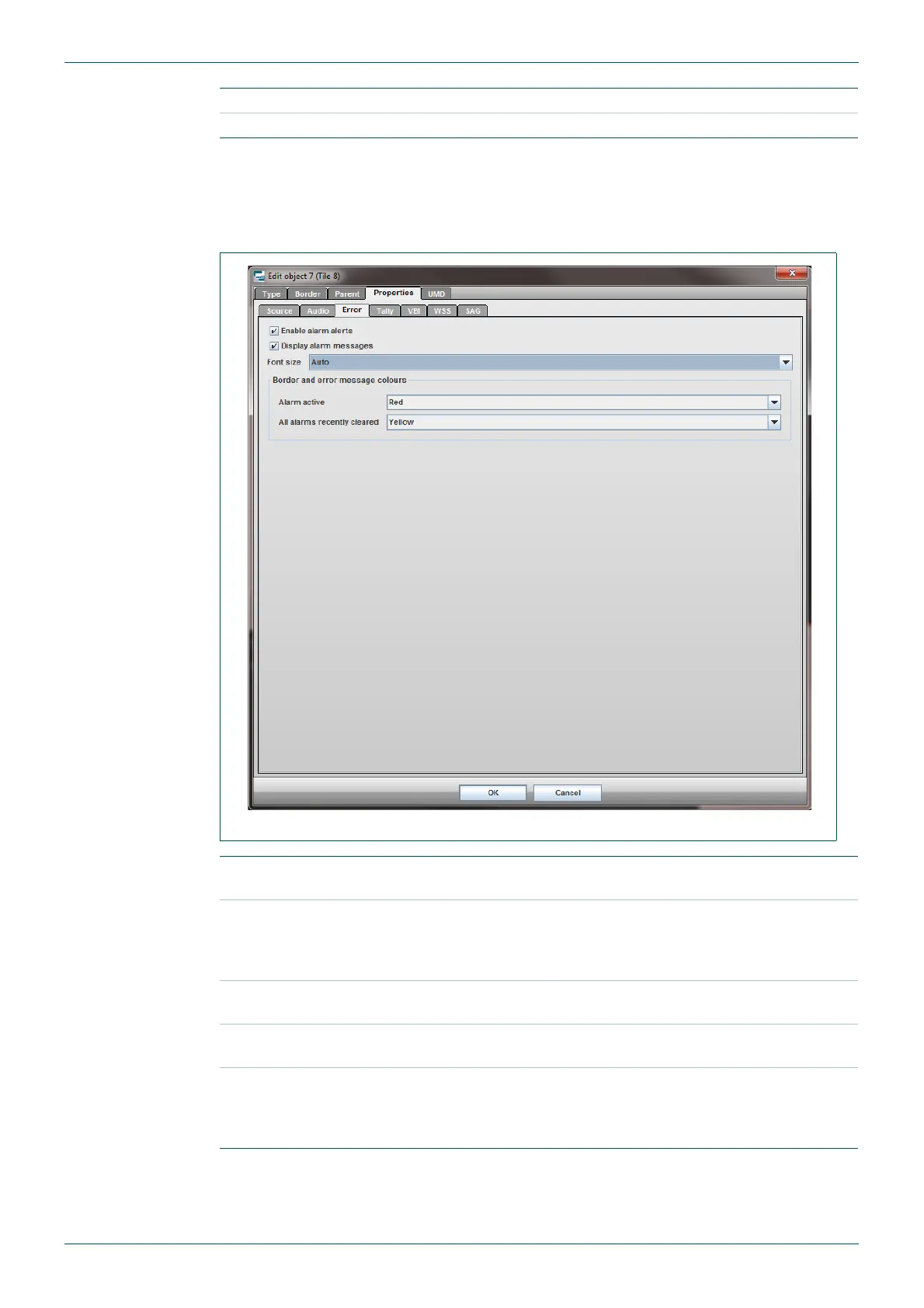
This tab only exists within the Properties tab of Video and Audio type tiles. It determines the
behavior of the tile when one of its enabled alarms gets triggered.
Visible Enables/disables the audio bars.
Split Bars Equally divides the audio bars either side of the picture.
Table 36. Edit Object - Properties - Audio Tab.
Fig 54. Edit Object - Properties - Error Tab.
Enable alarm alerts
Must be ticked if any of the alarm indications (alarm messages or
flashing border) are to be shown in the tile.
Display alarm
messages
When ticked, all the alarms that are currently triggered or have
recently been cleared will be displayed in the tile. Only one alarm
type gets displayed at a time; it will cycle through them if multiple
alarms are present.
Font Size
Sets the alarm text size. If Auto is selected the alarm text is
automatically sized to suit the tile it is being displayed on.
Alarm active
Sets the border color of the tile when an alarm triggers. Also applies
to the color of alarm messages for alarms that are active.
All alarms recently
cleared
Sets the border color of the tile when no alarms are currently
triggered, but some have recently cleared but not reset yet. (See
alarm section on the automatic reset timeout period). This also
applies to the color of alarm messages for recently cleared alarms.
Table 37. Edit Object - Properties - Error Tab.



 To Next Page