Wave User Manual 11
Version 4
3 Wave Physical Characteristics
3.1 The Screen
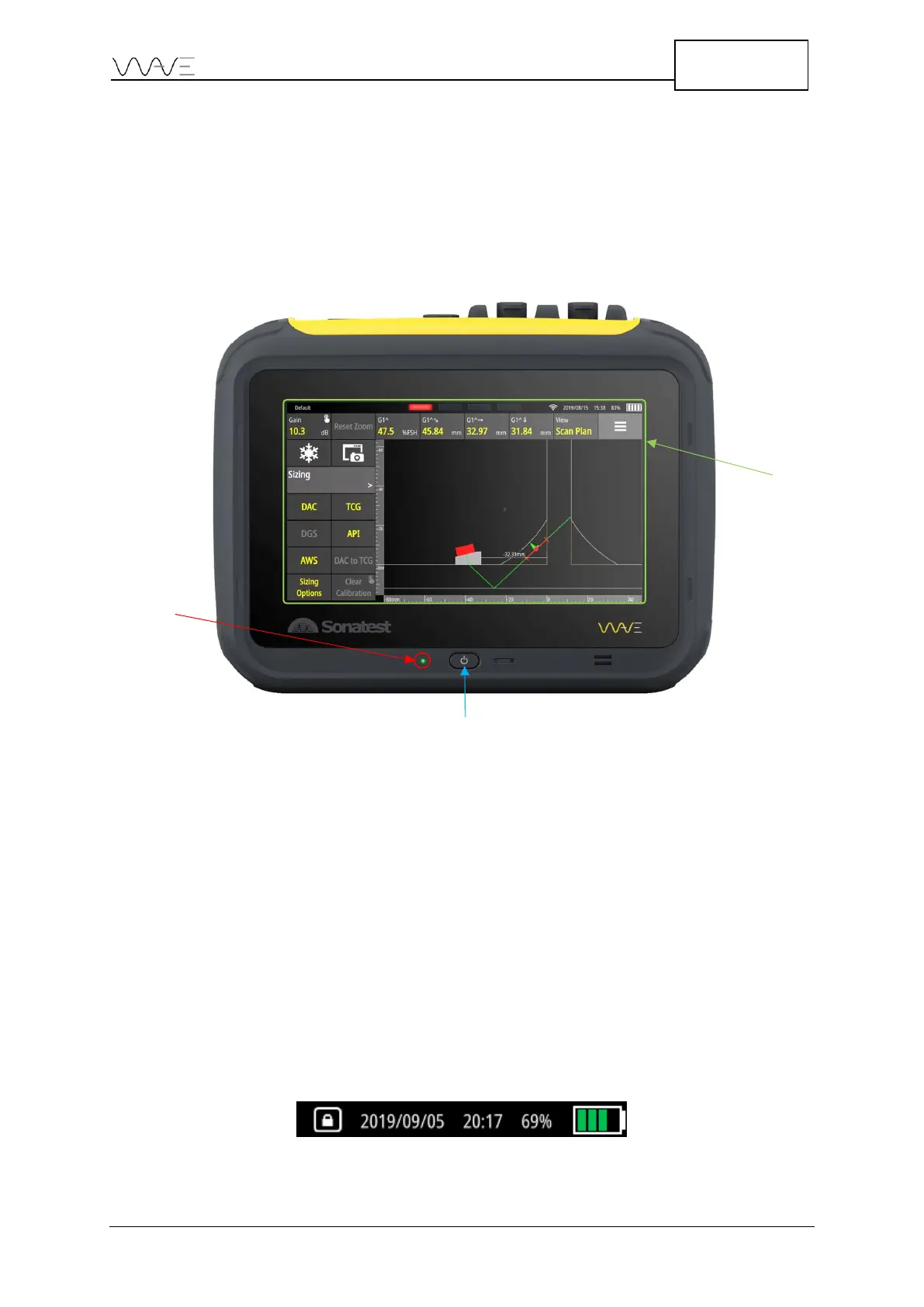
The seven-inch screen of Wave occupies most of the front area of the instrument. It is
made of glass, which makes it very easy to clean, and is protected on all sides with a
rubberised contour.
Figure 2 – Wave with the touch screen, power button, and LED indicator
The unit does not present any physical button apart from the power button. Operating
the unit is done using the integrated touch panel. Using the latest projective capacitive
(P-CAP) technology, the touch panel allows multi-touch as well as drag and pinch
gestures. Using working gloves is not a problem as the touchscreen controller has been
programmed to adapt to different circumstances. Moreover, water or couplant will not
interfere or affect the behaviour of finger detection.
3.2 The Power Button
The power button is used to turn the unit on. Once the unit is turned on, it is possible to
double-click the power button and disable the touchscreen. A lock screen icon appears in
the top right corner of the screen. Double-click the power button again to enable the
touchscreen.
Figure 3 - Lock screen icon



 To Next Page