Wave User Manual 55
Version 4
● Lw1: Effective throat of the left-side fillet weld
● Lw2: Effective throat of the right-side fillet weld
10.3 Wizard
The goal of the wizard is to quickly and simply guide you to define the part to be inspected
and the weld, if any. Here is a summary of the steps to follow:
1. Choose the desired part
2. Define the part according to the part parameters
3. Choose the weld type. If you want a fillet weld, choose the fillet weld localisation.
4. Define the weld (if any) according to the weld parameters
10.3.1 Part View
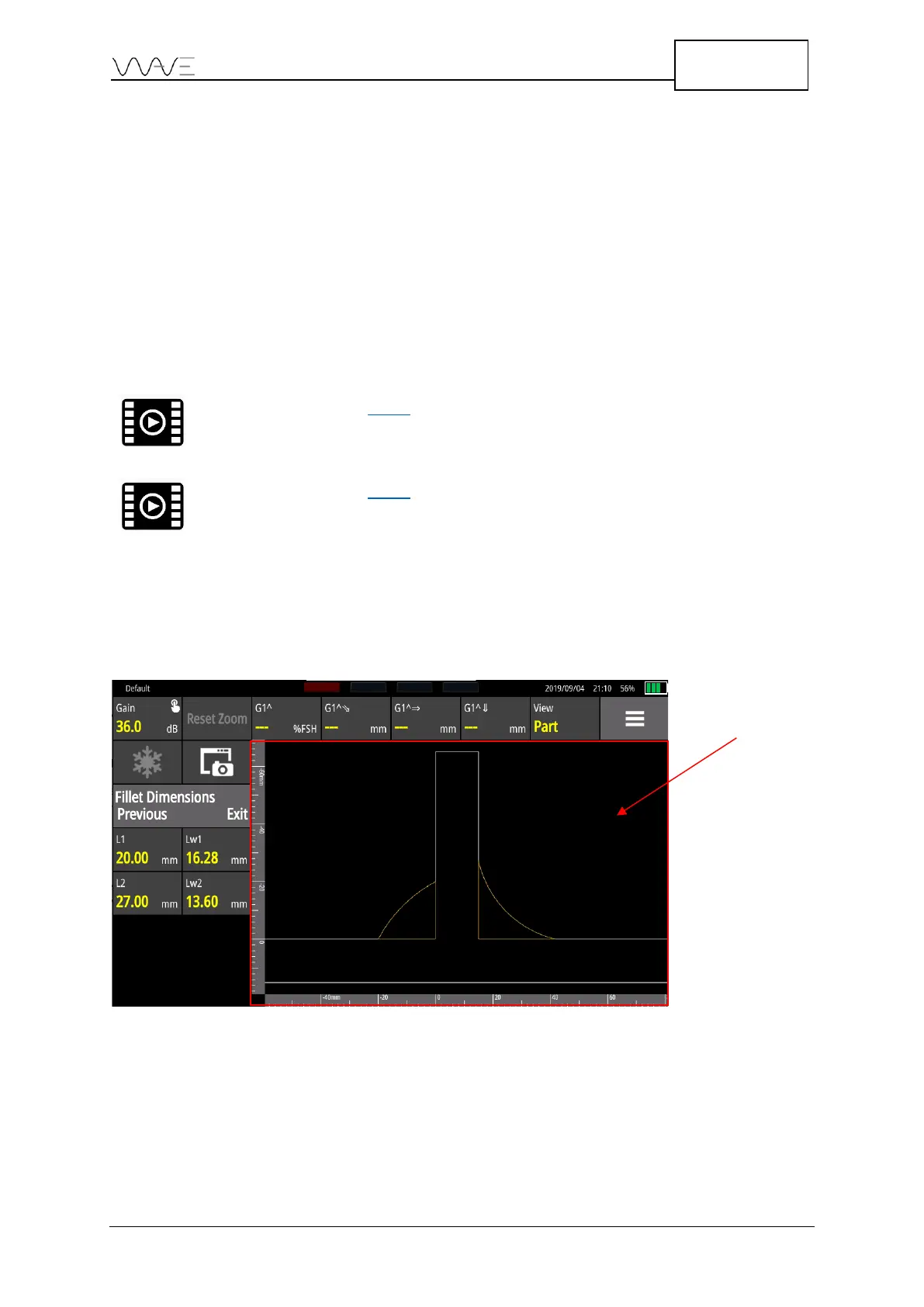
The Part View is a view only accessible in the Part menu. It allows to focus on the part
and its dimensions. Thus, it is not possible to see a probe or an A-Scan. These interactions
are reserved for the Scan Plan view or the A-Scan view.
Figure 39 – Part view
The Part View always includes vertical and horizontal rulers. The units of the rules are in
SI or imperial system depending on user preferences (see Section 7.5).



 To Next Page