30 Wave User Manual
Version 4
The above figure shows the default alarm colours. It is possible to override the default
source of each alarm. That is, you can decide that Alarm 1 will be triggered by Gate 2.
This is accomplished in the Alarms menu. Moreover, the alarm LED will take the colour
of its source gate. So, as an example, if Alarm 1 is triggered by Gate 2, Alarm 1 will appear
blue (instead of its default red colour).
NOTE: When enabling a gate, its corresponding alarm is automatically
enabled as well. By default, the source for Alarm 1 is Gate 1, the
source for Alarm 2 is Gate 2, and so on.
6.6.2 Complex Alarms
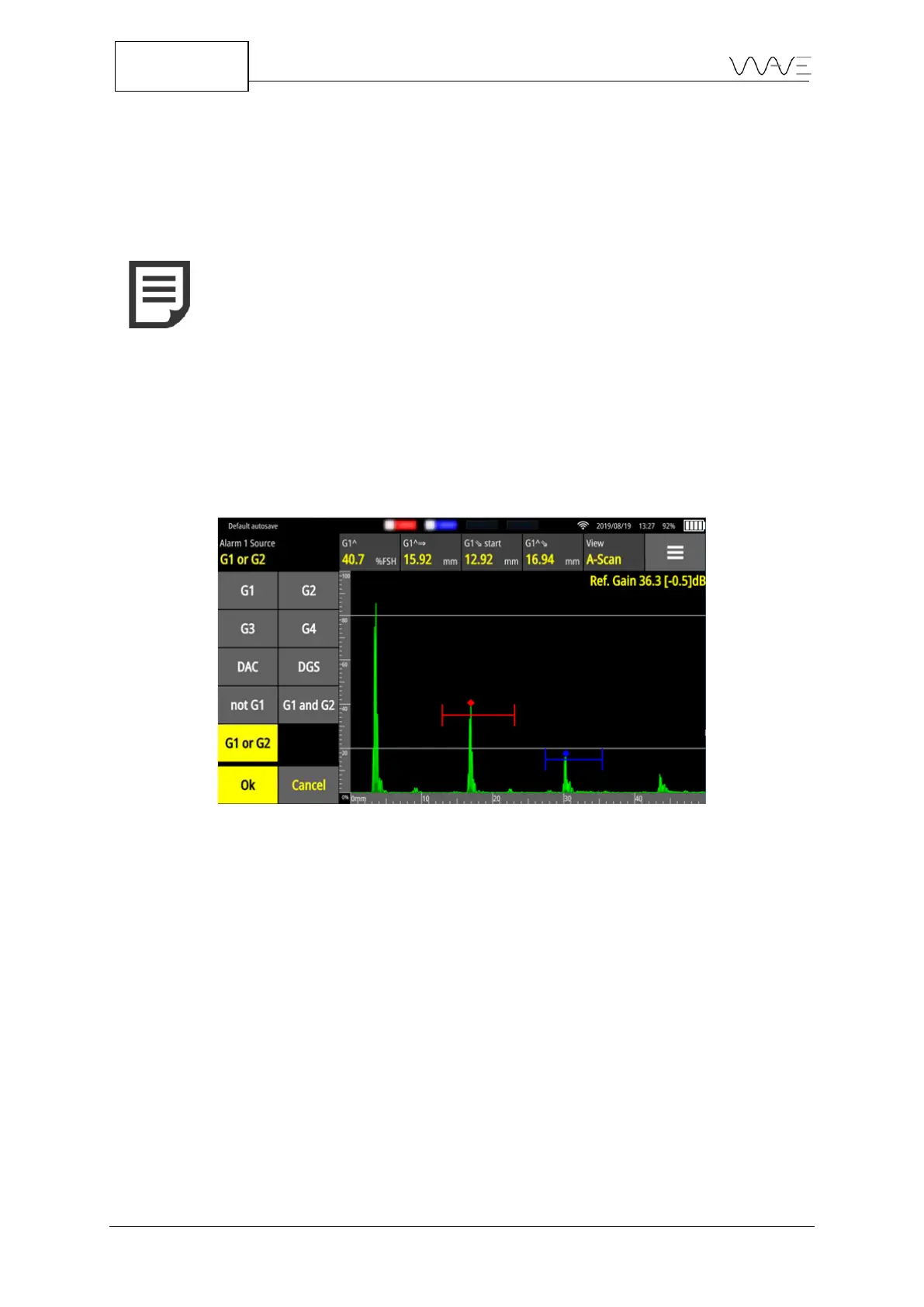
Wave allows to generate alarms based on complex events. For example, Alarm 1 could
be triggered by conditions from Gate 1 or Gate 2.
When an alarm is triggered by a complex condition, it will appear differently, as shown
below.
Figure 23 - Complex alarms
In the example above, we had G1 or G2 as the source of Alarm 1, and G1 and G2 as the
source of Alarm 2.
6.7 Layout
The Layout allows you to switch between views or groups of views. This feature gives
different perspectives of the current inspection. The following figure shows all the
available views.



 To Next Page