34 Wave User Manual
Version 4
7 Measurements
The measurement bar is displayed at the top of the screen. There are four
measurements, each one showing any possible measurement, depending on the gates
used.
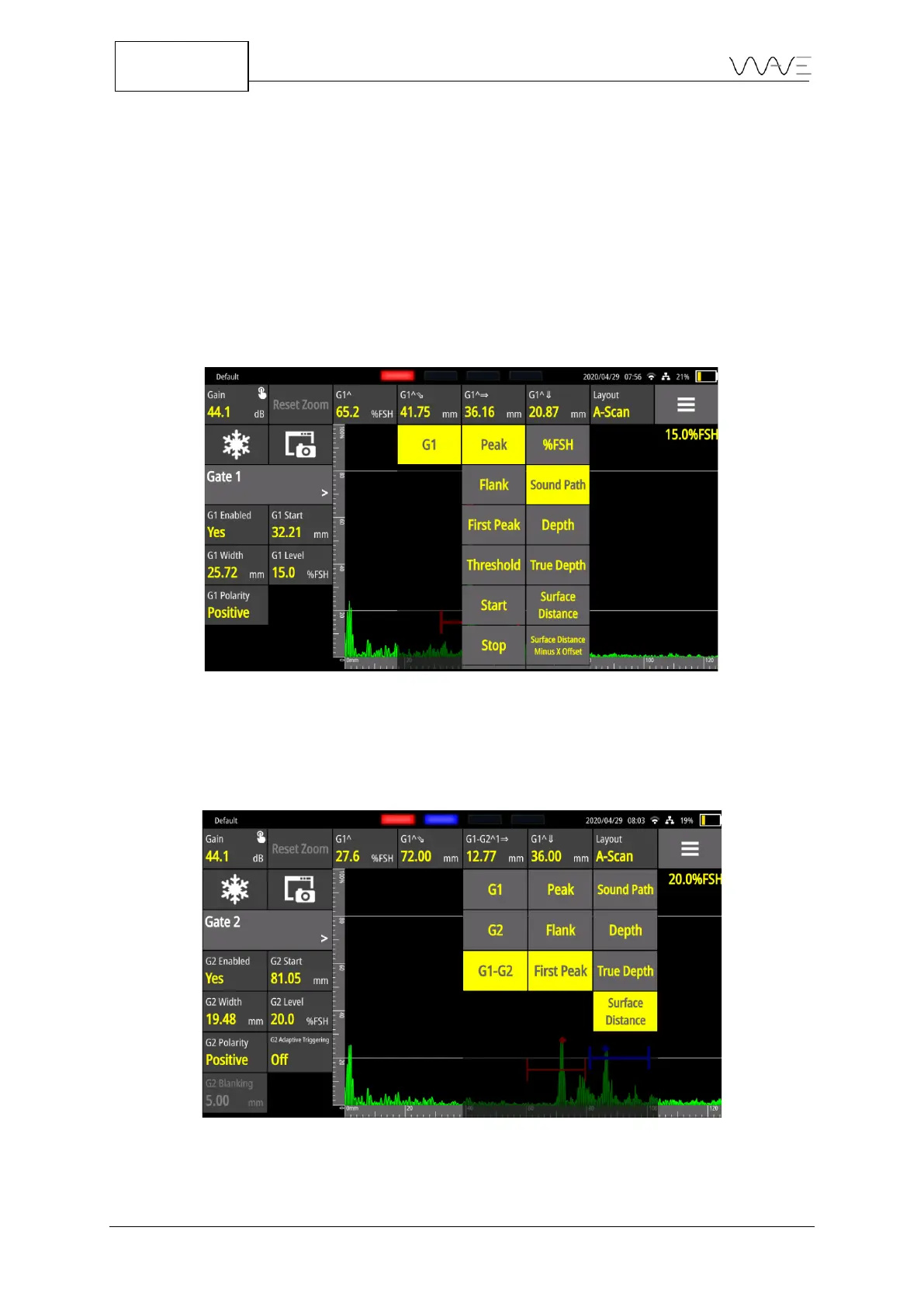
As an example, the above figure shows measurements that can be displayed when only
Gate 1 is enabled. The choice of measurements is then dynamic, making it easier to
choose from depending on the application running on the instrument and also
depending on the number of gates enabled.
Figure 28 - Measurement choices (only Gate 1 is enabled)
Gate to gate measurements are grouped in pairs. That is, GX-GY measurements are
offered between Gate 1 and Gate 2 or between Gate 3 and Gate 4. The example below
shows this.
Figure 29 - Measurements available with more than one gate enabled



 To Next Page