Wave User Manual 77
Version 4
13.3 Create a Report
There are two ways to create a report, either from the App description screen or directly
from the current Inspection screen. Although they both produce a similar result, each
has its own specific details.
NOTE: The screenshot does not have to be an A-Scan. The Layout
menu allows you to switch between A-Scan, Scan Plan and A+ Plan
(i.e. A-Scan and Scan Plan side by side) views. The Screen Capture
button can be pressed at any time from these views.
13.3.1 From the Inspection Screen
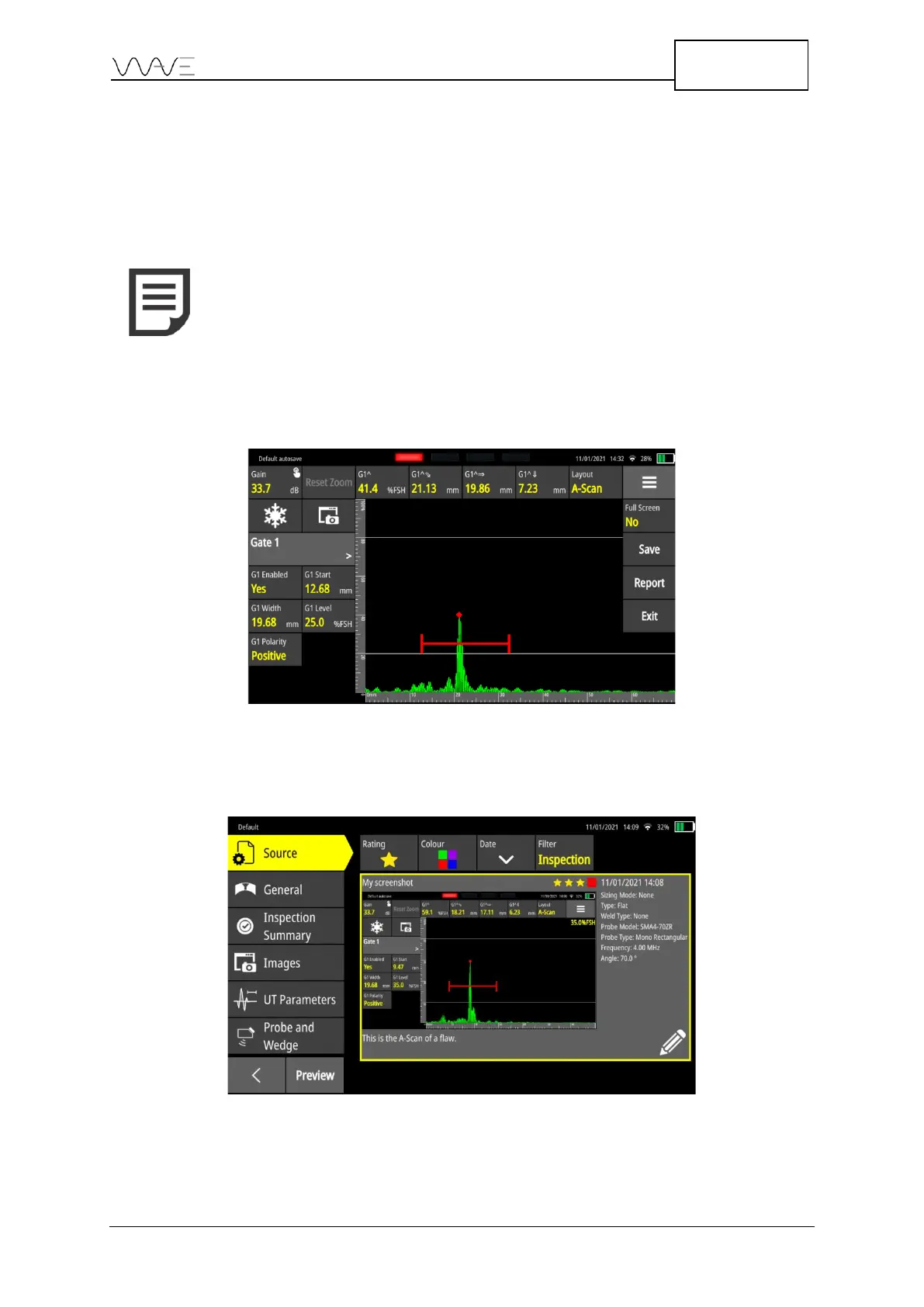
From the Toolbar menu, press the Report button.
Figure 59 - Report creation from within the application
From there, the screenshots related to the current inspection will be displayed first, which
is an advantage of this workflow.
Figure 60 - Report creation first step
The screenshots are by default ordered with the most recent ones first.



 To Next Page