Wave User Manual 63
Version 4
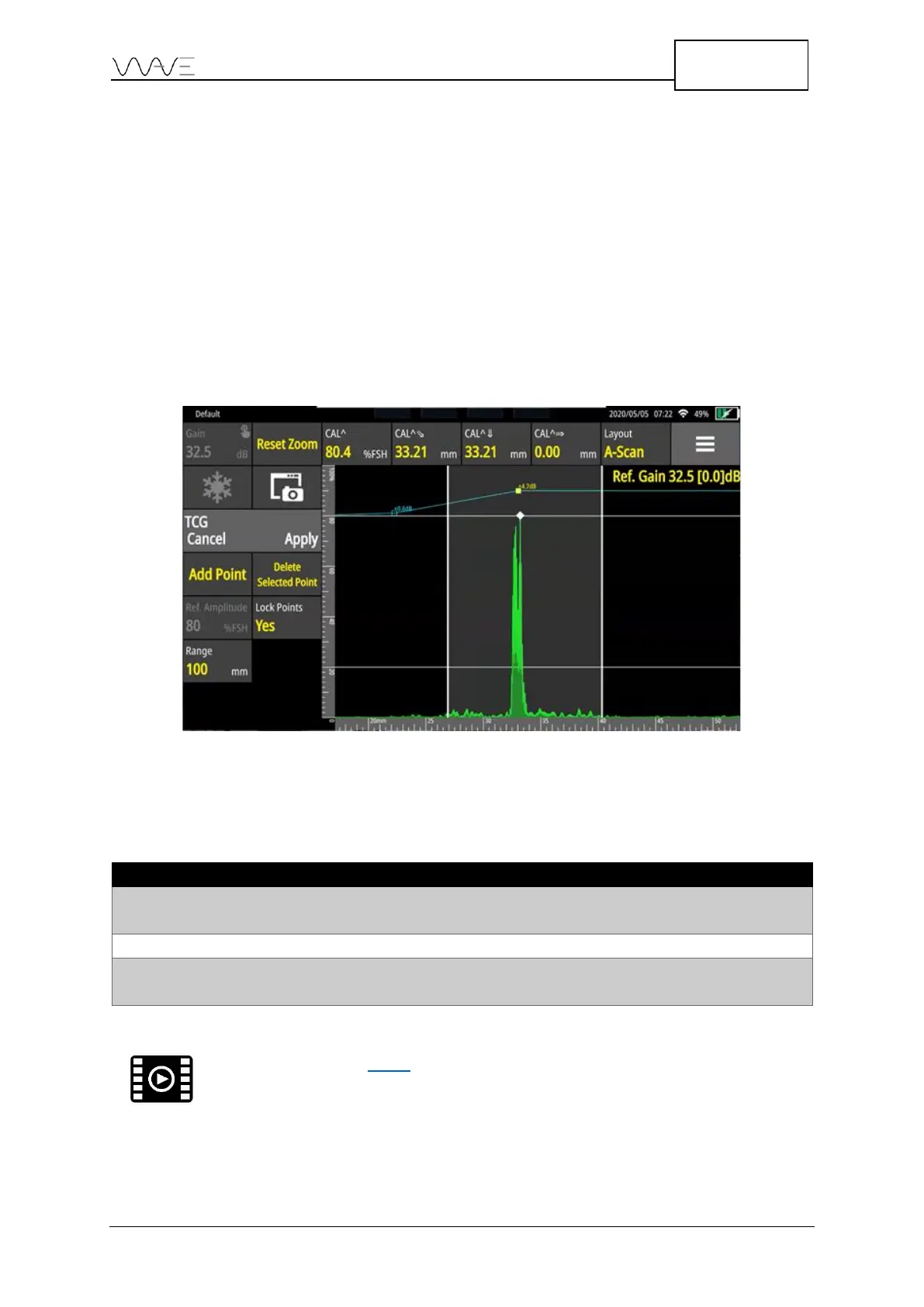
At this point, you do not need to be aware of echo amplitude (Gain level). You just need
to make sure that the first echo corresponds to your reference reflector to maximise its
amplitude. When the first echo is recorded, Wave automatically sets the Gain at 80% FSH
by default. You can change the refence amplitude to other values on Ref. Amplitude
button based on your requirements. The gain is locked; it is set as the reference gain. To
record an echo, you should click on Add Point. Once the reference gain is set and the
first echo is recorded, you can randomly record the other points to create a TCG curve.
You can also delete or replace another point as many times as necessary if they consider
the point was not properly taken. To delete or replace a point on your TCG curve, you
need to move your reference window over the point and then click on the Delete
Selected Point option.
Figure 46 – Creating a TGC curve
Here is some additional information on the buttons found in the wizard.
Table 22 – Buttons in the TCG wizard



 To Next Page