NOTE: To perform DGS evaluation, click the Probe menu and choose
a proper DGS probe from the probe list. Otherwise, the DGS sizing
option will remain greyed out on Wave.
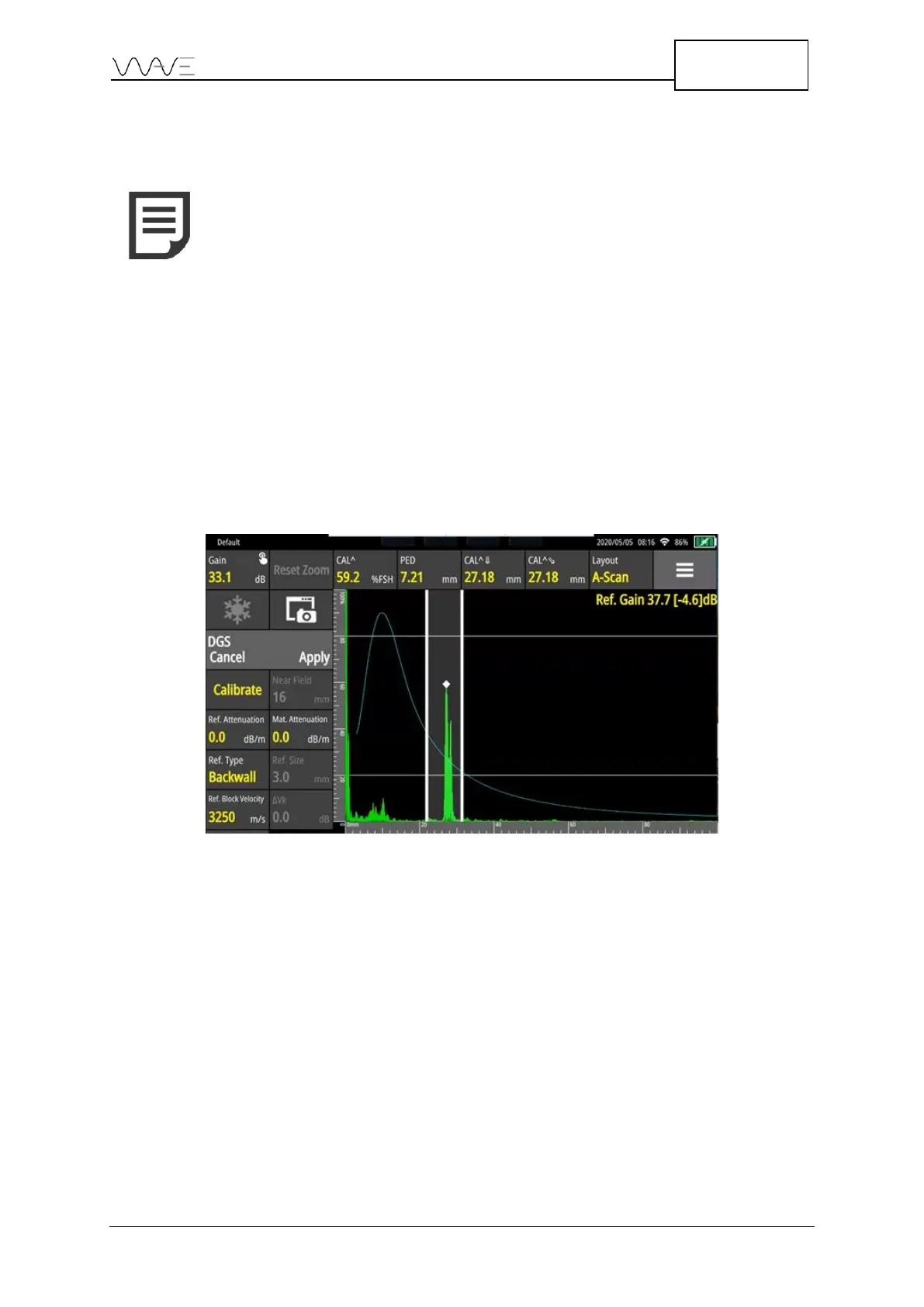
Couple your probe with your standard block and try to maximise the echo from the first
reflector. Depending on your range size and the sound path associated to your reflector,
the refracted echo can be located outside of the reference window. You can move the
reference window (forward/backward) through the A-Scan until it encompasses the echo
by just clicking on the touch panel. You can also enlarge or reduce the window width by
directly clicking on the window and then adjusting it according to your needs.
Press Calibrate once the echo is correctly located in the calibration window. Wave will
automatically set the gain as the Reference Gain. Wave will then apply it to finalise the
calibration procedure.
Figure 48 – Performing a DGS calibration



 To Next Page