Dubbing only desired scenes - Digital program editing (on tapes)
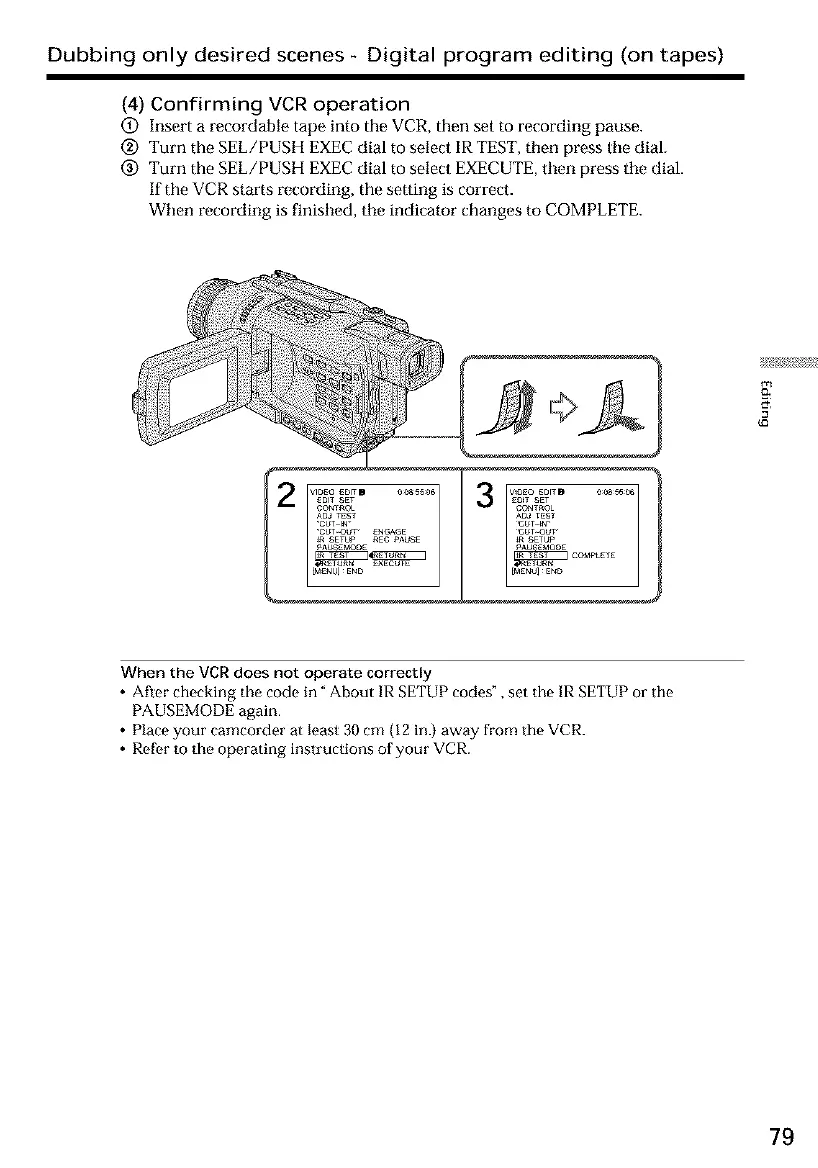
(4) Confirming VCR operation
(_) Insert a recordahle tape into the VCR, then set to recording pause.
@ Turn the SEL/PUSH EXECdial to select IR TEST,then press the dial.
@ Turn the SEL/PUSH EXECdial to select EXECUTE,then press the dial.
If the VCRstarts recording, the setting is correct.
When recording is finished, tile indicator changes to COMPLETE.
...................co oL°°TSET I
AoJ TEST
"C_T-IN _
"CUTOUT _ ENGAGE
_ SETUP _EC PAUSE
PAu E_OOE
v_oE0 EOlTD _0B_55_06EO_T SET
CONTROL
A0J rEST
_T_UT,
_ SETUP
_AO EMOOE COMPLETE
EMEUU _EF_D
g
When the VCR does not operate correctly
• After checking the code in" About IR SETUP codes", set the IR SETUP or tile
PAUSEMODE again.
• Place your camcorder at least 30 cm 02 in.) away from the VCR.
• Rofor to the operating instructions of your VCR.
79













 To Next Page