Viewing images recorded on a tape on your computer
(Windows users only)
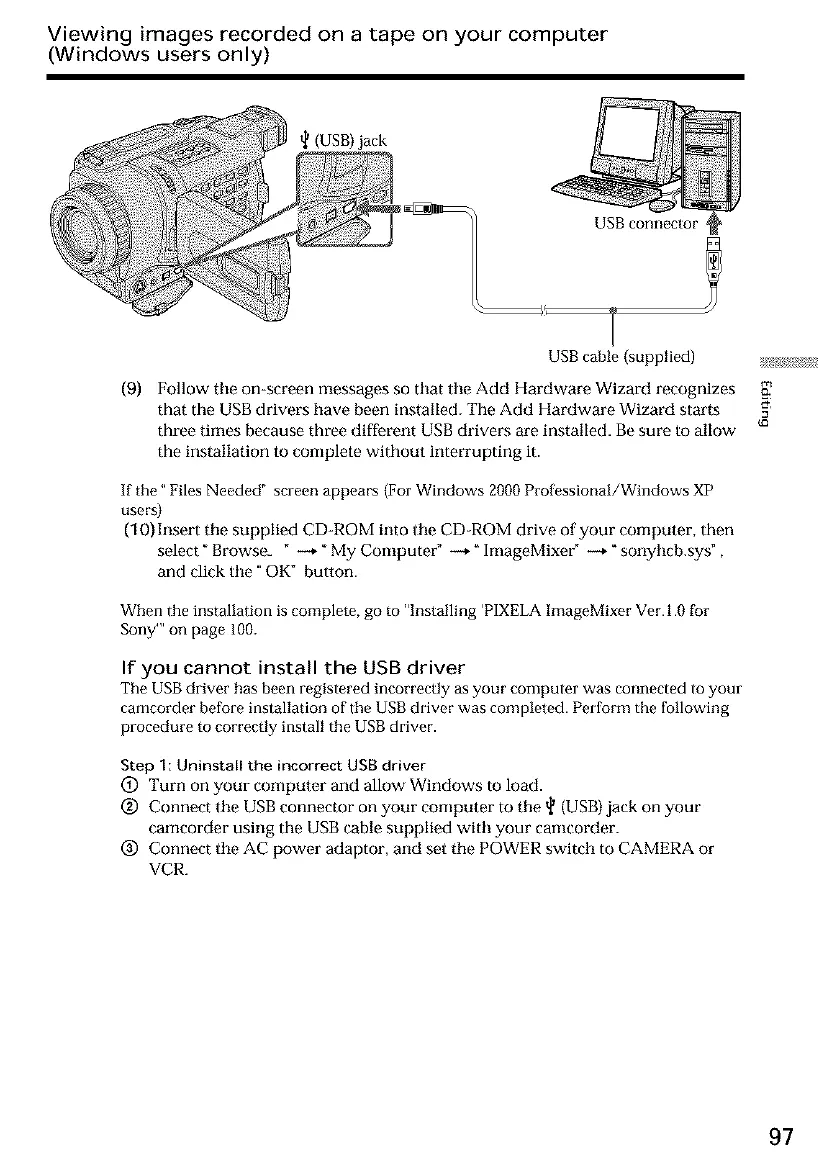
(USB) jack
USB cable {supplied) _;!_
(9) Follow tile on-screen messages so that tile Add Hardware Wizard recognizes
that the USB drivers have been installed. The Add Hardware Wizard starts
three times because three different USB drivers are installed. Be sure to allow
the installation to complete without interrupting it.
If the" Files Needed" screen appears (For Windows 2000 Professional/Windows XP
users)
(10) Insert tile supplied CD-ROM into tile CD-ROM drive of your computer, then
select" Browse_ " -_," My Computer" -+ _ImageMixeff --+ _sonyhcb.sys" ,
and click tile" OK" button.
When the installation is complete, go to "Installing 'PIXELA ImageMixer Ver.l.0 for
Sony'" on page 100.
If you cannot install the USB driver
The USB driver has been registered incorrectly as your computer was connected to your
camcorder before installation of the USB driver was completed. Perform the following
procedure to correctly install the USB driver.
Step I: Uninstall the incorrect USB driver
(&) Turn on your computer and allow Windows to load.
(_) Connect tile USB connector on your computer to tile _ (USB) jack on your
camcorder using the USB cable supplied with your cameorder.
(_) Connect tile AC power adaptor, and set tile POWER switch to CAMERA or
VCR.
97













 To Next Page