Viewing images recorded on a tape on your computer
(Windows users only)
[iiiii_i_i_ii!_!ii!_i¸i_!i¸i_ii_i¸!_!;;!i_!!i_i:_!_@!i_iii_:_iiiiii-_!i!;iii!ii!!!_!!;i_i!:_,!,i_:i,!,i_:i,!i
i_i _ computer
C3 Diskdrives
i_i _ Ploppy disk _o_{roller_
r_j_J Ploppy diskdrives
_J _ IDE AT_JATAPI c_n{r oilers
iii _ Keyboard_
r_j Mi_e an8 o_her poin_ingdeviee_
Modems
[_i OLher devices
[_ 5_und, video and game _o_{roller_
Audie Cedecs
_ Crys_alSou_dFusion(_m) Blaster _er face
i _ Cry_l 5ou_dFu_ion(lm) SPUD3Inf_rf_c_
Crys{al 5ou_dFusion(Lm) WDH I_{er face
Legacy Audio Drivers
i _ Legacy _ideo Cap{ure Device_
_edia ConLrol De_ice_
i USB Audio Device
i Video _odec_
[$ _ Diskdrive$
¢_Fl_gpy _Jgk conLrol_ers
_Floppydiskdrive_
r_IDE ATAJ#IAP[ _onlrolJer_
!_l_Proce_or_
i; _ 5ound_ video arrd game _on{_ol]er_
_ Legacy V_deoCaptu[e Devi_e_
_ Media Control Devi_e_
! _, _IplJ 40_ Compal_b]e MIDI Dev[_e
¸
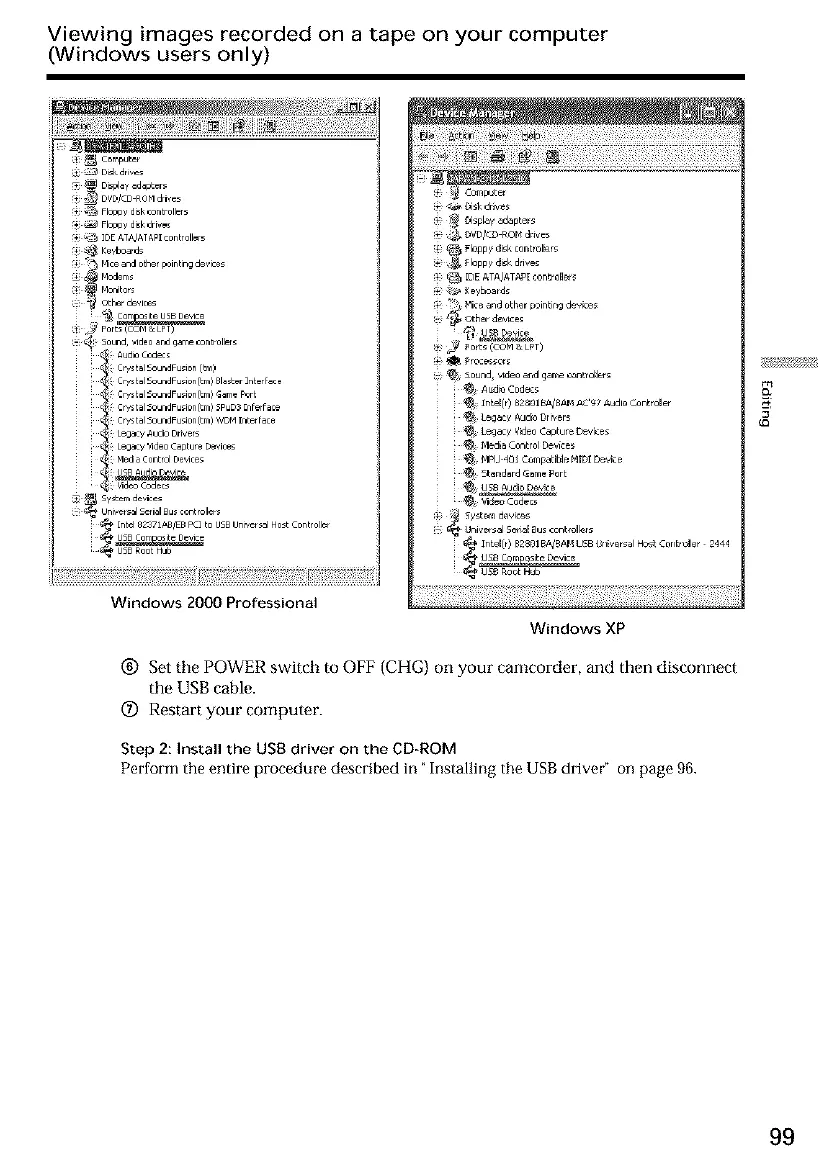
Windows XP
(_) Set the POWER switch to OFF (CHG) on your camcorder, and then disconnect
the USB cable.
(Z) Restart your computer.
Step 2: Install the USB driver on the CD-ROM
Perform the entire procedure described in "Installing the USB driver" on page 96.
99













 To Next Page