EasyManua.ls Logo

Speco N8NXP - Page 114

Speco N8NXP
146 pages
Print Icon
To Next Page IconTo Next Page
To Previous Page IconTo Previous Page
Loading...
113
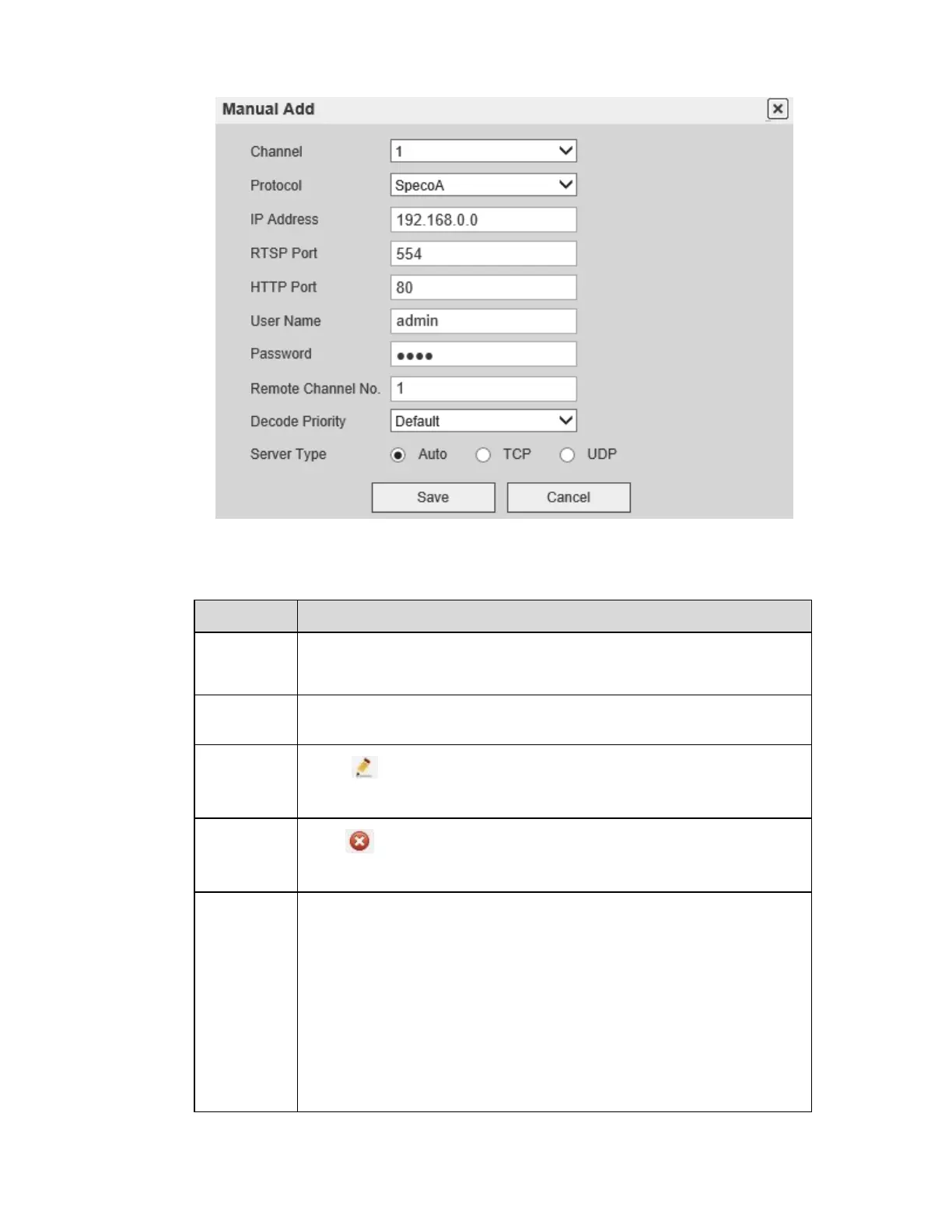
Figure 5-17
Please refer to the following table for parameter information.
Parameter
Function
Device
search
Click to search for all IP cameras on the network.
Add
Select a device in the list and then click Add to add the camera to the
system.
Modify
Click for any device in the Added device list to can change the
corresponding remote channel setup.
Delete
Click to delete the remote connection of the corresponding
channel.
Manual
Add
Figure 5-17. Add a camera manually. Specify the IP address, RTSP
port, HTTP, user name, and password.
Note:
Multiple protocols are supported. Speco A is the main protocol
for Speco’s IP cameras. For certain cameras that have additional
capabilities, the Speco B protocol can be used for more control
through the NVR. This includes changing image settings, video
loss detection, tampering detection, camera offline detection,
and camera firmware upgrade

Table of Contents

Other manuals for Speco N8NXP

Related product manuals