6 — Operation
40
Operator Manual
V-PRO
®
maX 2
10085896_H
• Non Lumen Cycle: Non-lumened instruments or instruments with mated surfaces (such as hinged
portion of forceps and scissors) may be processed in this cycle.
• Fast Non Lumen Cycle: If the load contains only pouched non-lumened instruments and weighs
less than 11 lb (5 kg), it may be processed in the Fast Non Lumen Cycle. Non-lumened
instruments or instruments with mated surfaces (such as hinged portion of forceps and
scissors) may be processed in this cycle.
• (North America) Flexible Cycle: Flexible surgical endoscopes (such as those used in ENT, Urology,
and Surgical Care) and bronchoscopes may only be processed in the Flexible Cycle. Non-
lumened instruments, short stainless-steel lumened instruments, and instruments with mated
surfaces (such as hinged portion of forceps and scissors) may also be placed into a load with
one flexible endoscope.
• (Outside North America) Flexible Cycle: Flexible surgical endoscopes (such as those used in ENT,
Urology, and Surgical Care) and bronchoscopes may only be processed in the Flexible Cycle.
Non-lumened instruments may also be placed into a load with one flexible endoscope.
ii. Control asks operator if the cycle is appropriate for the load (see Figure 6-7). OPERATING screen
displays (see Figure 6-8). Cycle counts down. The Abort touch pad is located in the lower right
corner (see Aborting Cycles for more information).
NOTE: For OPERATING screen displayed times and pressures, note the following:
• The projected cycle completion time shown on the display is estimated. The control automatically evaluates the cycle
progress and corrects the estimated time at the beginning of each phase.
• Current time and pressure (as well as temperature and phase) are displayed and printed (extended printout) at each
transition point (refer to Printouts).
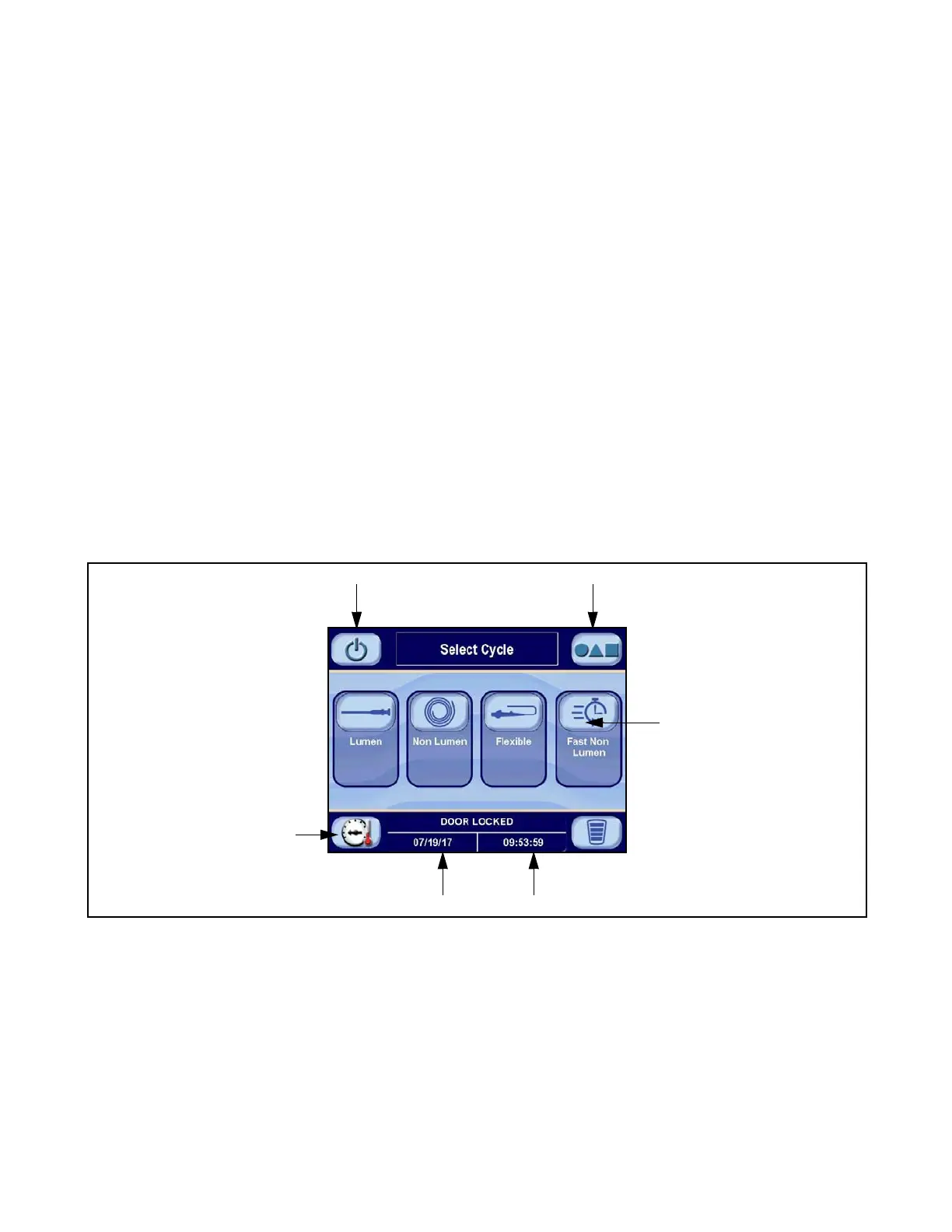
Current Date
Current Time
Status
Screen
Touch Pad
Cycle
Select
Touch Pad
Standby Screen Touch Pad Options Screen Touch Pad
Figure 6-4. SELECT CYCLE or Ready Screen












 To Next Page