Chapter 5 Replacing Cold-Swappable FRUs 5-33
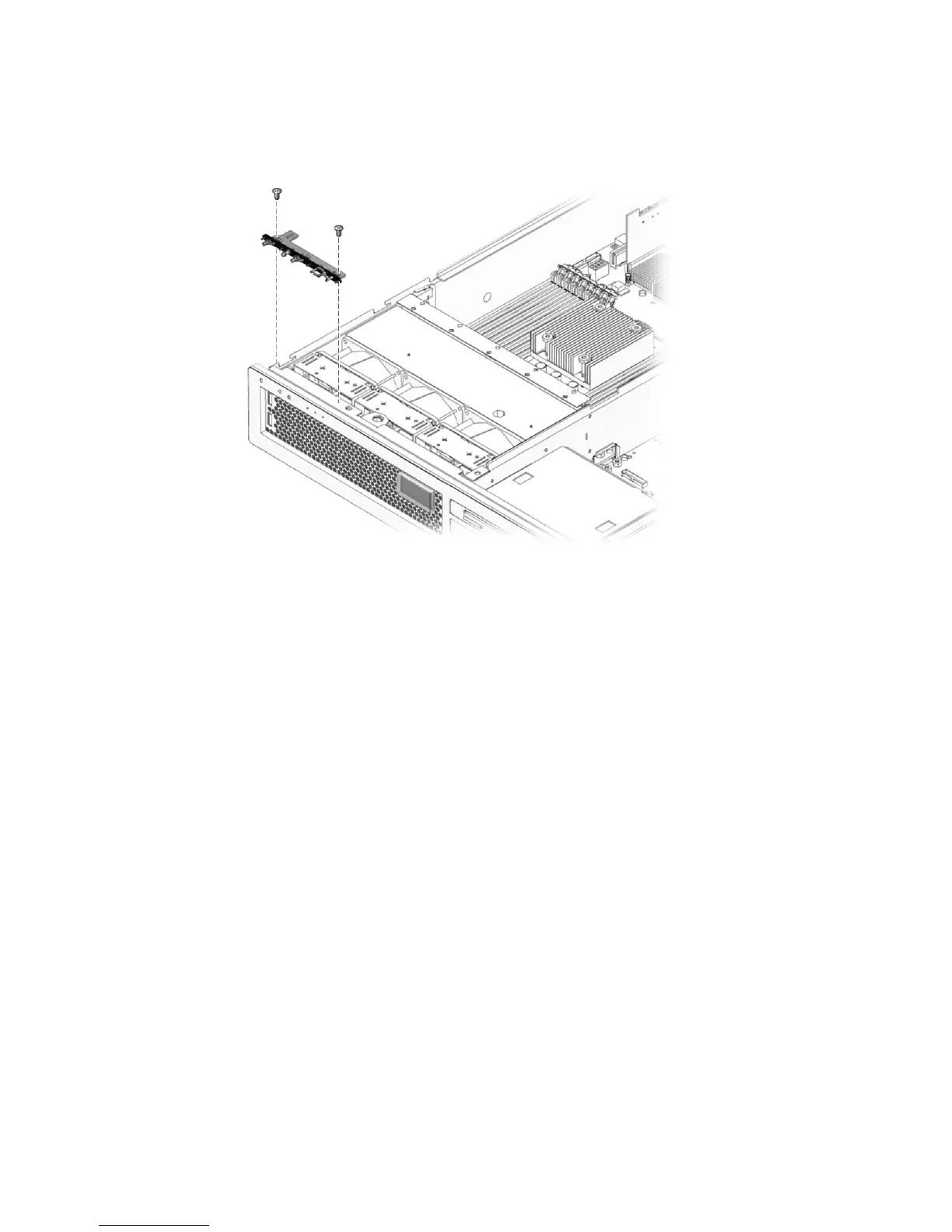
3. Remove the screws that secure the LED board to the chassis (FIGURE 5-21).
FIGURE 5-21 Removing the LED Board From the Chassis
4. Slide the LED board to the right to disconnect it from the front I/O board.
5. Remove the LED board from the chassis and place it on an antistatic mat.
5.2.12 Replacing the LED Board
1. Install the LED board in the chassis.
2. Slide the board to the left to connect it to the front I/O board.
3. Secure the LED board to the chassis using two M3x6 flat-head screws (
FIGURE 5-21).
4. Replace all three fans.
See Section 4.2.2, “Replacing a Fan” on page 4-4.
5. Perform the procedures described in Section 5.3, “Common Procedures for
Finishing Up” on page 5-41.













 To Next Page