2
NOTE: USE ONLY SUTTER INSTRUMENT-SUPPLIED REPLACEMENT HEATING
FILAMENTS IN THIS INSTRUMENT!
Systematic instructions for replacing the heating filament can be found in the Maintenance
section of this manual and in the Help Menu of the P-1000.
1.3 Technical Support
Unlimited technical support is provided by Sutter Instrument Company at no charge to our
customers. Our technical support staff is available between the hours of 8:00 AM and 5:00
PM (Pacific Standard Time) at (415) 883-0128. You may also Email your queries to
info@sutter.com.
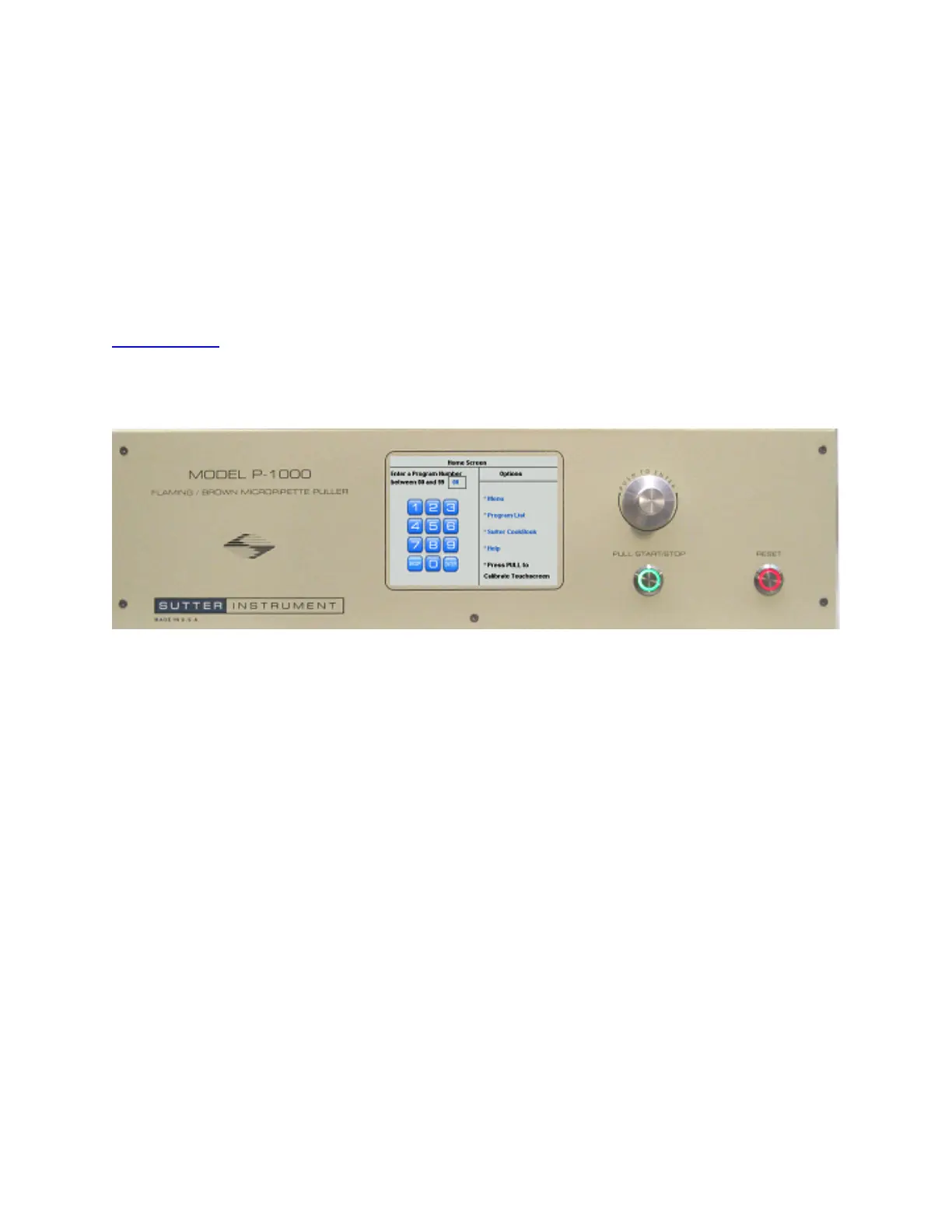
1.4 System Description – Front Panel
Figure 1-1. P-1000 front panel.
Color Touchscreen Provides a user interface with touch sensitive buttons and text
descriptions. All touch-sensitive items are blue, including text in
blue.
A keypad or keyboard is displayed where needed
Reset The Reset button is used to perform an emergency reset of the P-
1000’s microprocessor.
Pull Start/Stop Starts and stops the pull cycle
Rotary Dial Used as an alternative to the displayed keypad for numeric entry.
Turn right (clockwise) to increase the currently displayed value,
left (counterclockwise) to decrease, and press in to enter the
currently displayed value.
Rotating the dial also allows scrolling up or down a list of choices.
P-1000 FLAMING/BROWN MICROPIPETTE PULLER SYSTEM OPERATION MANUAL – REV. 3.02 (20161118)



 To Next Page