29
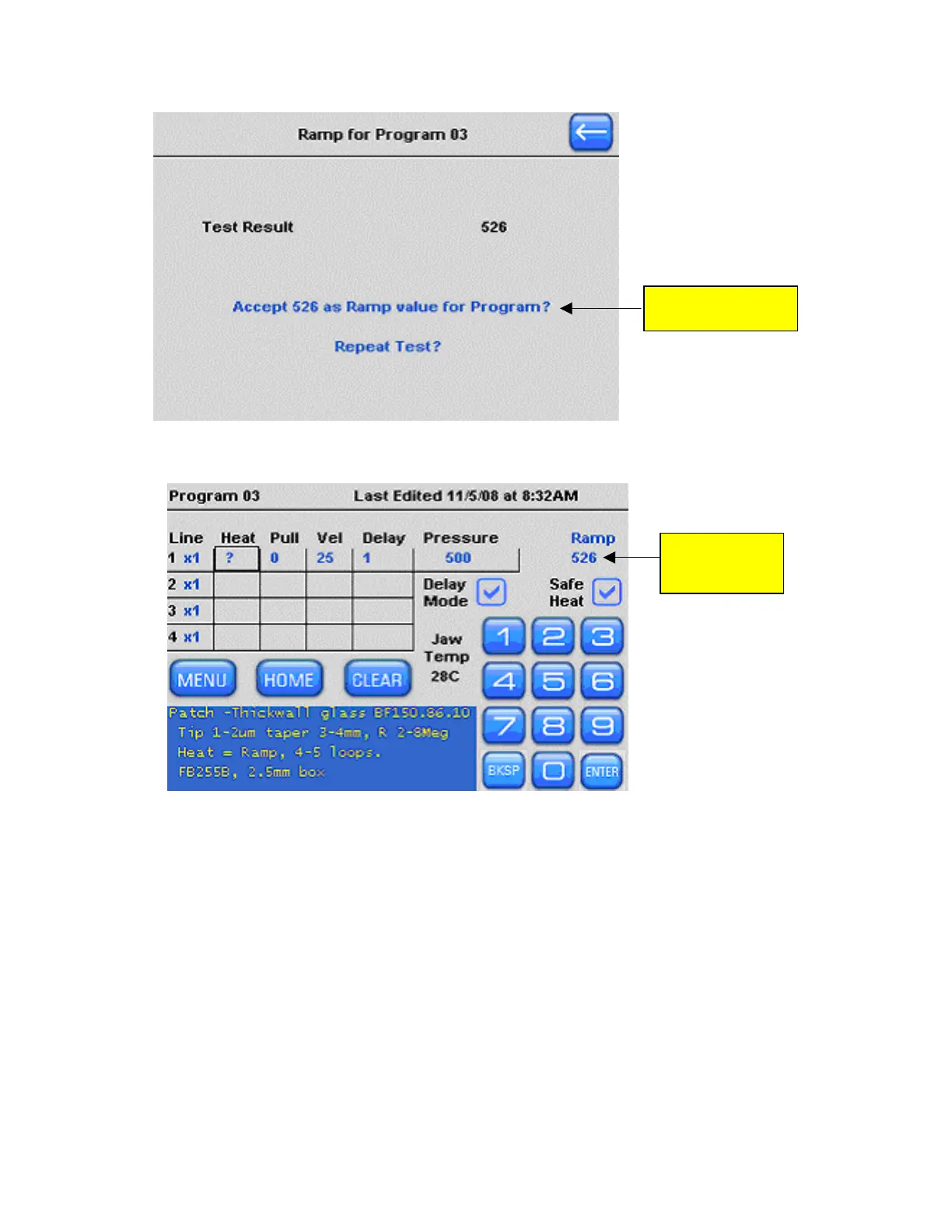
Press here to ac
ramp value
cept
Figure 4-9. Selecting a ramp value.
13. The accepted ramp value is now installed in the top right corner of Program 3.
Ram
ins
Pr
p value
526
talled in
ogram 3
Figure 4-10. Identifying the installed ramp value.
14. Select Line 1 Heat by touching the screen. Use the keypad or knob to install the ramp
value as your heat setting. If you’re ramp test value is 526, install 526 for your Heat.
Heat settings within 5 to 10% of the ramp value are the most stable heat settings to use.
P-1000 FLAMING/BROWN MICROPIPETTE PULLER SYSTEM OPERATION MANUAL – REV. 3.02 (20161118)



 To Next Page