30
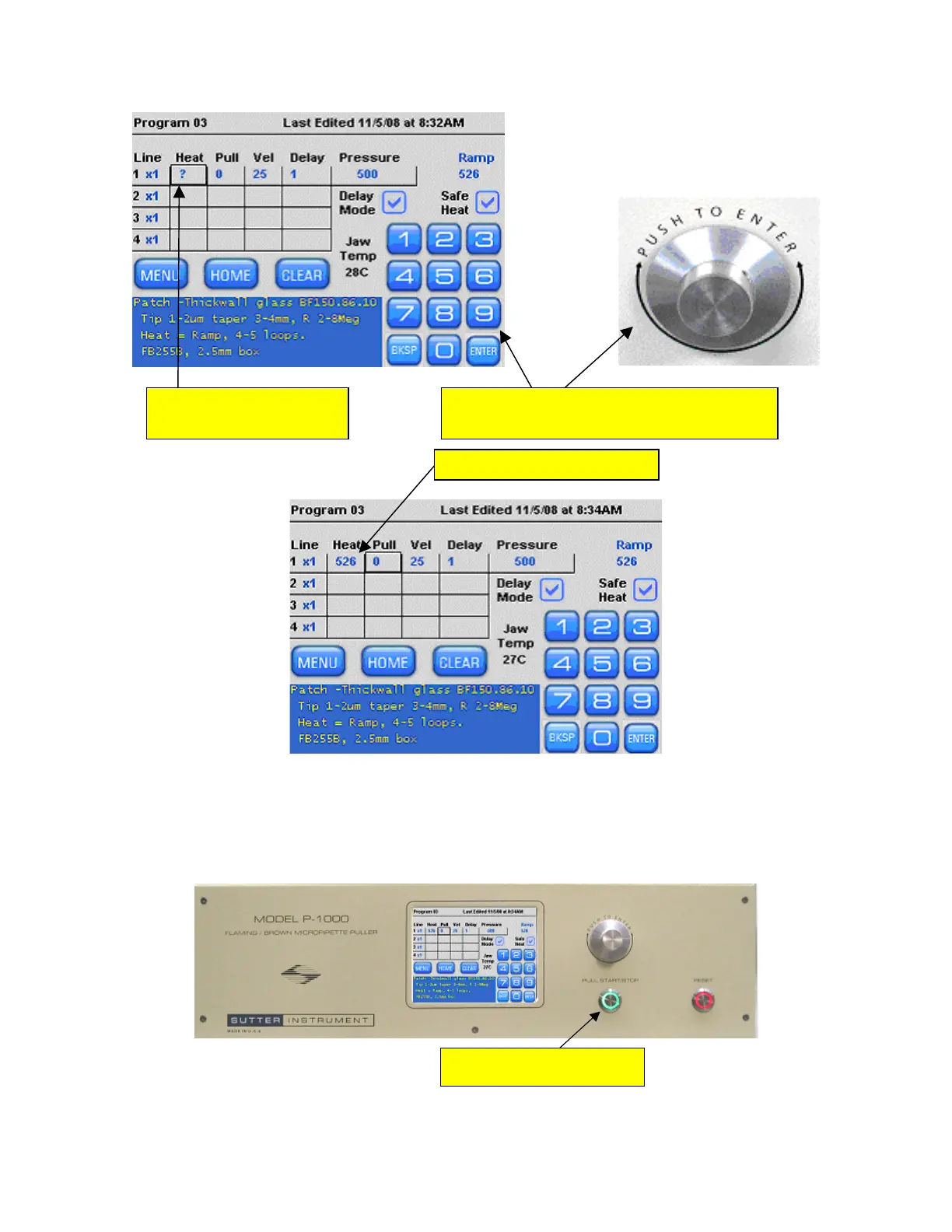
1. Press here to highlight 2. Use keypad or knob to install ramp value
for Line 1 Heat. Then press
ENTER
.
Line 1 Heat.
3. Heat value is now installed
Figure 4-11. Using the installed ramp value for Heat.
15. Remove the glass that was used for the Ramp test and install a NEW piece of 1.5 x 0.86
glass into the puller bars.
16. With a new piece of glass and the Heat value installed, press the Pull button on the front
panel.
Press the PULL button on the front
panel to start the Ramp Test
Figure 4-12. Pressing PULL on front panel to start the ramp test.
P-1000 FLAMING/BROWN MICROPIPETTE PULLER SYSTEM OPERATION MANUAL – REV. 3.02 (20161118)



 To Next Page