7
6.3.1 Air Pressure System
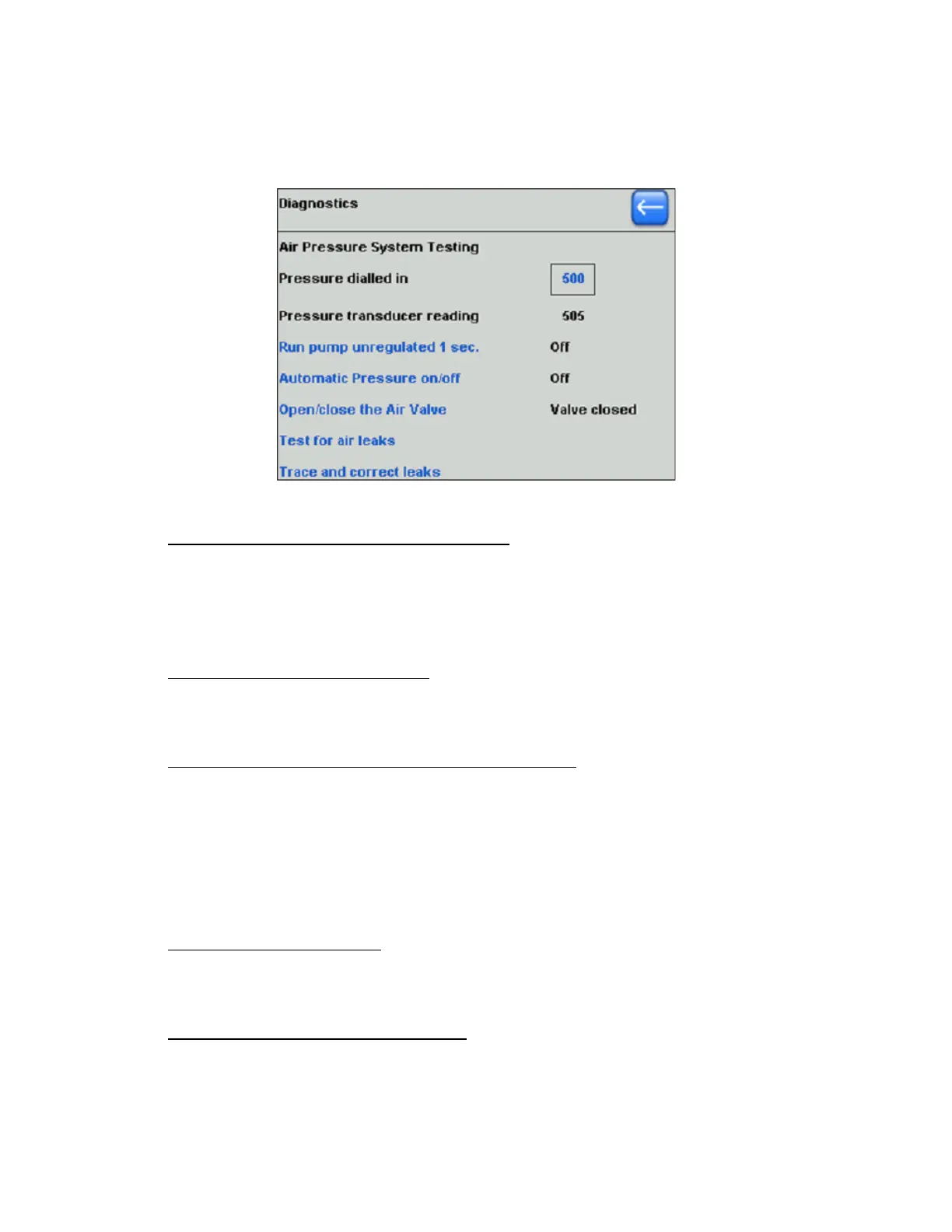
The Air Pressure System diagnostics menu shown in the following figure lists several
diagnostic tests any one of which can be selected for specific tests.
Figure 6-3. Air pressure system diagnostics screen.
6.3.1.1 Air Pressure Amount (“Pressure dialed in”)
The amount of air pressure is shown in the “Pressure dialed in” field. This field is
always highlighted so that different pressures can be selected using the front-panel
Dial. Once the field contains the desired pressure value for testing, press ENTER to
set that value.
6.3.1.2 Air Pressure Transducer Reading
The associated non-editable numeric field contains the pressure value from the
transducer after a test has been made.
6.3.1.3 Air Pump Test (“Run the pump unregulated 1 sec.”)
Run this test to verify that the air pump is working. While the test is running, the air
pump will be audible, and if the test is successful, the pressure transducer reading
will rise.
NOTE: The Air Pump Test can be run repeatedly to cause an increase in air pressure beyond
its normal working range. No harm will result from doing this. However, the noise level
coming from the air pump will become excessive.
6.3.1.4 Automatic Pressure On/Off
The Automatic Pressure test is a test of the air pump and the regulating circuitry.
This test also checks for air leakage from the system.
6.3.1.5 Air Valve (“Open/close the Air Valve”)
This test verifies that the air valve opens correctly causing the displayed Pressure
Transducer value to drop.
P-1000 FLAMING/BROWN MICROPIPETTE PULLER SYSTEM OPERATION MANUAL – REV. 3.02 (20161118)



 To Next Page