42
4.3 Menu screen
4.3.1 General
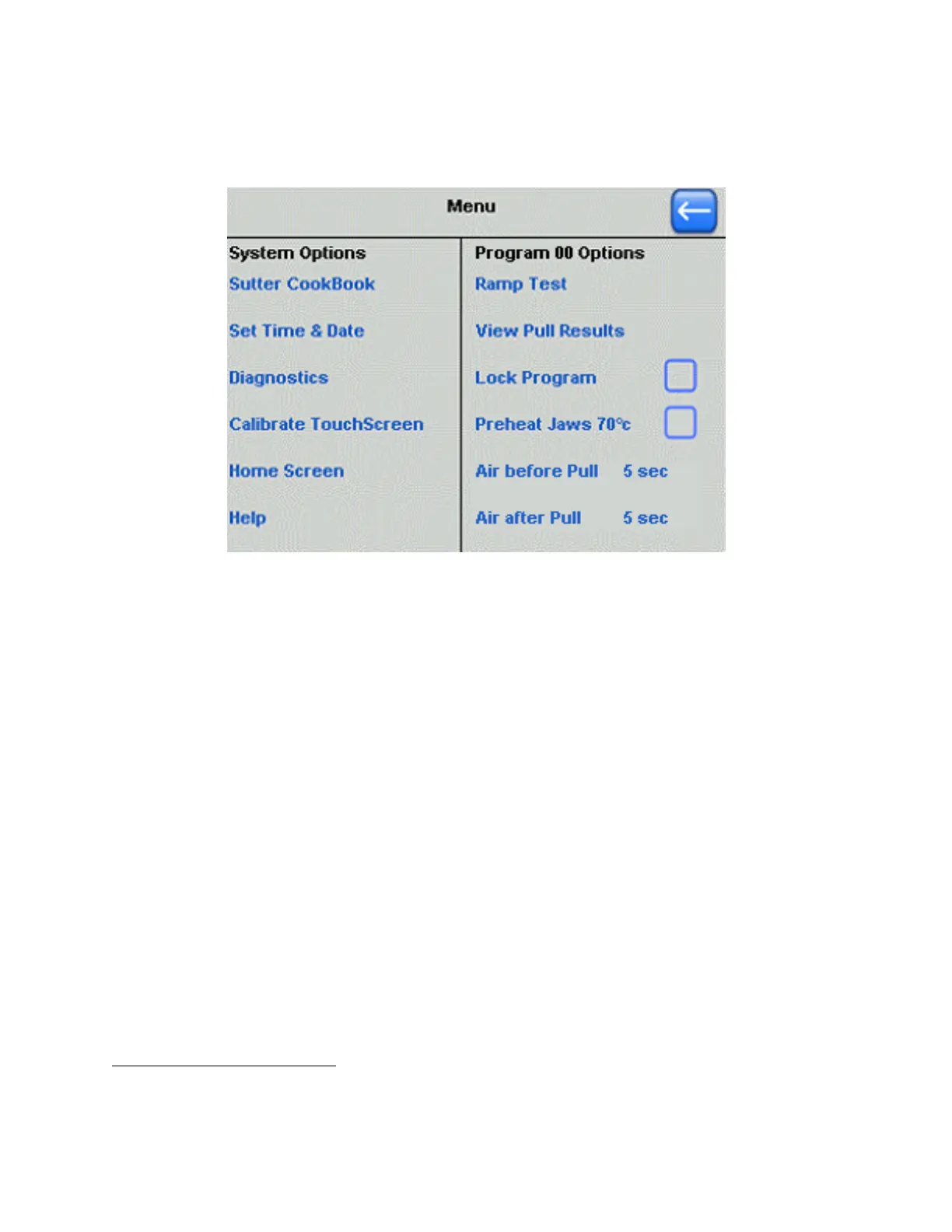
Figure 4-23. Menu screen.
1
4.4 System Options
• Sutter Cookbook: Refer to the Cookbook section for information on how to import an
appropriate program for your application.
•
Set Time and Date: This is the system clock used to record the time of when the
program was installed or last edited.
•
Diagnostics: Each of the P-1000 hardware components can be individually operated to
find any malfunction.
•
Calibrate Touchscreen: Recalibration may be needed due to drift over time. If
calibration is too far off for the touchscreen to work, press RESET and calibrate at the
Home screen
• Home Screen: Opens the Home screen.
• Help: Opens the Glossary and Help files
4.5 Program Options
• Ramp Test: O
pens the Ramp Test screen
• View Pull Results: Opens a screen that shows details of the last two pulls.
1
NOTE: The program option “Preheat Jaws 70˚C”in the Menu screen is associated with the Thermolock™ feature, and exists only in P-1000
systems that shipped on and after November 29 of 2010. Also, in the same systems, the Menu screen has both columnar titles ending in
“Options”, replacing the previous “Operations”.
P-1000 FLAMING/BROWN MICROPIPETTE PULLER SYSTEM OPERATION MANUAL – REV. 3.02 (20161118)



 To Next Page