43
• Lock Program: If checked ( ), the current program is locked (write protected – the
program cannot be changed).
• Air Before Pull: This function defines the time taken to flush the air subsystem
with dry air before the pull begins
. The default setting is 5 seconds.
• Air After Pull: Same as above, but after the pull is finished
. The default setting is
also 5 seconds.
4.6 Ramp Test
The HEAT value required to melt your glass is based on the characteristics of the heating
filament that is installed and the OD/ID of glass you are using. The RAMP TEST allows you
to systematically establish or adjust program HEAT values as a function of the filament/glass
combination. This test should be run when using the puller for the first time, before writing
or editing a program, whenever you change glass or whenever you change the heating
filament. A HEAT setting equal to the RAMP value is the best first setting with which to
start.
The ramp value is associated and stored with the current program.
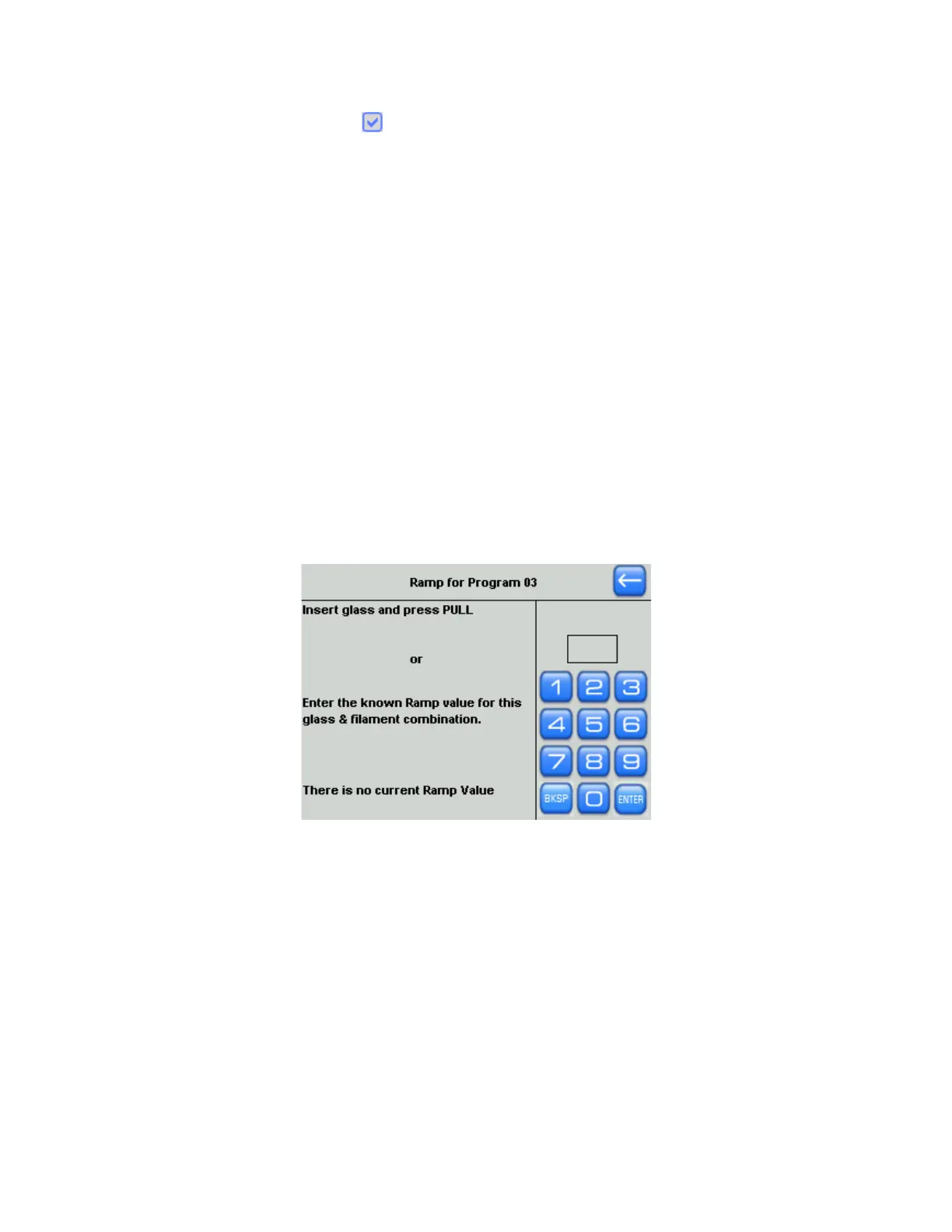
You can access the Ramp Test screen from the Menu screen or by touching the Ramp
parameter in the Program Edit screen, whereupon the following screen is displayed.
Figure 4-24. Ramp test ramp value screen.
If you are using a filament / glass combination for which you have already run a Ramp Test,
you can simply type or dial it in. Otherwise, follow the instructions on screen.
1. When the above screen is displayed, press PULL to run the ramp test.
2. The puller increments the HEAT, and the filament, after 1-2 minutes, begins to get hot
and glows orange in color.
3. The puller bars begin to move apart once the HEAT is hot enough to soften the glass.
4. As the glass begins to soften, a certain velocity of the puller bars moving apart is
detected, at which point the heat turns off.
5. Once there is a small melt in the glass, the new ramp value will be displayed.
P-1000 FLAMING/BROWN MICROPIPETTE PULLER SYSTEM OPERATION MANUAL – REV. 3.02 (20161118)



 To Next Page