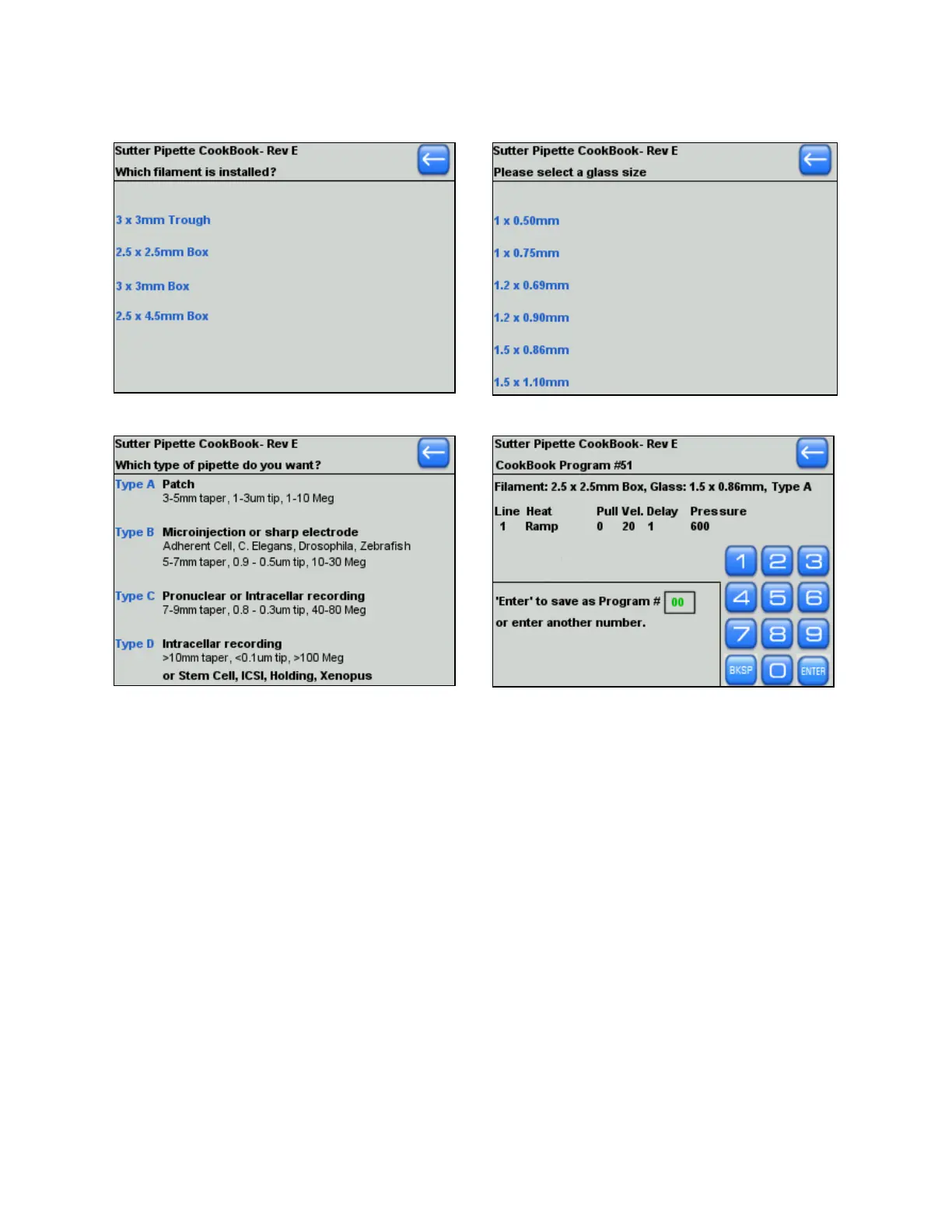
1
Step 1
Step 2
Step 3
Step 4
Once you have selected a program number, install the program, run a ramp test, install the
recommended heat (found in the blue text box) and pull a pipette. While the cookbook
program should be a good starting point, you may need to make small adjustments to the
parameter settings to fine-tune the morphology of the resulting pipette.
If the program you have installed is not working, adjustments to the settings do not help, or
you are unable to find a match for your filament size, glass size, or pipette application
(pipette “Type”), please contact Sutter Instrument for technical help.
2.6 Editing a Program
Touch any screen item to edit. Numeric fields will highlight with a rectangle. You can
edit numbers with the Keypad or Dial. All program settings are saved in memory. When a
program is installed or edited, the date and time “stamp” will be recorded in the top right
of the program screen.
There are four (4) lines of programming available, and each line can be asked to repeat up
to four times, for a maximum of ten (10) lines. If only one line of programming is
installed, the program will execute that line and pull the pipette in one stage. If the glass
P-1000 FLAMING/BROWN MICROPIPETTE PULLER SYSTEM OPERATION MANUAL – REV. 3.02 (20161118)



 To Next Page