19
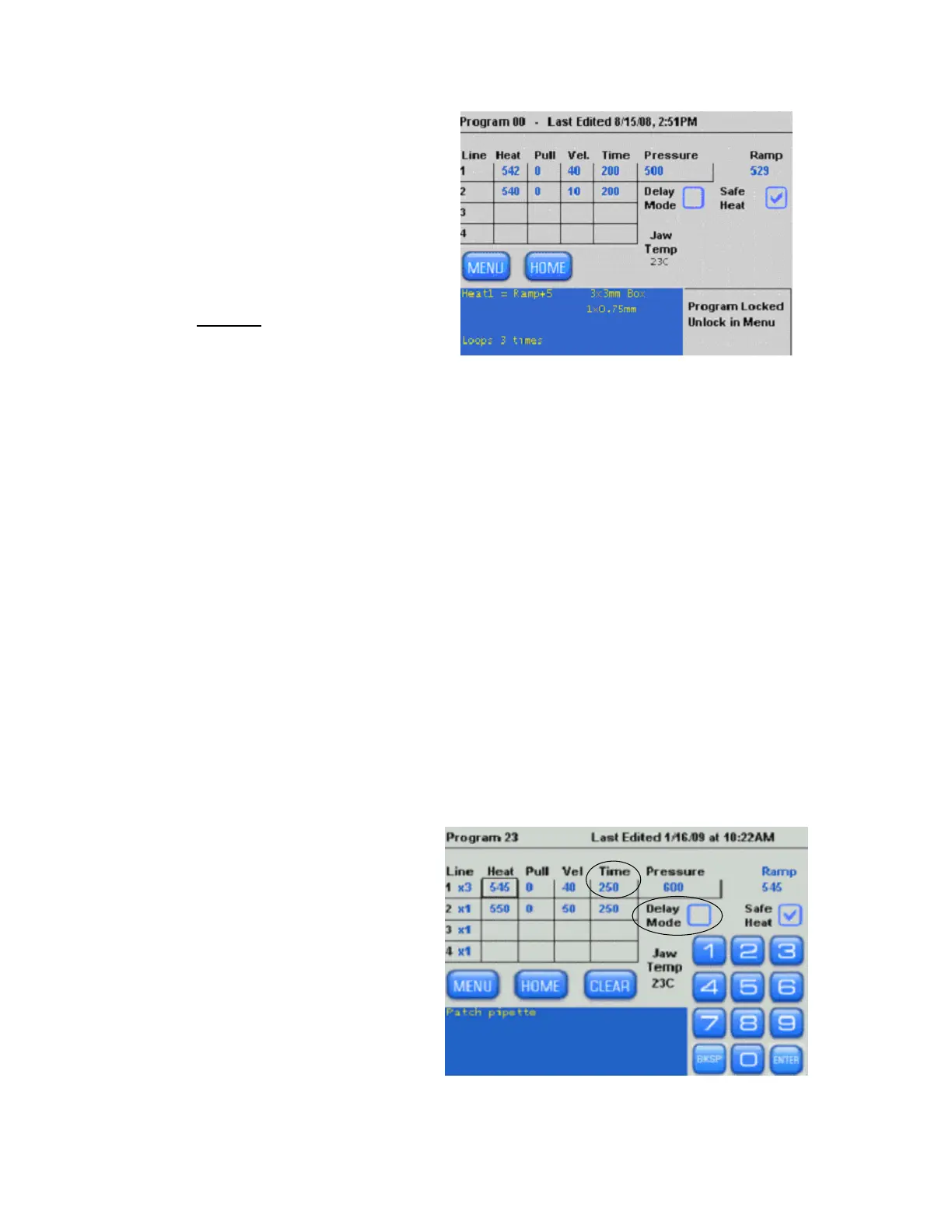
A locked program will appear as
shown in the next figure. When a
program is locked, the keypad and
clear button will disappear and you
will be unable to change the
parameter settings, the Air mode
(Time/Delay), or change the Safe
Heat Mode.
To Unlock a program, go to the
Menu and uncheck
the “Lock
Program” box.
Figure 2-15. Items that cannot be changed in a locked program.
2.6.5 Safe Heat Mode
If the “Safe Heat” is checked, the puller will “check” the heat setting in relation to the ramp
value and will disallow heat settings that are 10% over or under the Ramp Test value. This
helps to prevent unstable and unsafe heat settings that can damage the puller jaws or burn
out the filament. If a ramp value is not present in your program, you will be required to run a
ramp test or install a known ramp value for your glass and filament
Heat Values 10% above or below the Ramp Test Value will cause a warning and disallow the
entry. If this happens, you can adjust the heat to be within 5 units of the ramp test value,
run a new ramp test, or turn off the Safe Heat Mode. If you turn off the Safe Heat Mode by
unchecking the box, you take the risk of burning out your filament.
2.6.6 Time & Delay Modes of Cooling
By checking and unchecking the “Delay Mode” checkbox, you can switch between Time and
Delay, which are the two “air modes”, used to cool the filament and glass during the pull.
The Time mode allows you to determine the duration of air used to cool the glass. The Delay
mode provides a set duration of cooling during which time you can determine when the hard
pull will occur within the cooling stage. The Delay mode provides more cooling than the Time
mode and helps to further control the viscosity of the glass as it is pulled.
An example of the TIME mode of
air-cooling is shown in the following
figure. The Time Mode is
recommended when using thin
walled glass.
Figure 2-16. Time mode of air-cooling.
P-1000 FLAMING/BROWN MICROPIPETTE PULLER SYSTEM OPERATION MANUAL – REV. 3.02 (20161118)



 To Next Page