13
2.3.3 Ramp Test
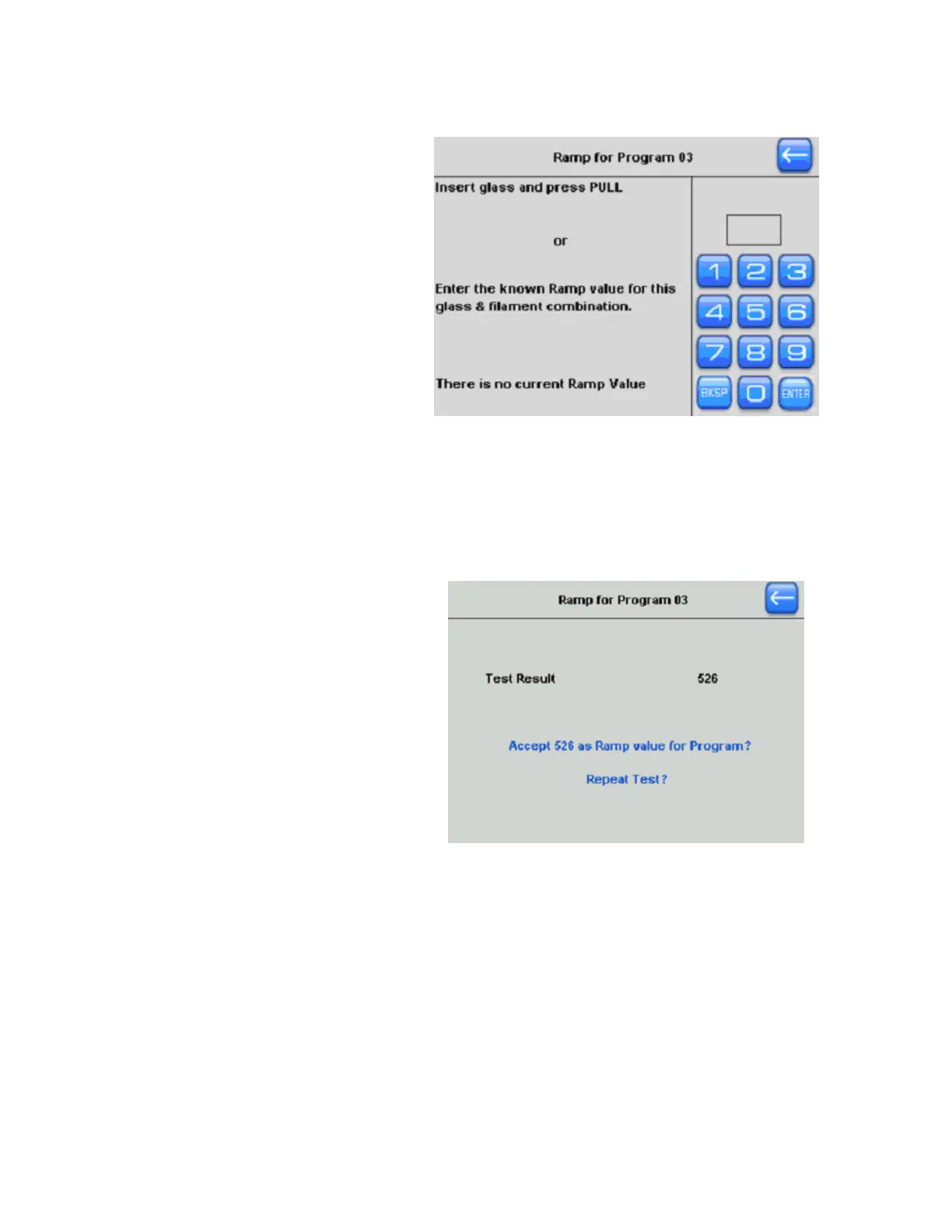
Here you can run a Ramp Test, or,
if you know the current ramp value
for this exact filament and glass
combination, you can install it at
this time. Otherwise, run a new
ramp test.
Figure 2-7. Ramp test.
During a Ramp Test, the current delivered to the filament will gradually increase until the
filament is hot enough (bright orange glow) to soften the glass. When the glass softens, the
puller bars will drift apart ever so slightly and this movement will be detected by the puller.
The heat will turn off at this stage and the ramp value will be reported on the screen. The
Ramp Test is the level (units) of heat required to melt your glass.
You have the option to [Accept] the
ramp value, upon which is installed
into your program, or you can
repeat the test. To repeat, first
loosen the knobs to slide the glass
into a new location or install a new
piece of glass. Then press repeat
and the ramp test will run again. To
ignore the new ramp value, press
the back arrow to go back to your
program. If there has been a change
in the ramp value, you might need
to adjust your heat values to reflect
this change.
Figure 2-8. Ramp test result.
The resulting Ramp Test Value is an ideal setting to install for your Heat setting. Keep the
Safe heat Mode turned on to protect your filament. Heat settings 10% over or under the
Ramp Value are both unstable and can cause damage to your filament and, when installed,
will cause a warning.
P-1000 FLAMING/BROWN MICROPIPETTE PULLER SYSTEM OPERATION MANUAL – REV. 3.02 (20161118)



 To Next Page