45
5. Press the < PULL > button. The heating filament will turn on and the glass should
separate within 10 seconds. The display will then report the number of heating cycles and
the total time that the heat was turned on.
6. Loosen the clamping knobs and remove the pipettes from the puller bars.
Unless otherwise stated on your program sheet, Program 0 is factory pre-programmed to pull
a micropipette (tip diameter less than 0.1mm) from 1.0 x 0.5 mm borosilicate glass. It will
pull the pipette in one heating cycle. The time reported is very useful for developing
programs and will be discussed in the Parameter Adjustment section of this manual.
A feature of the P-1000 is its capability
to loop through a program. This is
demonstrated using Program 1, which
is a factory pre-installed one-line
program “loop” (repeat and pull in
stages) to create a patch-type pipette
with a short taper and 1-3μm tip. Press
RESET to exit Program 0, and then
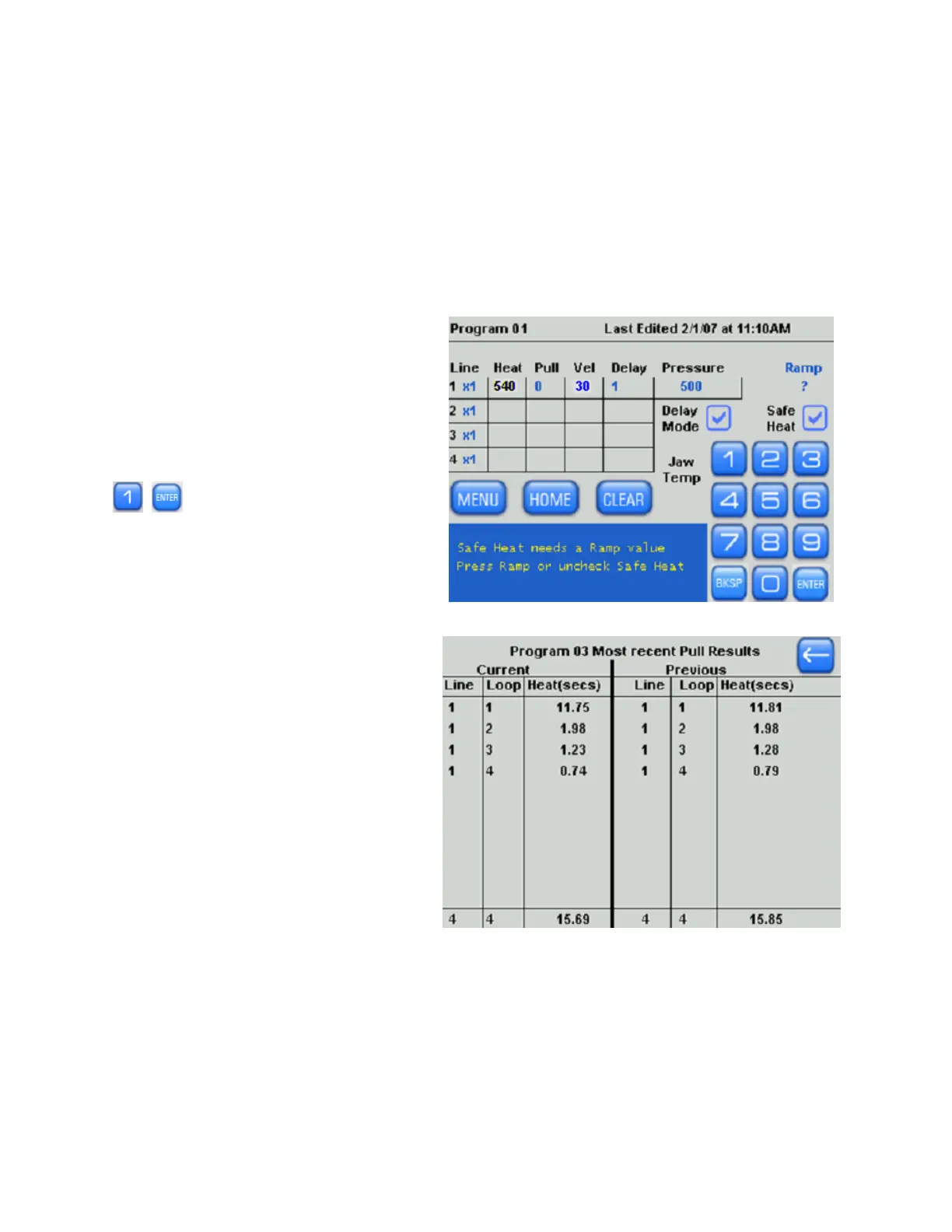
, to open Program 1. The
display for Program 1 should read
similar to the figure on the right.
Figure 4-26. Sample program.
Load glass into the puller and press
<PULL>. The heating filament should
loop on and off repeatedly. Once the
glass has separated, the pull is
complete, and the display should read
similar to the figure on the right.
Figure 4-27. Pull cycle report (multiple-loops).
After the heat turns on in line 01, the glass heats up and draws apart until it reaches a
VELOCITY of 30, at which point the heat turns off and the cooling air turns on. The puller is
“aware” of the fact that the glass has not separated yet, and will go back to line 1 of the
program and try again; in effect, it begins ‘looping’. It will continue to do so until the glass
separates. This looping capability is particularly useful for fabricating patch pipettes, which
require multiple heating cycles to form the characteristic stubby geometry.
P-1000 FLAMING/BROWN MICROPIPETTE PULLER SYSTEM OPERATION MANUAL – REV. 3.02 (20161118)



 To Next Page