27
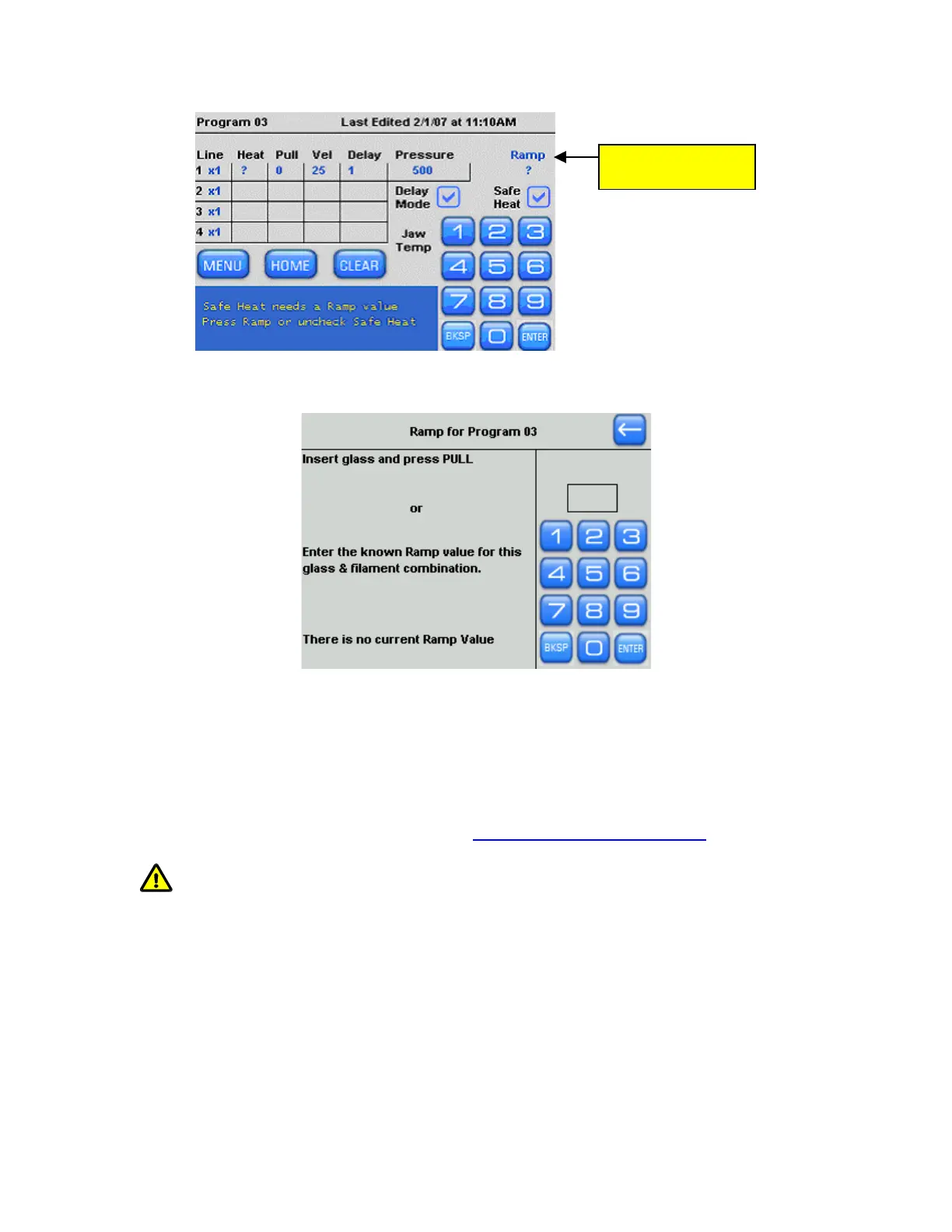
Press “Ramp” to run
a ramp test
Figure 4-5. Running the ramp test.
9. Now you will see the Ramp Test Screen.
Figure 4-6. Ramp Test screen.
The ramp test helps to establish safe heat settings. The ramp value is unknown for the
2.5 x 2.5 box filament (FB255B) filament in your puller and the 1.5 x 0.86 glass you will
be using, so you will need to run a Ramp test.
10. Install a piece of 1.5 x 0.86 capillary glass (BF150-86-10 sample glass was shipped with
your puller) and ADVANCE THE PULLER BARS ALL THE WAY TOGETHER before
tightening the knobs that clamp the glass. Do not over-tighten the knobs
.
CAUTION: The program HEAT value should not exceed the listed RAMP TEST
value by more than 10%.
The following shows how to load a piece of glass:
P-1000 FLAMING/BROWN MICROPIPETTE PULLER SYSTEM OPERATION MANUAL – REV. 3.02 (20161118)



 To Next Page