P-1000 FLAMING/BROWN MICROPIPETTE PULLER SYSTEM OPERATION MANUAL – REV. 3.02 (20161118)
78
6.4 Touchscreen Calibration
The touchscreen can drift out of alignment with the display over time. If ever the
screen is so badly misaligned that the Touchscreen is not usable, recovery is still
possible. Press RESET. When the Home Screen displays press PULL and the
calibration routine will run.
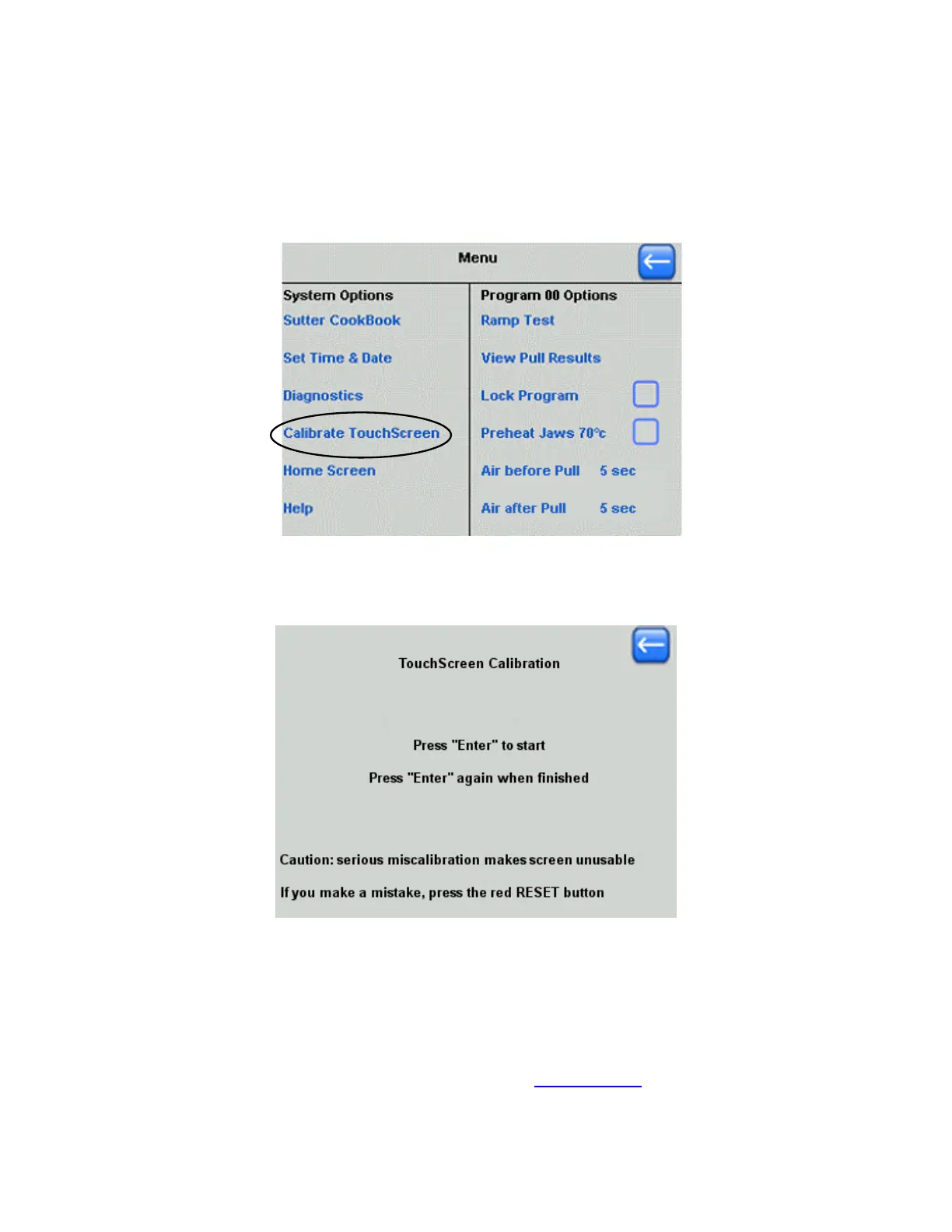
Figure 6-8. Starting Calibrate TouchScreen from the Main Menu screen.
The TouchScreen Calibration screen is started by pressing “Calibrate TouchScreen”
in the Main Menu screen.
Figure 6-9. TouchScreen Calibration.
Follow the instructions on the TouchScreen Calibration screen to calibrate.
6.5 Technical Support
For further assistance, contact Sutter Instrument Technical Support at:
(415) 883-0128 or
info@sutter.com



 To Next Page